Connect Fashion Cloud, Stockbase, brand portals, FTP, ZIP files, and email. Photopilot links clothing, bags, suitcases, home products, and cosmetics to the correct product via article number, EAN, and file structure.
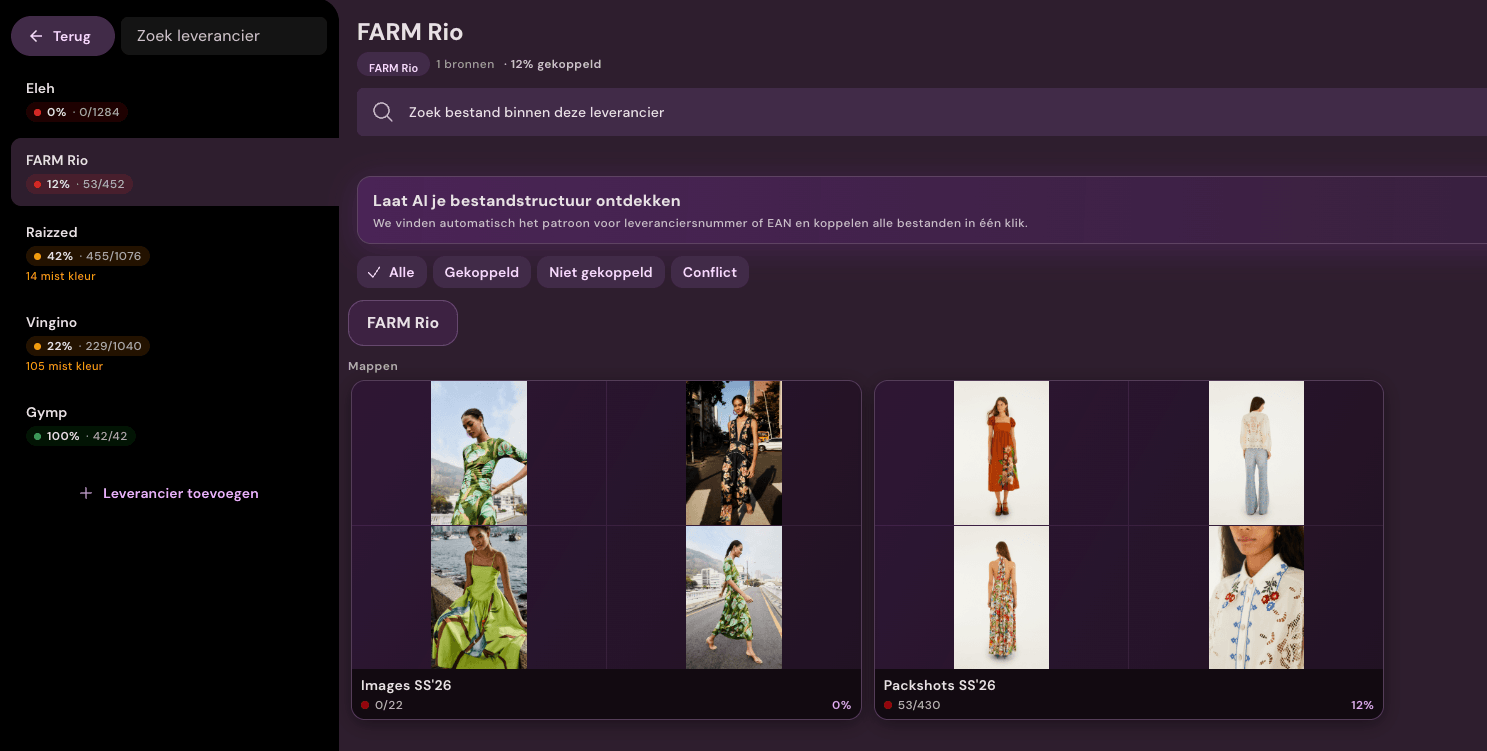
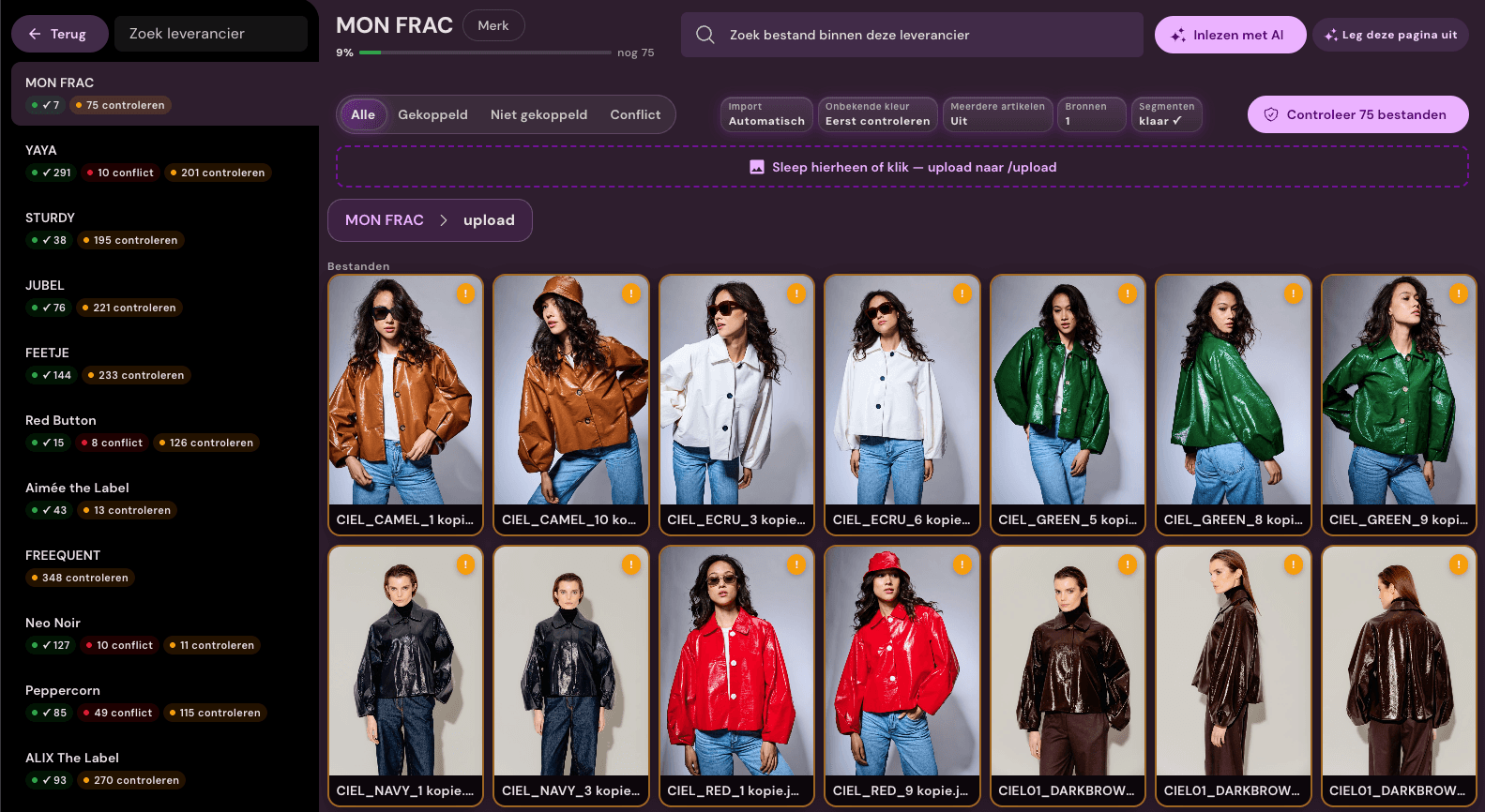
Daily supplier workspace See for every source what is matched and what needs attention Live in production
Sources
Retrieve images from any source
FTP, SFTP, brand portal, folder structure, ZIP archive, or email attachment: Photopilot indexes the source and monitors it. Per supplier, you can connect multiple channels simultaneously, each with its own rules.
FTP / SFTPBrand portalZIP fileDropbox / Google DriveEmail attachmentFolder structure
Suppliers
Hard codes first
Photopilot links by supplier item number, EAN, item number, and public ID if those codes are reliably present. No AI is needed for that.
Structure from folder and name
In portals and folders, file names, folder segments, brand, season, and color are read as if a merchandiser is organizing the delivery.
Percentage per supplier
In the app you see, per supplier, how many files are truly linked to an article variant, not just to a model.
Manual as the last step
Only files without candidate, conflict, or too low certainty remain for human review.
Name template{brand}/{season}/{group}/{vendor_item_no}_{slot}.{ext}Supplier's filenameNike/S2025/Boxers/P6-BX-06_1.jpg
Brand
Season
Article group
Supplier item
Fixed naming structures
Supplier names translated to your structure
Each supplier uses different filenames. With a fixed naming structure per source, Photopilot extracts brand, season, item group, and item number from the path.
Automatically link
First reliable codes, then manual work
Photopilot first uses reliable codes and fixed rules. Then, differing structures and descriptive file names are compared. Per supplier, you see how many files are linked, how many are not, and where a conflict is.
01
Read name structure
Filename and path are read according to a naming template per supplier. This way, brand, season, article group, and article number become recognizable without manual research.
02
Translate segments
Segments like 'Nike', 'S2025' or 'Boxers' are translated to your internal structure: brand, season and article group. In case of doubt, confirm the proposed mapping once.
03
Quickly linked to the correct article
Then Photopilot searches at item level: first exactly by supplier item number, EAN, or public ID, then via normalized variants. This keeps large file sets quick to process.
04
Also usable with different names
When filenames mainly contain article name and color, Photopilot compares that name with article name and ACA color. Clear matches are linked; doubts return as suggestions.
05
Manual linking only for remaining exceptions
Only when no candidate, a conflict or low certainty remains does a file go to manual linking. This keeps manual work visible, measurable and limited.
What else is included
Version control, audit logs, segment mappings, and automatic approval for suppliers who regularly provide new material.
Name structures
Set up once, use for years
Photopilot suggests the first mapping: 'S2025' is recognized as season SS25 and collection Summer 2025. After verification, Photopilot remembers this automatically, also for future deliveries from that supplier.
Version control
New delivery does not overwrite anything unintentionally
A second delivery from the same supplier becomes a new version. Per brand or collection, you decide whether reliable new material flows through automatically or is checked first.
Audit log
Who, when, which articles are affected
Each upload batch gets a log: source, timestamp, user, matched articles, and unmatched files. In case of doubt, this can be easily traced back later.
Multiple sources
One supplier, multiple channels
A brand can use FTP, a brand portal, and a ZIP file simultaneously. Photopilot treats them as different sources under the same supplier, with separate rules per source.
Automatic approval
Approved immediately with high certainty
Set automatic approval per brand or collection. Reliable links proceed directly to editing; uncertainties remain visible for your team.
Fixed image rules
Supplier images follow the same standard
After linking, the same rules for cropping, editing, and publishing apply as for your other product images. Add control only where you want it.
Frequently Asked Questions
Which supplier sources can Photopilot process?
FTP, SFTP, brand portals, folder structures, ZIP archives, Dropbox, Google Drive, and email attachments. Per supplier you can connect multiple channels at once.
How does Photopilot link files to the right article?
First on reliable codes such as supplier article number, EAN, and public ID, then via name structure and folder segments. Only leftover cases go to manual linking.
What happens when a new delivery overlaps existing images?
A second delivery becomes a new version and never overwrites anything unintentionally. Per brand or collection you decide whether new material flows through automatically or is reviewed first.