

Each image with the right item.
Photopilot brings supplier images, studio photos, AI results, versions, and publication status together around each product. From coat and suitcase to table lamp and serum: the team works from one up-to-date product view.
Schedule a demo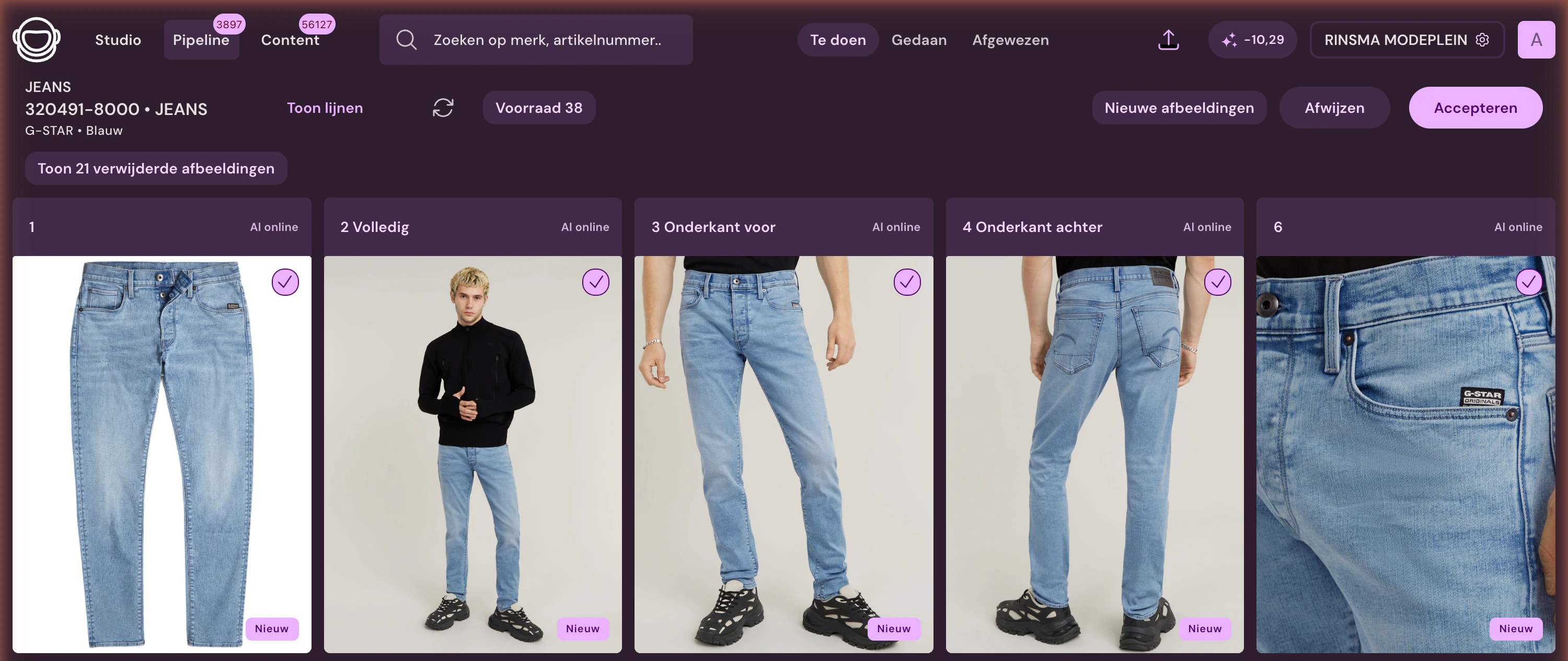
No folders, one product path.
Every step keeps the article as context. This way, editing, version, image order, and destination remain connected.
- 01
Image incoming
From Fashion Cloud, supplier, studio, upload, or AI generation.
- 02
Article is recognized
Article number, color, and source keep each image with the correct product.
- 03
Image slot receives result
An image slot is the fixed position of an image on your product page, such as cover, model, or detail. For each product group, you define which image goes where.
- 04
Publication rule determines the route
A publishing rule defines, per brand or collection, whether an image goes live automatically or is reviewed by the team first.
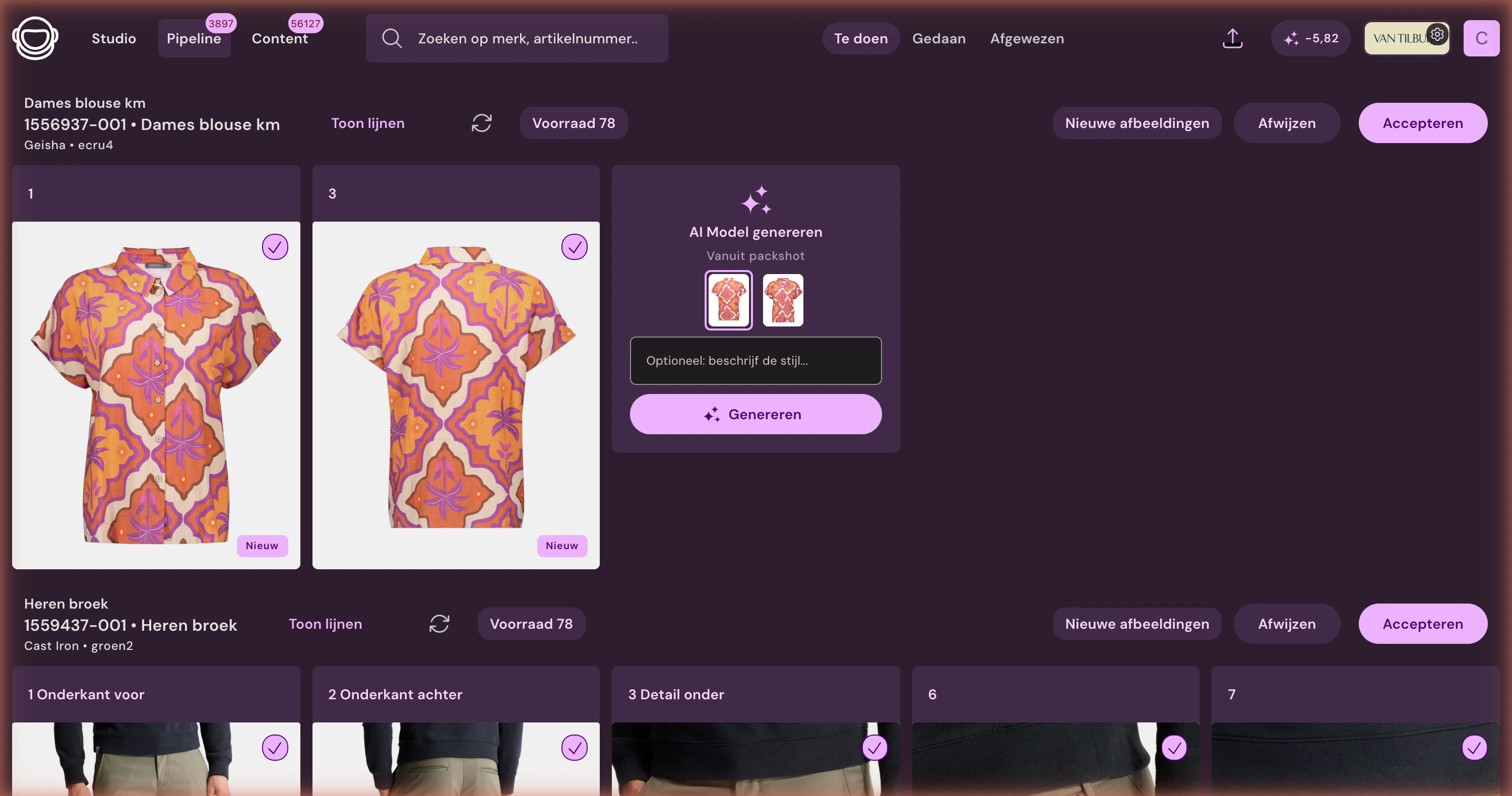
See what's live immediately.
The item view shows files with their role in the online store. That way, your team knows which slots are already filled, which results are new, and which version is online.
Live status per image slot
Each slot has its own status. You can see what is already online, what is still being processed, and what is blocking publication to your shop, feed, DAM, or FTP.
Versions and origin
See which image is new, live, replaced, or deleted and which source the result came from, with the AI result shown next to the source.
Restore and republish
Restore a previous version or republish without manually gathering files.
Inventory in the same context
Prioritize images for items that are actually sellable.
You decide what goes live.
Review is not a mandatory step for every image. You decide per brand or collection which route can publish automatically and when the team wants to review first.
Automatic when trusted
Let fixed brands and known image routes flow directly when source, article, and image slot reliably match.
Review for exceptions
New collections, creative choices, conflicts, and low certainty remain visible to the team.
Per brand or collection
Start with control and automate later, or let trusted routes publish directly from the start.
“In a single season, we process 100,000+ product images; the team mainly handles exceptions and quality checks.”
Asset management delivers when the workflow stays connected
Publication & integrations
Send images on to your online store, feed, ERP, DAM, FTP, or custom setup.
Frequently Asked Questions
7 questions
What is the difference between Photopilot Asset Management and folders?
Photopilot Asset Management doesn't work from a folder structure but from the article. Supplier images, studio photos, AI results, versions, and publication status are all in one current article view. This way, the team sees not only files but also the role each image plays in the webshop.
Does each image need manual approval before publication?
Control is configurable in Photopilot Asset Management and is not a mandatory step for every image. You decide per brand or collection which route can publish automatically and when the team wants to review first. New collections, creative choices, and conflicts remain visible to the team.
Can we restore a previous version of a product image?
Yes. In Photopilot Asset Management, you can see which image is new, live, replaced, or removed and the source of the result. You can restore a previous version or republish without manually gathering files.
What sources do images in Photopilot Asset Management come from?
Images enter Photopilot Asset Management from Fashion Cloud, suppliers, the studio, uploads or AI generation, with item data from your ERP or POS system. Item number, color and source keep every image matched to the right product. From there, images are sent to your webshop, feed, DAM, FTP or a custom integration.
Does Photopilot replace our DAM?
For product images, Photopilot can be the central hub: by item, image slot, version, and publication status. If you use a DAM, for example for campaign or brand assets, it stays in place and Photopilot delivers approved product images to it via FTP/SFTP, the Webshop Excel, or the API.
Can we import existing product images?
Yes. Existing images are imported through upload, ZIP archive, or FTP/SFTP and matched to the right item by item number, EAN, or filename; you only match the exceptions by hand. Existing product images from POS systems such as easyPOS and LS Central are included automatically.
Is Photopilot Asset Management only suitable for fashion?
No. Photopilot Asset Management brings images together around each product, from jacket and suitcase to table lamp and serum. Per article group, you define which image is cover, model, front view, back view, detail, or styling.