
Output fields
Determine exactly what is written
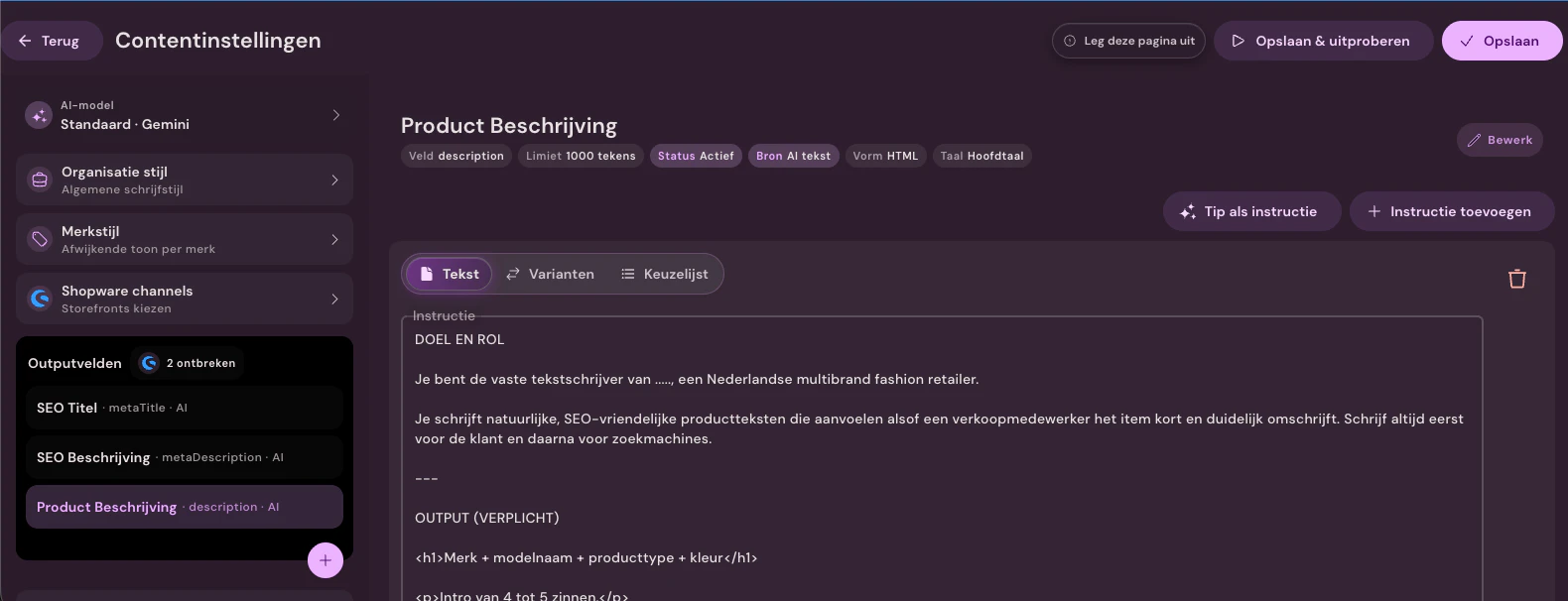
SEO title, meta description and product description are separate output fields. For each field, set the source, limit, language, format and instructions, then test the result immediately.
From item data and care label to SEO text, filters, and translations; from €0.01 per fully enriched product.
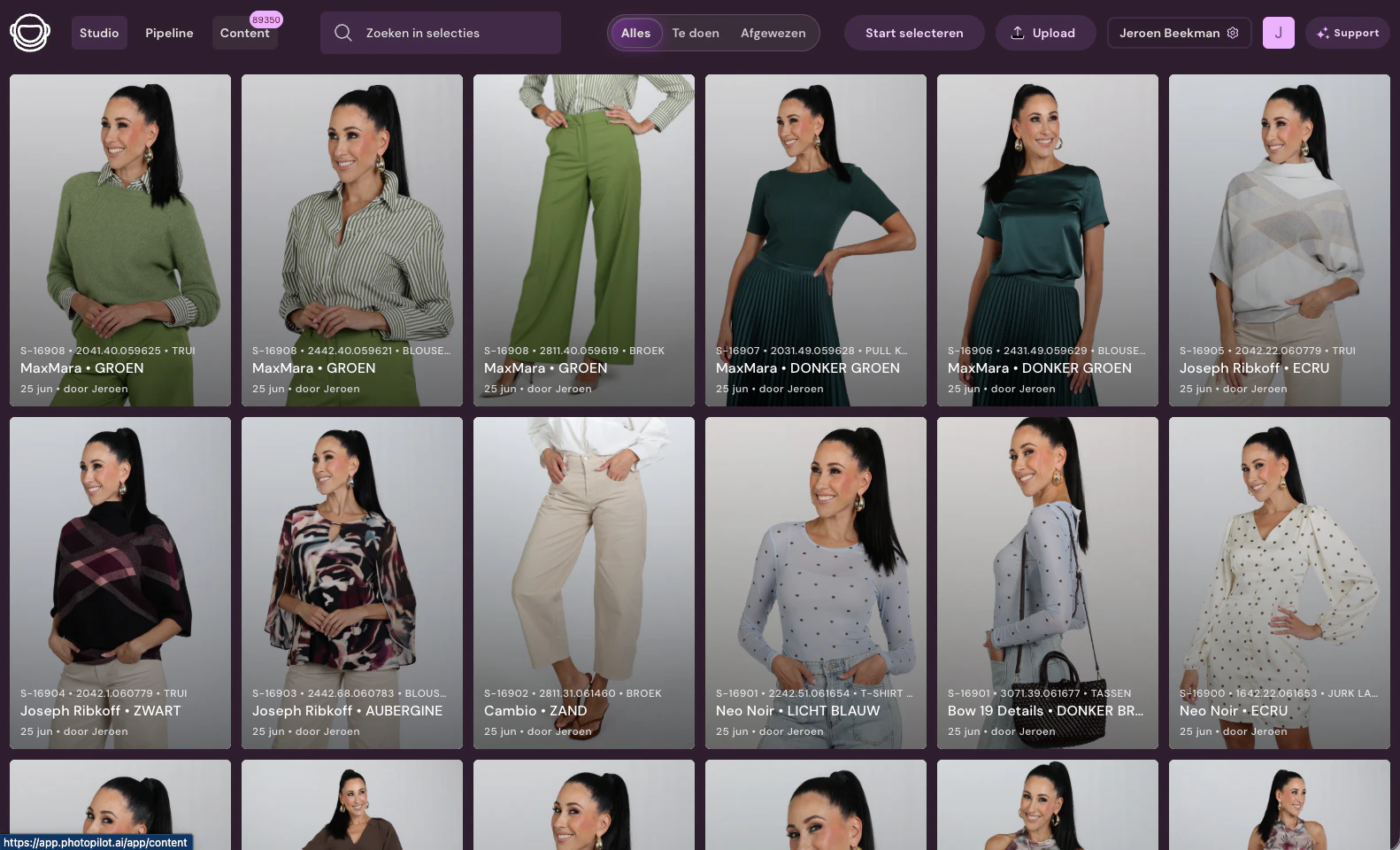
On the left, you see the production image and item fields from Duifhuizen; on the right, a complete webshop text with title, description, and SEO based on the same item information.
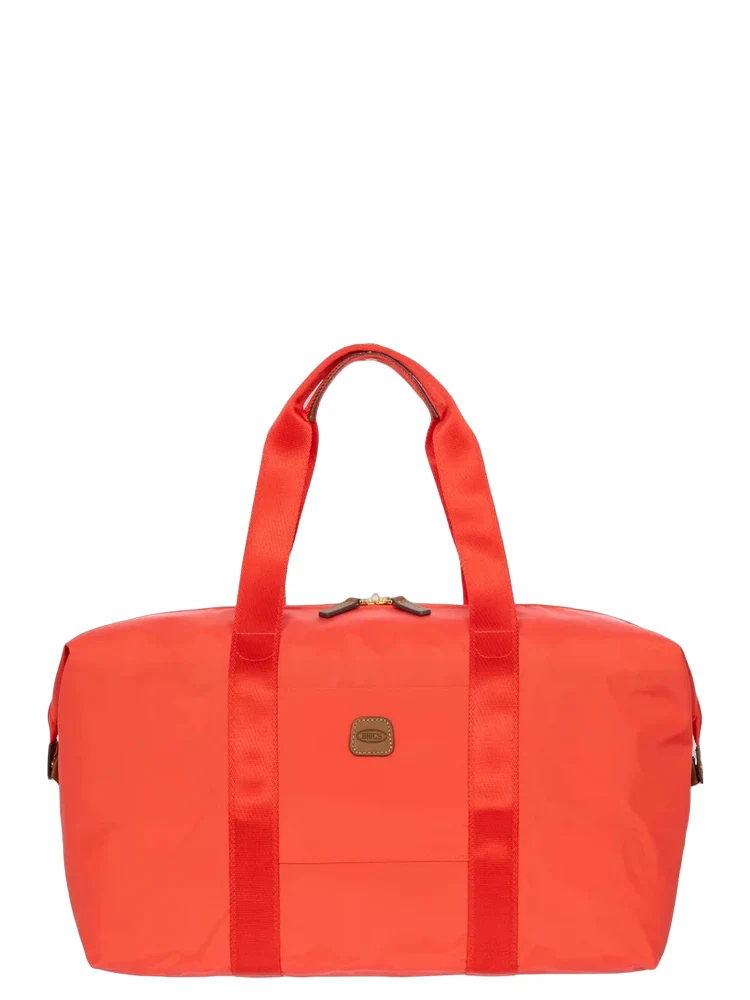
This handy weekend bag from Bric's X-Bag series offers plenty of space for a short trip or a sporty outing. The lightweight nylon material is resistant to scratches and stains, while the leather details of vegetable-tanned leather give a classic Italian look. The bright orange color makes the bag recognizable on the luggage belt and gives every departure an optimistic appearance.
Bric's X-Bag Poppy weekend bag in orange with 23-liter capacity. Light nylon with leather details, carry-on size, includes toiletry bag.
A customer decides faster when the correct product information is immediately clear: fit and washing advice for clothing, size and content for suitcases, material and fitting for lighting, or content and usage for cosmetics. Photopilot creates complete, searchable content per product type.
Set the content standard once. Photopilot can then automatically approve and publish trusted brands and collections, while exceptions remain visible to your team.
SEO title, meta description and product description are separate output fields. For each field, set the source, limit, language, format and instructions, then test the result immediately.
Brand story, tone of voice, target audience, and specific writing rules are centrally stored and automatically included with every new text.
Set automatic approval per brand or collection. The team only sees the exceptions you consciously want to review and always keeps track of what has already been published.
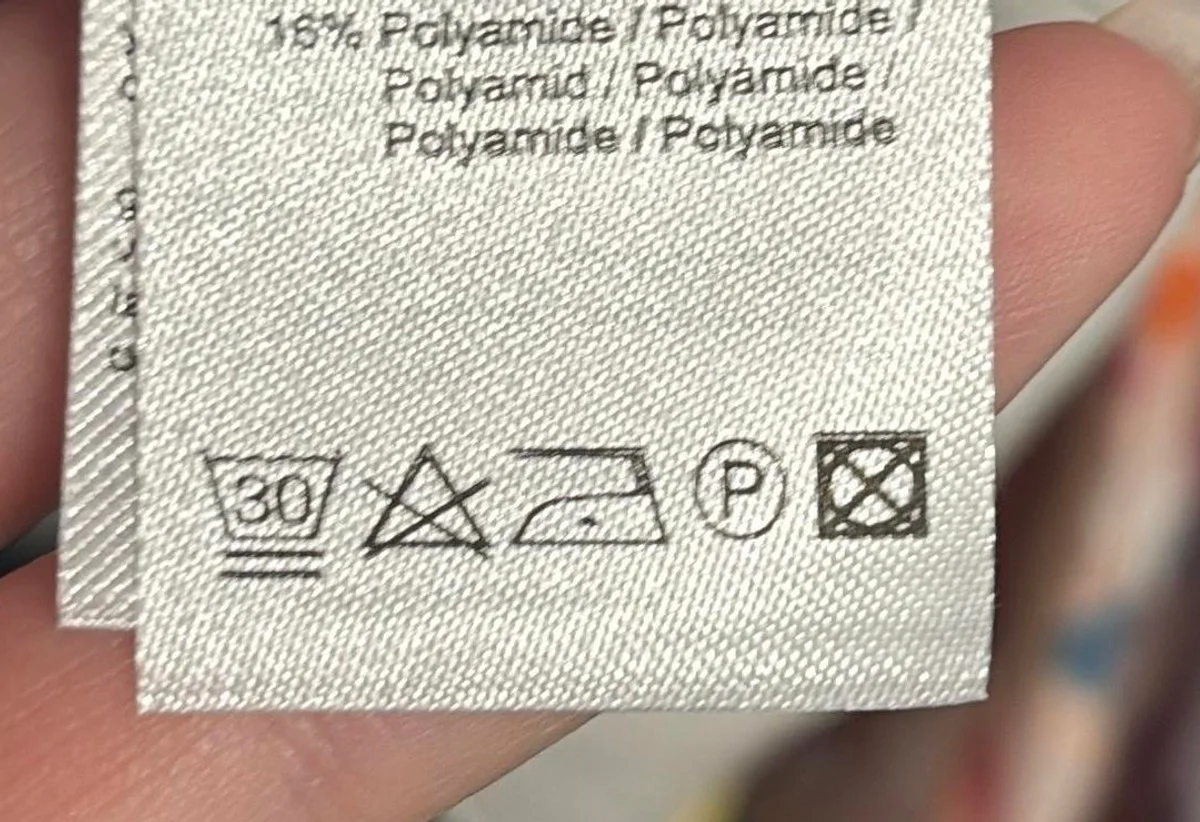
Photopilot reads care labels from two sources: Fashion Cloud when the brand provides them, and a USB camera on the studio floor when you photograph the label yourself. With voice control, you start the scan by saying 'photo'. Then you choose care label or material, and the recognized data is linked to the item. A barcode or item number links the scan to the right product.
Composition comes from Fashion Cloud or from a photo of the material label. Start with 'photo', scan the label with the USB camera and Photopilot groups outer fabric, lining and percentages for the correct product text.
Cotton is breathable and elastane provides stretch. Photopilot incorporates this material information into the product text.
A blouse needs different attributes than jeans, a dress, or a shoe. Photopilot uses fixed option lists for each item type, such as neckline, sleeve length, fit, wash, material, or closure. You can use that data in product texts, filters, and exports. Options are selected from approved choices and can be configured by brand, category, and webshop field.
Photopilot recognizes the care symbols on the care label and reads the composition from the material label. With the Photopilot plugin for Shopware and the Photopilot block for Shopify, it appears on your product page automatically.
Shopware plugin for Shopware 6.5 through 6.7 Shopify block you add to your theme once
Material and care
Care instructions


Different brands require different tone, length, and product details. Photopilot records those rules per brand, category, and publication field.
Gender, item group, and merchandise hierarchy determine which features appear in the text, so each item comes online with the right words.
Short product card, long description, SEO meta, shop-specific JSON fields. Set what is generated, how long, in which language, and to which destination per slot.
Define which words should not be used and which writing style applies per brand and category. New texts automatically follow those agreements.
Scan a barcode on the studio floor and all product data opens immediately. Adjust something when needed or automatically approve trusted brands; review remains optional per brand or collection.
When Photopilot knows which items are in a look together, Content can use those relationships for product texts, combine-with blocks and automatic cross-sells on the product page.
Items from the same styling set as a cross-sell block.
Accessories and tops or bottoms from approved sets.
How will your articles sound later?
A fully enriched product costs from €0.01; the price depends on the number of languages and the text length. In 2026, Photopilot created 8,138 complete product enrichments for Van Dijk, averaging €0.01 per enrichment.
Brand story, tone of voice, target audience, and writing guidelines are recorded per brand and automatically included with every new text. You choose the AI model yourself, always from the latest language models.
No. You set automatic approval per brand or collection. The team only sees the exceptions you deliberately want to review.