
PhotopilotPhotopilot

OrbitVu of StyleShoots alternatief voor fashion studio's

Canon-koppeling, achtergrond verwijderen en webshoppublicatie in één flow

Overweeg je een OrbitVu- of Profoto StyleShoots-opstelling? Photopilot geeft je een software-first route: werk met een flexibele Canon-opstelling, scan artikel of set, laat foto's direct bij het juiste product landen en laat achtergrond, crop, controle en export automatisch volgen.

De snelheid zit niet alleen in de camera, maar in wat er daarna niet meer handmatig hoeft. Vanuit full-body shots kan Photopilot automatisch de juiste uitsnedes maken voor packshot, modelbeeld, detail en webshopslot.

Staat OrbitVu, StyleShoots of Capture One al in de studio, dan gooien we die investering niet weg. We lezen de output in via jullie studio-software en verwerken de beelden daarna door dezelfde Photopilot-workflow.

  • Photopilot Studio-koppeling met Canon zonder snelheid in te leveren
  • OrbitVu-, StyleShoots- en Capture One-output inlezen als die workflow er al staat
  • Full-body shots automatisch croppen naar packshot, model en detail
Photopilot integrates with photo studios like Profoto (StyleShoots) and OrbitVu.

Turn your studio into a publishing engine

Not just taking photos, but immediately building product images, set relations and webshop output.

Studio to webshop

The camera is only the starting point

Photopilot connects the studio floor to your commercial workflow. While the team shoots, the images already know which article, pose, set and publishing slot they belong to.

After that, packshots, model images and styling photos automatically go through the same rules for selection, editing, review and publishing. That makes the Studio page the entry point to your complete product image process.

Photopilot Studio
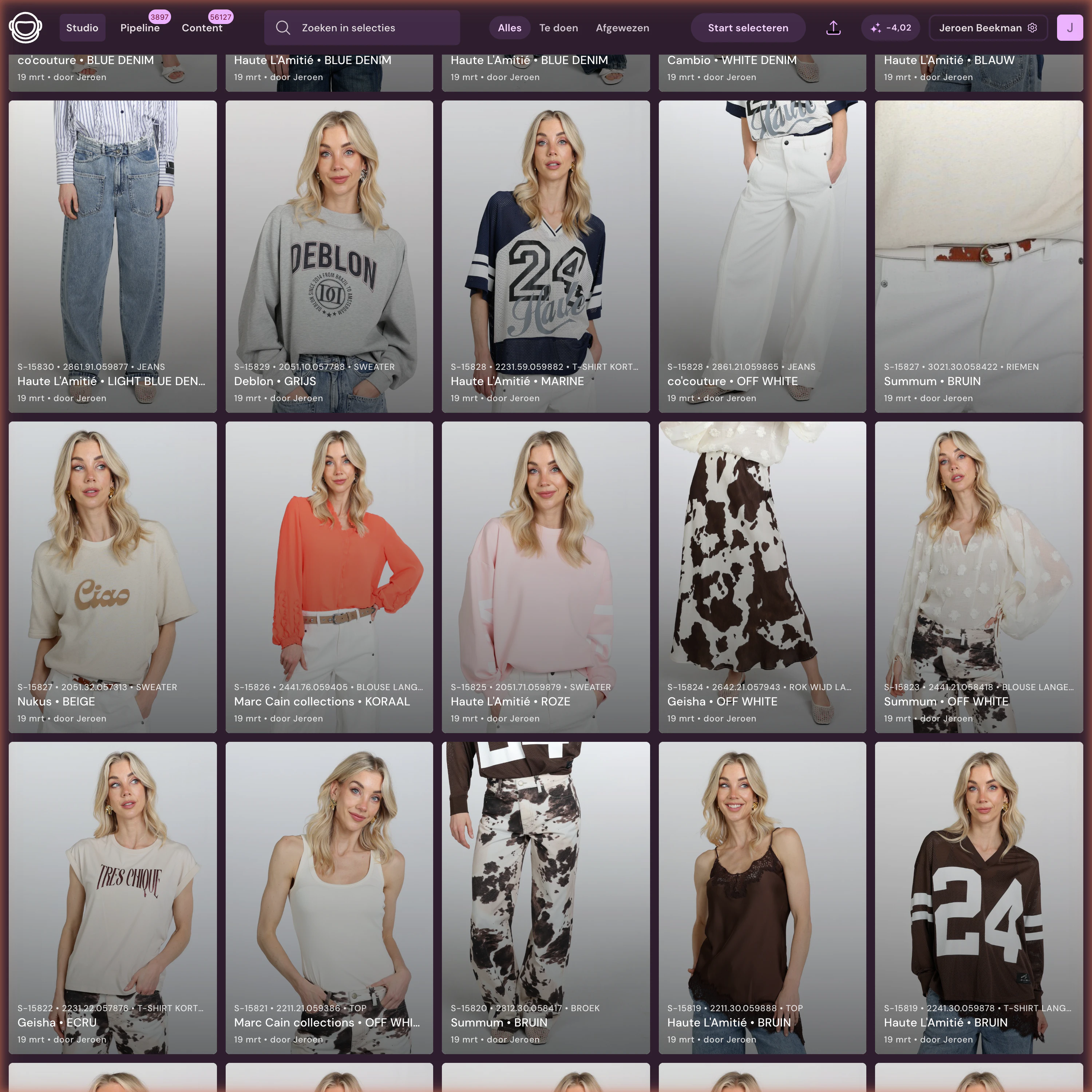
Photopilot Studio selection interface
  1. 01

    Choose article, pose or set

    Scan a barcode, choose a set number, or work from the planned shoot list.

  2. 02

    Foto's direct bij het artikel

    Photopilot Studio koppelt met Canon; StyleShoots, OrbitVu en Capture One volgen via exportmappen.

  3. 03

    Select and approve

    Images are immediately linked to the right article, slot or Shop the Look set.

  4. 04

    Automatically through the pipeline

    Crop, layout grid, color, AI editing, filename and publishing follow fixed rules.

OrbitVu / StyleShoots alternatief

Waarom software-first vaak slimmer schaalt

Een geautomatiseerde hardwarestraat kan sterk zijn voor één strak opnameproces. Fashion e-commerce vraagt vaak meer: packshots, sets, modellen, AI-modellen, leveranciersbeelden en maatwerkexports naast elkaar.

Flexibeler dan een vaste cabine

Gebruik één studio voor ghost, flat-lay, model, detail en styling in plaats van je proces vast te zetten op één opnamevorm.

Achtergrondverwijdering in software

Photopilot kan achtergronden verwijderen, full-body shots croppen, padding zetten en beeldregels toepassen zonder dat elke foto perfect uit een hardwarestraat hoeft te komen.

Artikeldata stuurt de shoot

Scan artikel, kleur, maat of set en leg meteen vast welke beelden bij welk product, kanaal en publicatieslot horen.

OrbitVu, StyleShoots en Capture One blijven bruikbaar

Heb je al OrbitVu, Profoto StyleShoots of Capture One? Dan kan Photopilot die output inlezen en alsnog koppelen aan review, AI-bewerking en webshop-export.

What are you shooting today?

One studio, multiple commercial outputs

A studio team does not work in isolated modules. That is why this page shows where Studio continues: packshot editing, sets and styling, real models and AI models.

Blazer on mannequin before processing
Studio shot
Blazer as ghost packshot after processing
Publishable output
Capture without handoff

Keep the hardware, remove manual work from the chain

Set up your studio however you want. Wall, lighting, tripod, camera and existing software remain yours. Photopilot makes sure every shot lands directly in the right product flow.

Canon

Photopilot Studio-koppeling voor Canon op Windows en macOS. Foto's verschijnen meteen bij het juiste artikel, met automatische crops vanuit full-body shots.

Profoto StyleShoots

We lezen de output uit StyleShoots Drive of exportmappen en verwerken die daarna automatisch.

OrbitVu

Local OrbitVu folders are read as soon as a shoot is finished.

Capture One

Werkt je studio via Capture One? Dan lezen we de gekozen exportmap in en koppelen we de beelden aan artikel, slot en workflow.

Studio-investering

Niet elk volume vraagt om een hardwarestraat van €90.000

Photopilot is interessant wanneer je de opname flexibel wilt houden en de automatisering vooral in software wilt doen. Met een Canon-opstelling en goede studiobelichting haal je juist veel betere beeldkwaliteit uit de bron; Photopilot neemt daarna achtergrond verwijderen, uitsnijden, controle en export over.

Bedragen zijn indicatief en hangen af van bestaande apparatuur, inrichting en volume. In de workflow-scan maken we dit concreet voor jullie studio.

Photopilot-opstelling vanaf ca. €12.500-€25.000

Canon EOS R6, 2-4 flitsers of lampen en Photopilot Studio

Voor veel fashionteams is dit de flexibelste start: artikel scannen, fotograferen met Photopilot Studio en daarna softwarematig achtergrond verwijderen, croppen, kleur corrigeren en publiceren.

  • EOS R6/R6 Mark II, statief, barcode-scanner en capturestation
  • 2-4 flitsers of continue lampen met softboxen, passend bij ghost, model of setfotografie
  • Full-body shots automatisch uitsnijden naar packshot, model, detail en kanaalspecifieke crops
  • Achtergrondverwijdering, crop-templates en webshop-export zitten in dezelfde workflow
OrbitVu / Profoto StyleShoots kan richting €90.000+

Zware hardwarestraat voor sterk gestandaardiseerde opnameprocessen

Een geautomatiseerde cabine of style-shoot systeem kan logisch zijn bij heel vaste volumes, maar vraagt meestal een veel hogere investering vooraf.

  • Sterk wanneer bijna elk artikel exact hetzelfde opnameproces volgt
  • Minder lichtvoetig wanneer packshots, sets, modellen, AI-modellen en maatwerk door elkaar lopen
  • Photopilot kan OrbitVu- en StyleShoots-output alsnog verwerken als die hardware er al staat

From shoot to every product image slot

The Studio connection only becomes powerful when the output automatically gets the right editing and destination afterwards.

Elke opname krijgt meteen een bestemming

Every shot carries context: article, pose, set, sequence and publishing status. That lets packshot rules, AI editing, Shop the Look relations and exports follow automatically.

  • Front, back, detail, model and set slots per product group
  • Automatic crop, padding, background and color rules
  • Approval and publishing to webshop, FTP or export file
Photopilot pipeline with product imagesPhotopilot pipeline actions for automatic editing