


PhotopilotPhotopilot
Real Photopilot interface

This is what a real Fashion Cloud route looks like

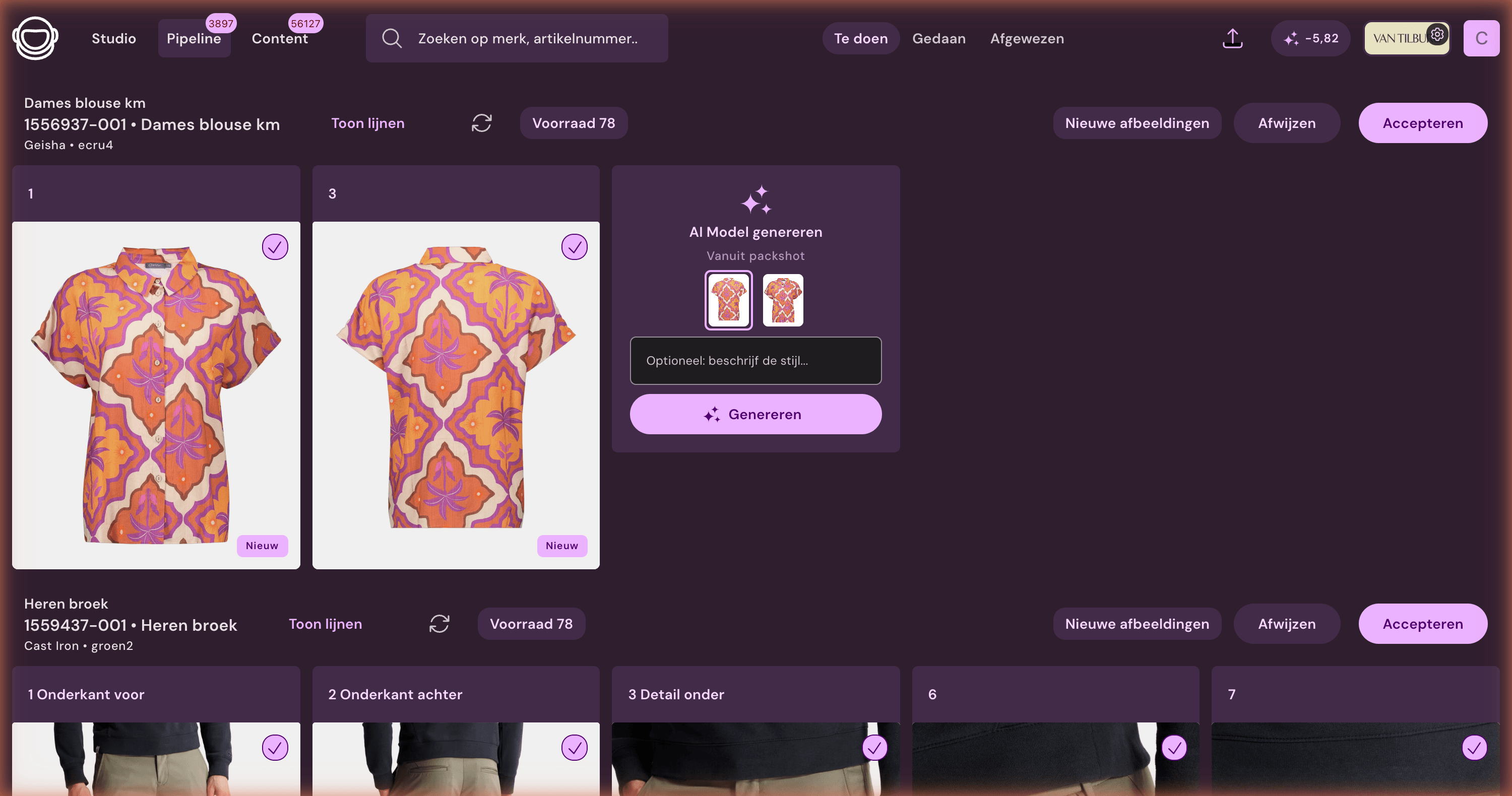
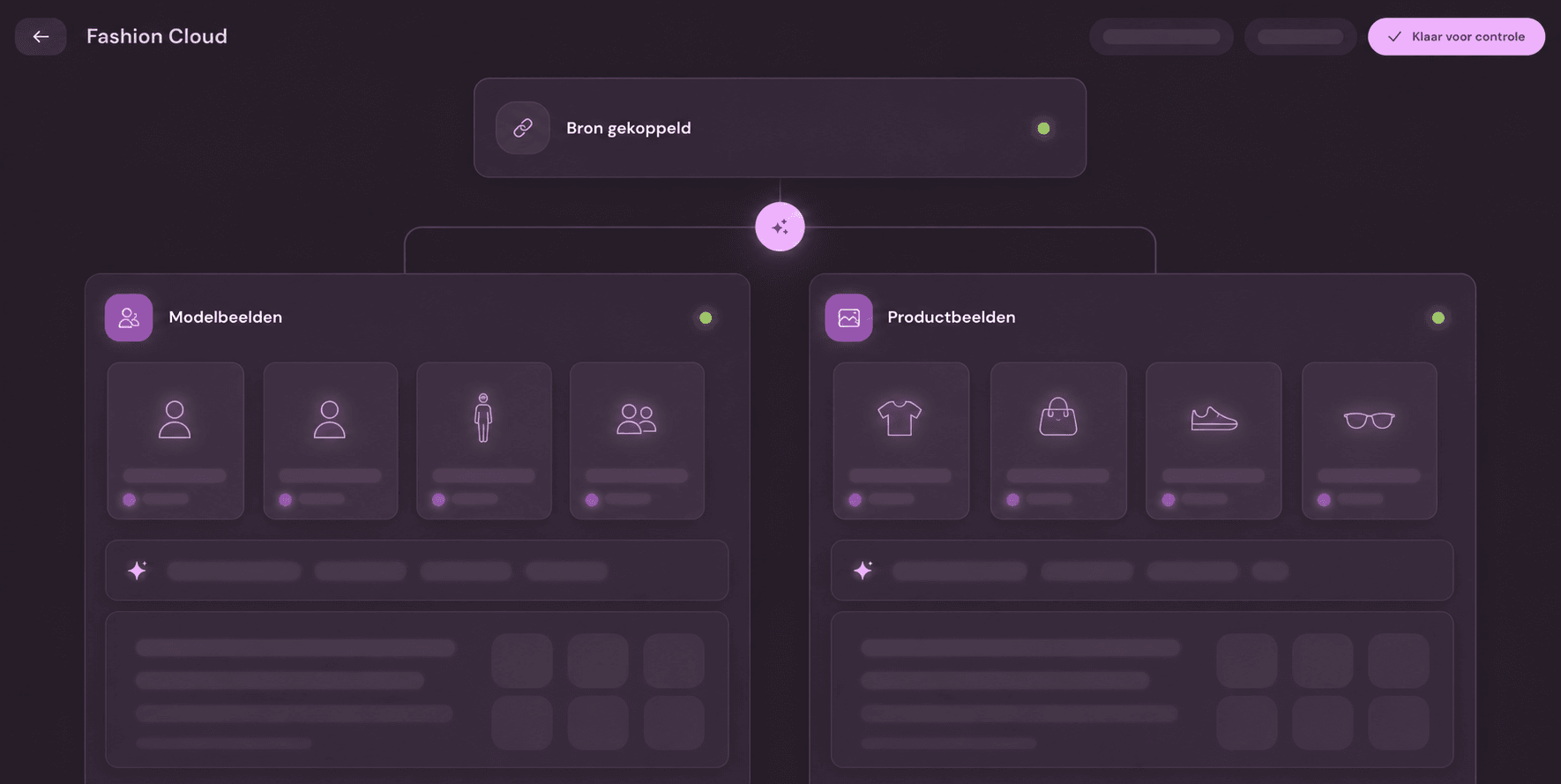
No generic linking screen, but the actual pipeline where supplier images are processed according to retailer agreements.

Real Fashion Cloud pipeline in Photopilot with separate rules for model and product photography
Fashion Cloud in production

From supplier image to your own image standard

After import, Photopilot splits model and product photography. Per route, background, cropping, shadow, template, and color correction are visible and adjustable before images are published.

Reliably linked

Make your existing stack feel like one forward-working team

You don't have to discard your workflow to publish faster. Photopilot connects to the source your team knows, provides peace in the transfer, and makes visible what can already be sales-ready today.

Your systems Fashion Cloud Webshop
PhotopilotFrom separate sources to ready for publication.
Retailers already using this rhythm
300.000+ articles processed
9,5M+ supplier images linked
~3.200 photos automatically edited per day

Work together

Sources, studio, e-commerce, and photography see the same item status instead of separate lists.

Integrate

Article data, supplier image, product photos, and webshop rules land in one workable rhythm.

Move forward

New collections go live faster, with less doubt about images, text, or publication status.

Consultation and demo

Trial route first, technology second

Fashion Cloud provides the materials. Photopilot links, edits, checks, and publishes it, keeping progress clear.

  • We map the trial route on your own sources and systems.
  • You immediately see where time can be saved quickly, what risks there are, and what agreements are needed.
  • Only then do we choose whether a demo, pilot, or technical intake makes sense.
01
Source

What is the source of truth?

Define which fields, images, barcodes, and sources are leading for item, color, and variant.

02
Rules

What can be automated?

Choose where Photopilot can link and crop images, create texts, or show an exception.

03
Destination

Where should it go?

Define what needs to go to the webshop, PIM, DAM, feed, FTP, or studio before anything is built.

In practice

Where this integration saves work

An e-commerce manager is usually not asking for technology, but for control: which products are complete, which images are still missing, which studio or supplier images may go live, and what can be published without extra handover.

Discuss this integration
Practical question

Fashion Cloud connection

Fashion Cloud koppeling wordt pas waardevol wanneer artikeldata, beeldstatus en publicatie op dezelfde productkaart samenkomen.

For teams already using Fashion Cloud as a source and wanting to know how images become sales-ready.

  • Measure brand and supplier coverage
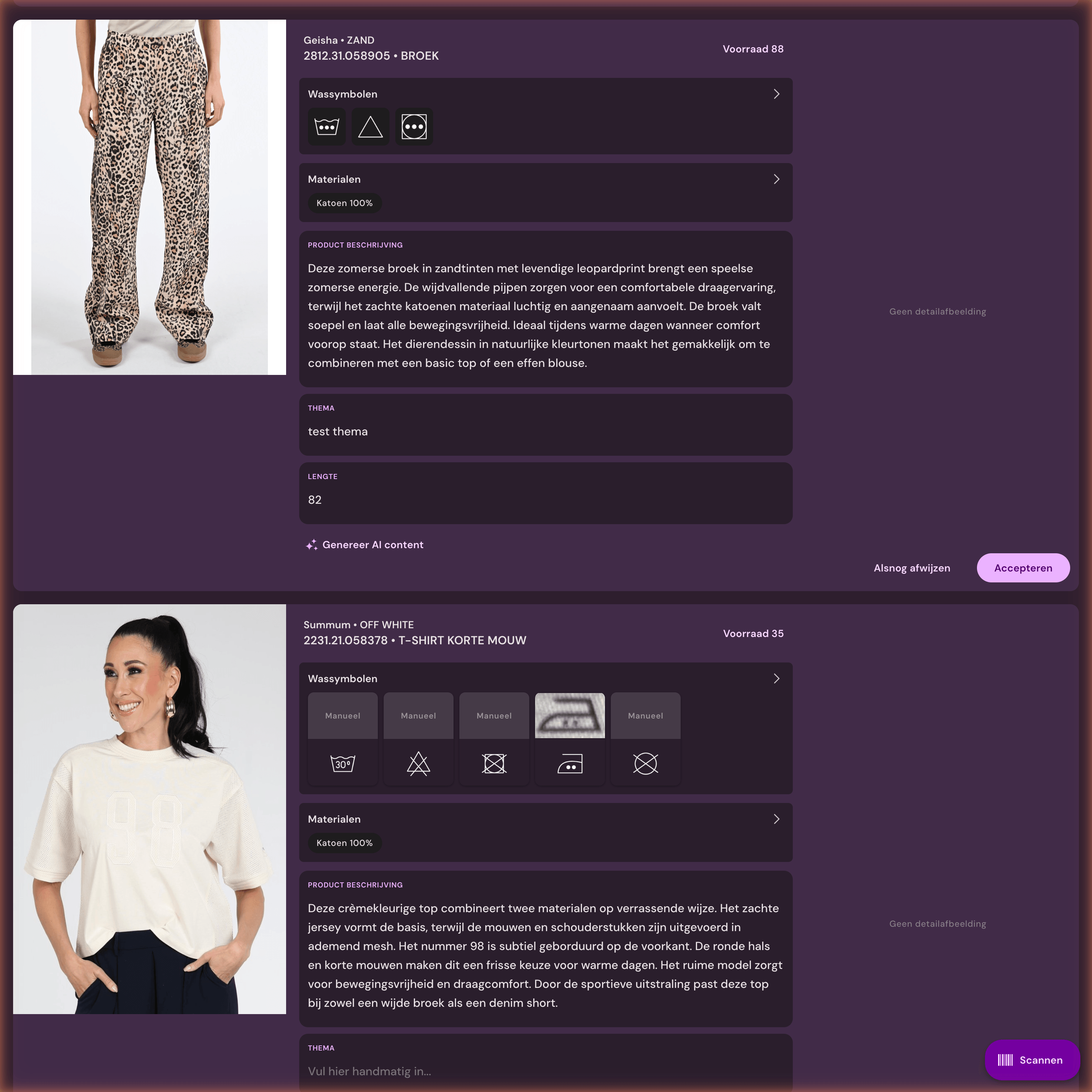
  • Include material and care label data
View AI model photos
Work for image teams

Edit supplier images

Fashion Cloud image editing gaat voor beeldteams vooral om vaste afspraken voor uitsnede, marge, volgorde, bestandsnaam en controle.

Relevant when supplier images do not automatically come in the same crop, margin, order, or webshop style.

  • Match article, color, and image slot
  • Prepare automatic publication
View AI packshot editing
Publication control

Collections live faster

Collectie sneller live webshop raakt meestal aan planning: wat kan automatisch door, wat moet naar de studio en wat blokkeert publicatie.

For teams that not only want to link the source but also want to put the entire collection live faster, complete, and controlled.

  • Include material and care label data
  • Keep exceptions visible
View product texts with AI
Fashion Cloud

What does this mean for your product team?

Fashion Cloud is a strong supplier source. Photopilot shows which brands have materials, which items are in stock, which images are missing, and what can be automatically published.

From source to publication

  1. Brands and article data are retrieved and linked to the existing collection.
  2. Images are matched per article, color, and image slot.
  3. Crop, order, and publication rules determine which items can proceed automatically.
  4. Reports show where Fashion Cloud can help and where own photography is still needed.

What your team does less manually

  • Measure brand and supplier coverage
  • Match article, color, and image slot
  • Include material and care label data
  • Prepare automatic publication
  • Keep exceptions visible
Fits well with

When is this relevant?

  • Multibrand fashion retailers with many supplier brands
  • Seasonal drops where speed and stock priority are important
  • Teams that use supplier image and own studio side by side
Pre-arrangements

This keeps the connection manageable

  • We determine per brand and article group what can proceed automatically and what needs to be checked first.
  • Supplier image and own studio remain visible side by side, so an item does not go through the process twice.
  • Reports show which articles have been resolved by Fashion Cloud and which still need own photography.

See together how Photopilot fits you

In a consultation, we determine which source is leading, where your team loses time, and how publication can proceed with minimal extra work.

Book a consultation