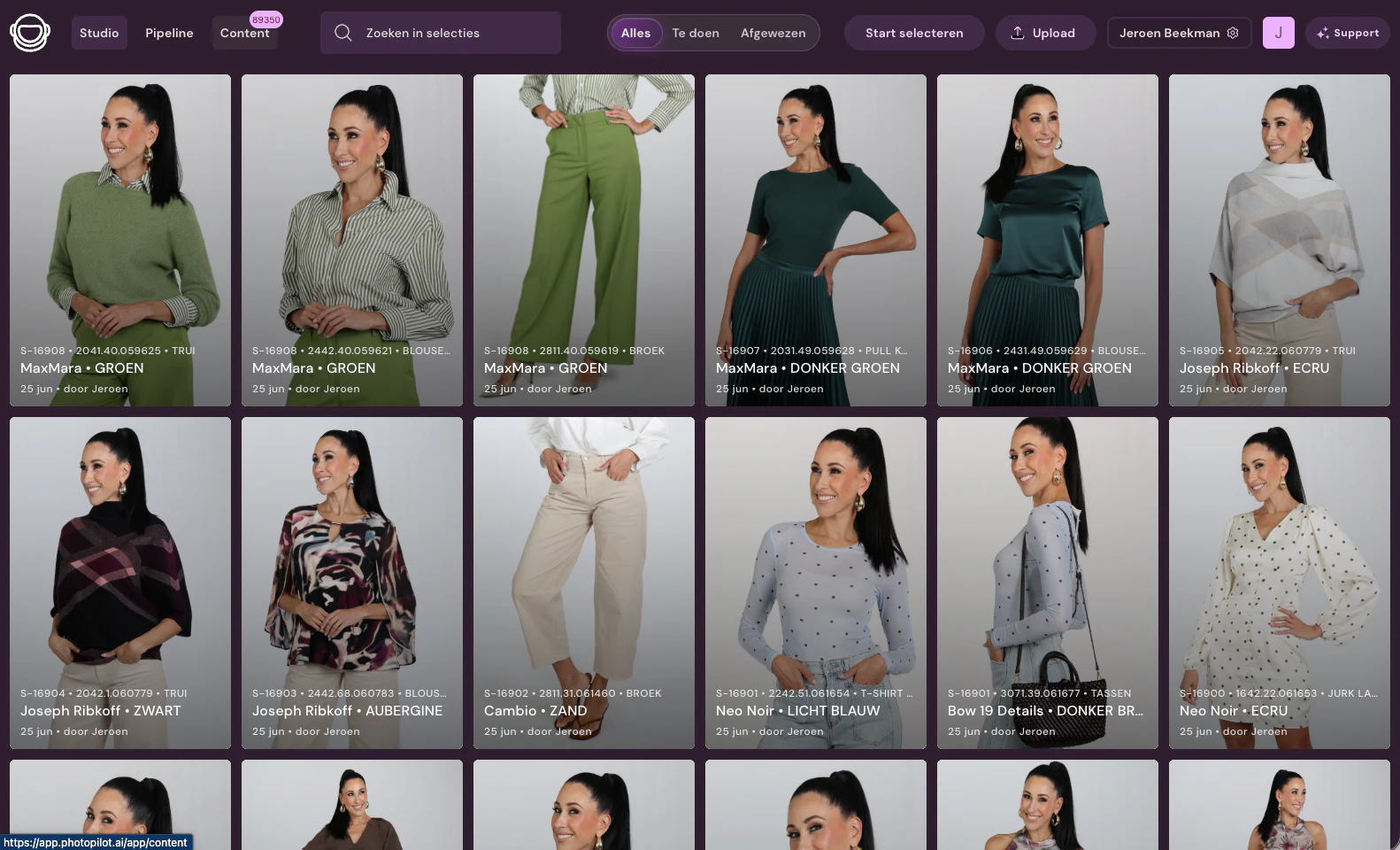
With Photopilot Studio, you control a Canon camera from the computer, and every photo is linked directly to the scanned item. If you shoot with Capture One, Profoto, OrbitVu, or StyleShoots, photos come in through a shared folder with fixed file names. This keeps in-house photography out of scattered folders and puts it straight on the right item and the right image position.
01
Scan, shoot, done
On the shoot floor, you scan the item by EAN or item number, and Photopilot Studio knows which product and color are in front of the camera. Every shot is added directly to that item in Photopilot, without renaming or dragging files. The item data comes from your ERP, POS system, or online store, so the studio works with the same items as the rest of the team. With the mobile app, you can also shoot with a phone, which is useful for detail photos or a quick addition.
02
Control a Canon camera from your computer
Photopilot Studio, for Windows and Mac, connects via USB to Canon EOS cameras that support the Canon EDSDK. You see live view on screen and control focus, shutter speed, aperture, ISO, white balance, and image quality from the computer. On Mac, a wireless remote can also be used as a shutter release, so the photographer can move freely. Each photo is added to the item immediately after it is taken.
03
Existing studio software through a shared folder
If your studio works with Capture One, Profoto, OrbitVu, or StyleShoots, that workflow can stay exactly as it is. The software saves photos to a shared folder or network drive, and Photopilot imports them from there. A fixed filename with the item number or EAN, color code, and sequence number determines which item the photo belongs to and which position it gets. This means the studio team does not have to change anything in the software it already knows.
04
Automatic post-processing by image position
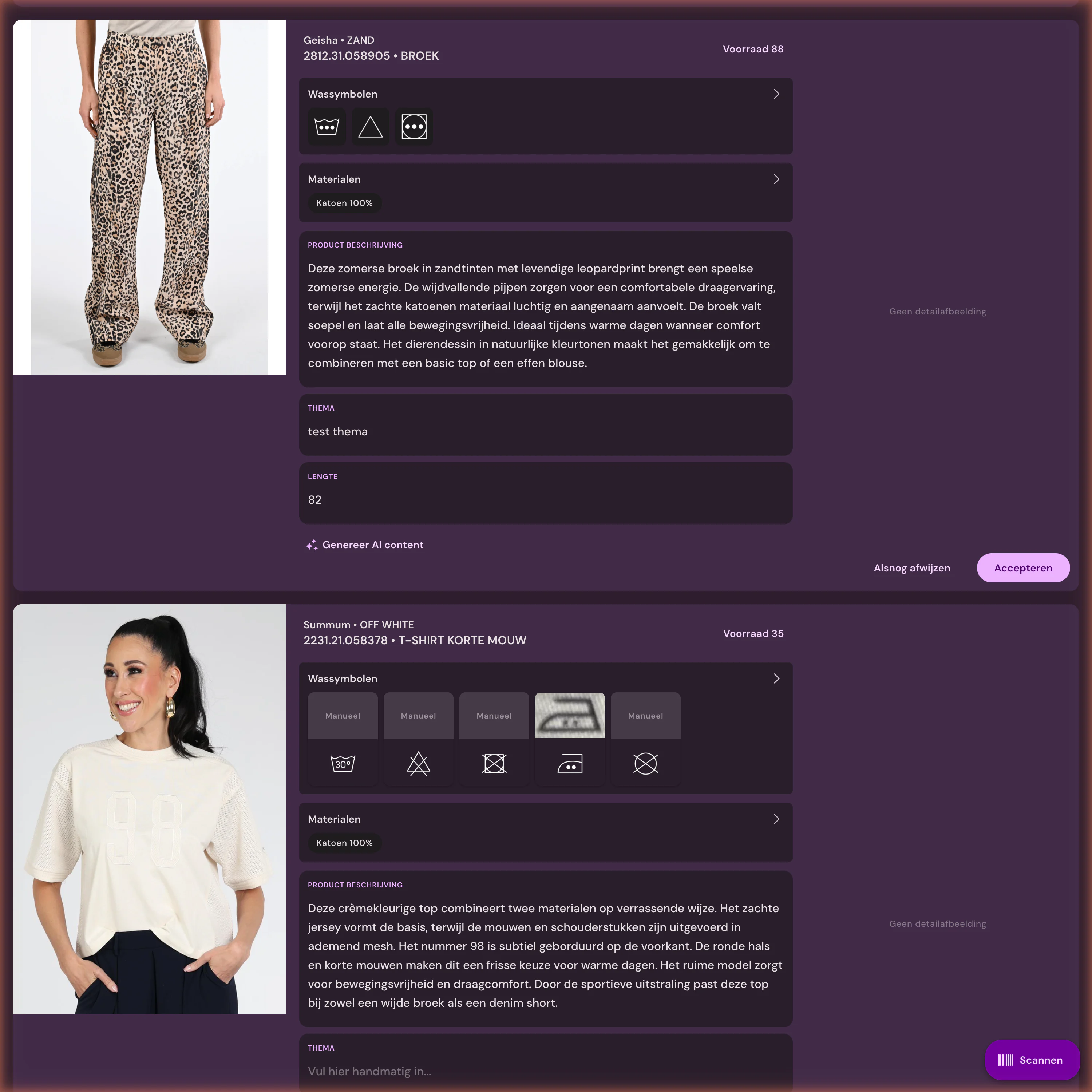
After the shoot, Photopilot edits the photo automatically: background cut out or matched to your brand style, with crop and aspect ratio based on your webshop rules. Photos on a mannequin become ghost mannequin images, and from one good studio photo Photopilot can also create AI model photos or campaign images. Labels and care symbols you photograph are recognized for material information and product text. The original is always stored unedited.
05
From shoot floor to webshop
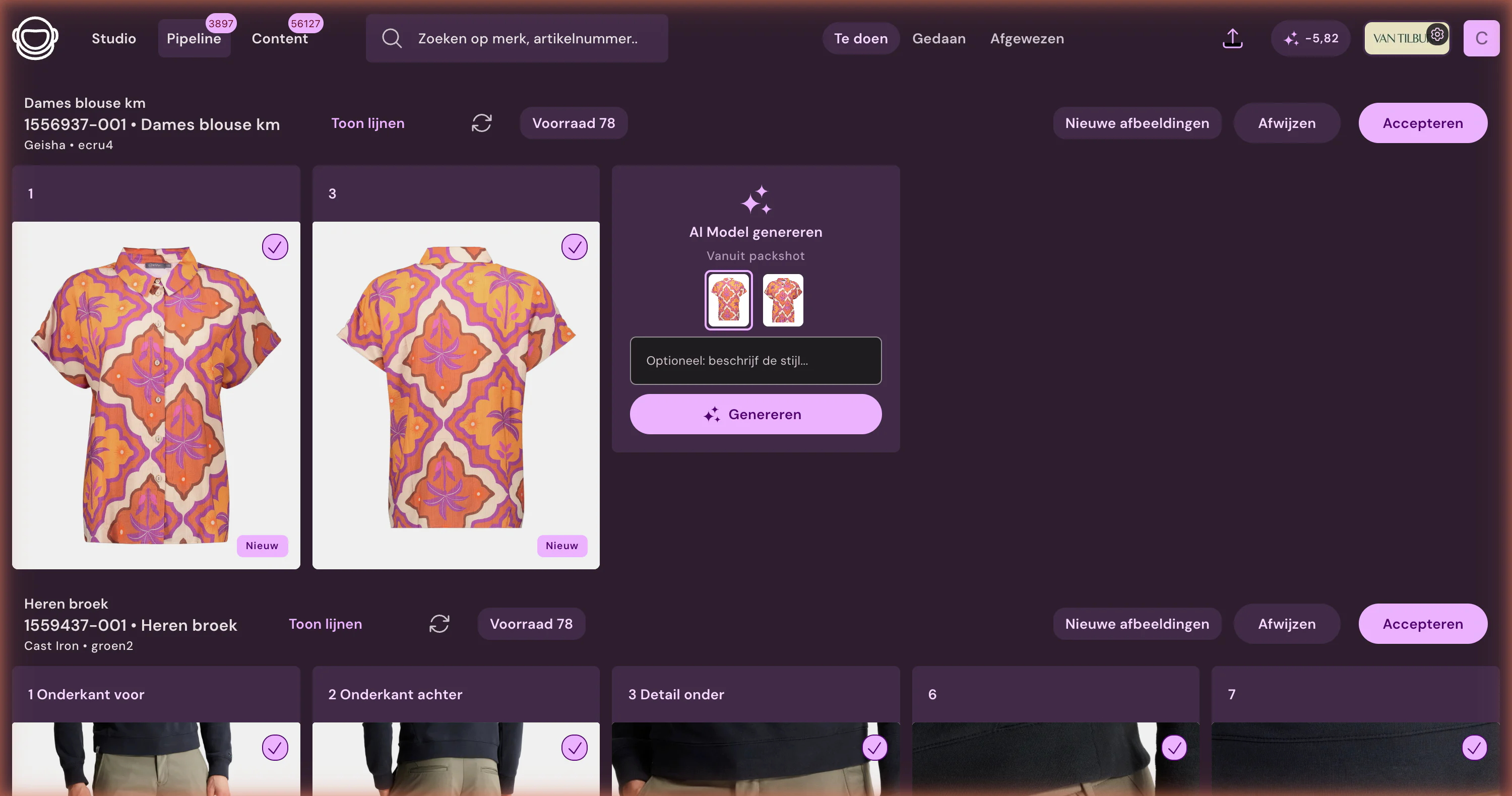
Studio photos go into the same image management workflow as supplier images, with the same image positions and the same publishing process. Teams only approve exceptions or creative choices; everything else follows the agreed rules. Approved images go straight to the online store, via FTP or SFTP, to Azure Blob, or via the Webshop-Excel, in the correct order and with alt texts. The missing images overview shows every day which items still need to be shot.
06
How to set up the studio
You install Photopilot Studio on the studio computer, connect a supported Canon EOS camera via USB, and log in. A barcode scanner makes scanning items faster, but you can also search manually by item number. If you use other studio software, we agree on the shared folder and file naming rule. In most cases, you can start shooting the same day, with no IT project.
Canon and studio software at a glance
What is exchanged
With Photopilot Studio, for Windows and Mac, you control a Canon camera from your computer: live view, focus, shutter speed, aperture, ISO, white balance, and image quality. You scan the item, and every photo is added directly to that item in Photopilot, without renaming files. With the mobile app, you can also shoot with a phone.
How often
A photo is linked to the product immediately after it is shot. Automatic editing runs afterward, and the original is kept unchanged.
What you provide
A Canon EOS camera that works with Canon’s developer software (EDSDK), a USB cable, and Photopilot Studio. On Mac, a wireless remote can also be used as the shutter release.
Good to know
Three customers shoot with Photopilot; over the past month, more than 10,000 studio photos came in. If you use other studio software, photos are received through a shared folder with fixed file names.
Canon EOS cameras that support the Canon EDSDK, connected via USB to a Windows or Mac computer. This lets you control live view, focus, shutter speed, aperture, ISO, and white balance from Photopilot Studio.
Can I shoot with Capture One and get the photos into Photopilot?
Yes. Have Capture One export the photos to a shared folder or network drive with a fixed filename, such as item number, color code, and sequence number. Photopilot reads that folder and links each photo to the right item.
Does Photopilot work with OrbitVu or StyleShoots in the photo studio?
Yes, through a shared folder. OrbitVu and StyleShoots save the photos with fixed file names, and Photopilot links them to the right item and image position by item number or EAN.
How do I automatically match studio photos to the right product?
With Photopilot Studio, you scan the item before you shoot, and every shot is linked directly to that item. With other studio software, the file name does that work: an item number or EAN plus color code is enough.
Can I take product photos for Photopilot with a phone?
Yes, with the Photopilot mobile app. You select or scan the item and the photo is added directly to that item, after which it goes through the same automatic post-processing as a studio photo.
Does Photopilot automatically create a ghost mannequin from studio photos?
Yes. If you photograph clothing on a mannequin, Photopilot removes the mannequin and turns it into a ghost mannequin image. The background and crop are standardized at the same time according to your webshop’s rules.
Does Photopilot keep the original studio file?
Yes. Automatic processing is done on a copy; the original remains stored unchanged. If you want a different crop or background later, you simply process it again from the original.
Does my team have to approve every studio photo manually?
No. Per brand, collection, or image position, you decide whether photos flow through automatically or go to the team first. In most cases, the team only reviews exceptions and creative choices.
Can I create AI model photos from a single studio photo?
Yes. Based on a good studio photo or packshot, Photopilot creates AI model photos and campaign images. They cost €0.05 to €0.21 per photo at queue pricing and are often ready within an hour; for the highest level of detail, choose Precision+.
How quickly does a studio photo appear in Photopilot?
Immediately after capture, with the scanned item. Automatic editing follows after that.
Does this work with our existing studio software?
Yes. Canon connects directly via Photopilot Studio on Windows and macOS. Photos from Capture One, Profoto, OrbitVu, or StyleShoots come in via a shared folder or network drive, with fixed filenames. There is no direct integration with that software.
How to start
First the trial route, then the technique
The integration is the starting point. After that, Photopilot keeps linking, editing, writing, checking, and publishing together.















%20--%3e%3csvg%20version='1.1'%20id='Layer_1'%20xmlns='http://www.w3.org/2000/svg'%20xmlns:xlink='http://www.w3.org/1999/xlink'%20x='0px'%20y='0px'%20viewBox='0%200%20945%20125'%20style='enable-background:new%200%200%20945%20125;'%20xml:space='preserve'%3e%3cpath%20d='M8.73,62.42c0-31.54,24.83-56.21,56.53-56.21c21.08,0,37.79,9.99,47.47,25.3l-14.05,8.59%20c-6.56-10.77-18.58-17.96-33.42-17.96c-22.17,0-39.19,17.65-39.19,40.29s17.02,40.29,39.19,40.29c14.83,0,26.86-7.34,33.42-17.96%20l14.05,8.43c-9.52,15.46-26.86,25.45-47.47,25.45C33.56,118.64,8.73,93.96,8.73,62.42z'/%3e%3cpath%20d='M127.55,95.68c0-12.49,9.99-20.46,23.74-20.46h16.24c4.53,0,7.34-2.65,7.34-6.56c0-4.68-5.15-10.78-15.93-10.78%20c-9.53,0-15.15,5.15-17.96,11.87l-11.09-7.18c4.53-10.15,14.21-18.11,29.05-18.11c19.99,0,30.92,13.43,30.92,27.8v44.82h-13.74%20v-7.81c-2.65,4.06-10.15,9.53-21.24,9.53C138.17,118.79,127.55,108.49,127.55,95.68z%20M175.18,87.72v-0.94h-22.17%20c-5.93,0-9.99,3.9-9.99,9.06c0,5.62,4.68,10.15,13.12,10.15C168,105.99,175.18,98.34,175.18,87.72z'/%3e%3cpath%20d='M235.29,118.17c-15.62,0-24.52-8.59-24.52-25.61V7.77h14.83V92.4c0,7.5,4.22,11.56,12.02,11.56v14.21H235.29z'/%3e%3cpath%20d='M251.22,19.79c0-5.62,4.53-9.99,10.15-9.99c5.93,0,10.31,4.37,10.31,9.99s-4.37,9.84-10.31,9.84%20C255.75,29.63,251.22,25.41,251.22,19.79z%20M254.03,117.08V46.18h14.83v70.89H254.03z'/%3e%3cpath%20d='M286.35,81.63c0-21.08,16.55-37.16,38.1-37.16c14.37,0,26.23,7.03,32.64,18.11l-12.65,8.12%20c-3.59-7.03-11.24-11.87-19.99-12.02c-12.96,0.16-22.49,9.84-22.49,22.95c0,12.96,9.53,22.8,22.49,22.8%20c8.59,0,15.93-4.53,19.83-11.4l12.49,8.12c-6.4,10.77-18.27,17.65-32.32,17.65C302.9,118.79,286.35,102.71,286.35,81.63z'/%3e%3cpath%20d='M369.73,81.63c0-21.08,16.55-37.16,38.1-37.16c21.71,0,38.1,16.08,38.1,37.16c0,21.08-16.4,37.16-38.1,37.16%20C386.28,118.79,369.73,102.71,369.73,81.63z%20M430.31,81.63c0-13.12-9.68-22.8-22.49-22.95c-12.96,0.16-22.49,9.84-22.49,22.95%20s9.53,22.8,22.49,22.8C420.63,104.43,430.31,94.75,430.31,81.63z'/%3e%3cpath%20d='M500.73,62.42c0-31.54,24.83-56.21,56.53-56.21c21.08,0,37.79,9.99,47.47,25.3l-14.05,8.59%20c-6.56-10.77-18.58-17.96-33.42-17.96c-22.17,0-39.19,17.65-39.19,40.29s17.02,40.29,39.19,40.29c14.83,0,26.86-7.34,33.42-17.96%20l14.05,8.43c-9.52,15.46-26.86,25.45-47.47,25.45C525.56,118.64,500.73,93.96,500.73,62.42z'/%3e%3cpath%20d='M646.88,118.17c-15.61,0-24.52-8.59-24.52-25.61V7.77h14.83V92.4c0,7.5,4.22,11.56,12.02,11.56v14.21H646.88z'/%3e%3cpath%20d='M664.05,86.31V46.18h14.83v40.44c0,10.93,6.25,17.96,16.55,17.96c10.15,0,16.55-7.03,16.55-17.96V46.18h14.83v40.13%20c0,17.8-10.31,32.48-31.39,32.48C674.2,118.79,664.05,104.11,664.05,86.31z'/%3e%3cpath%20d='M822.39,81.63c0,20.92-16.55,37.16-37.48,37.16c-8.43,0-16.71-2.97-23.11-8.28v6.56h-14.83V7.77h14.83v44.97%20c6.4-5.31,14.68-8.28,23.11-8.28C805.83,44.46,822.39,60.86,822.39,81.63z%20M806.77,81.63c0-13.12-9.52-22.8-22.49-22.95%20c-12.8,0.16-22.49,9.84-22.49,22.95s9.68,22.8,22.49,22.8C797.24,104.43,806.77,94.75,806.77,81.63z'/%3e%3cpath%20d='M890.2,117.08L922.37,7.77h13.9L904.1,117.08H890.2z'/%3e%3c/svg%3e)
'/%3e%3cpath%20d='M150.336,366.953h15.189v2.531H153.788v3.309h6.846v2.531h-6.846V379h11.88V381.8H150.336V366.953Z'%20transform='translate(-127.628%20-366.953)'/%3e%3cpath%20d='M223.733,366.953h2.36l10.44,8.745a12.625,12.625,0,0,1,1.7,1.611c-.087-1.237-.144-2.1-.144-2.561v-7.795h3.107V381.8h-2.359l-10.9-9.177a12.259,12.259,0,0,1-1.238-1.208c.116,1.15.144,1.927.144,2.358V381.8h-3.107V366.953Z'%20transform='translate(-181.029%20-366.953)'/%3e%3cpath%20d='M312.449,381.8H309V369.6h-6.821v-2.646h17.118V369.6h-6.845v12.2Z'%20transform='translate(-238.101%20-366.953)'/%3e%3cpath%20d='M379.458,366.953h3.453V381.8h-3.453V366.953Z'%20transform='translate(-294.329%20-366.953)'/%3e%3cpath%20d='M409.442,366.953H412.9V379h11.131V381.8H409.442V366.953Z'%20transform='translate(-316.145%20-366.953)'/%3e%3cpath%20d='M480.11,379.005h9.838V366.953H493.4v11.333c0,2.79-.891,3.51-3.681,3.51H480.34c-2.79,0-3.681-.719-3.681-3.51V366.953h3.451v12.052Z'%20transform='translate(-365.05%20-366.953)'/%3e%3cpath%20d='M560.662,379.005V369.6h11.391v9.406Zm-3.452-8.543v7.824c0,2.79.891,3.51,3.682,3.51h10.932c2.79,0,3.681-.719,3.681-3.51v-7.824c0-2.791-.891-3.509-3.681-3.509H560.892c-2.791,0-3.682.718-3.682,3.509Z'%20transform='translate(-423.656%20-366.953)'/%3e%3cpath%20d='M642.423,366.953h2.79l6.99,8.974,6.846-8.974h2.762V381.8h-3.193v-9.177a15.583,15.583,0,0,1,.116-1.582,10.16,10.16,0,0,1-.863,1.554l-5.581,7.421h-.69l-5.58-7.45a6.632,6.632,0,0,1-.893-1.525c.059.6.087,1.093.087,1.582V381.8h-2.79V366.953Z'%20transform='translate(-485.654%20-366.953)'/%3e%3cpath%20d='M735.446,379.005V369.6h11.39v9.406Zm-3.453-8.543v7.824c0,2.79.892,3.51,3.682,3.51h10.932c2.79,0,3.681-.719,3.681-3.51v-7.824c0-2.791-.891-3.509-3.681-3.509H735.675c-2.79,0-3.682.718-3.682,3.509Z'%20transform='translate(-550.823%20-366.953)'/%3e%3c/g%3e%3c/svg%3e)

'/%3e%3cpath%20d='M527.731,277.117v4.942h-13.3v16.728h-6.849V282.059c-7.609-.074,0,0-13.3-.127v-4.816Z'%20transform='translate(-369.199%20-277.117)'/%3e%3cpath%20d='M449.4,277.117v21.671h-4.684c-7.783-5.1-15.978-9.8-23.572-15.081.248,13.016.011.444.248,15.081H415.31V277.117h4.816c7.672,5.127,15.862,9.737,23.445,14.954-.169-11.981,0-4.568-.248-14.954Z'%20transform='translate(-331.928%20-277.117)'/%3e%3cpath%20d='M371.308,294.732v4.055H341.4V277.117h29.655v3.675H348.117v4.689c7.725.074,8.3.069,13.312.132,0,.375-.011,3.564-.011,3.8h-13.3v5.2C356.766,294.753,363.615,294.648,371.308,294.732Z'%20transform='translate(-297.045%20-277.117)'/%3e%3cpath%20d='M291.865,286.241c.032,7.181.354,9.077-.76,10.772-.861,1.3-1.938,1.626-4.182,1.774H262.216c-2.545-.29-4.473-1.188-4.816-3.675v-14.32c.338-2.487,2.265-3.4,4.816-3.675h24.2c2.783.517,5.36,1.23,5.449,4.435H264.117v12.419c6.87.148,14.062.042,20.989.127l.048-4.182h-10.9c-.032-1.964,0-2.17,0-3.8C281.478,286.109,285.291,286.067,291.865,286.241Z'%20transform='translate(-257.4%20-277.117)'/%3e%3c/g%3e%3c/svg%3e)