For many fashion stores, Lightspeed eCom is where the physical store and webshop come together. Photopilot reads products with their item code, SKU, and EAN from the Lightspeed API and takes over the work around images and text. The result is ready as an import file and image folder, exactly the way your Lightspeed store needs to receive it.
01
Which Lightspeed data Photopilot uses
Photopilot reads the products from your store, including title, brand, item code, SKU, and EAN. Custom fields and existing images are included too, so you can see which items are already complete. The data is read in the store's default language and through the cluster your Lightspeed account runs on. This means Photopilot works with the same items you see in your POS and online store.
02
Item code and EAN as a bridge to suppliers
Fashion suppliers usually provide images and product information by EAN or by their own item number. Photopilot compares that data with the item code, SKU, and EAN from Lightspeed and links everything to the correct product. This brings a collection from dozens of brands together in one place. If the match is not clear, Photopilot adds the item to a list for a quick review.
03
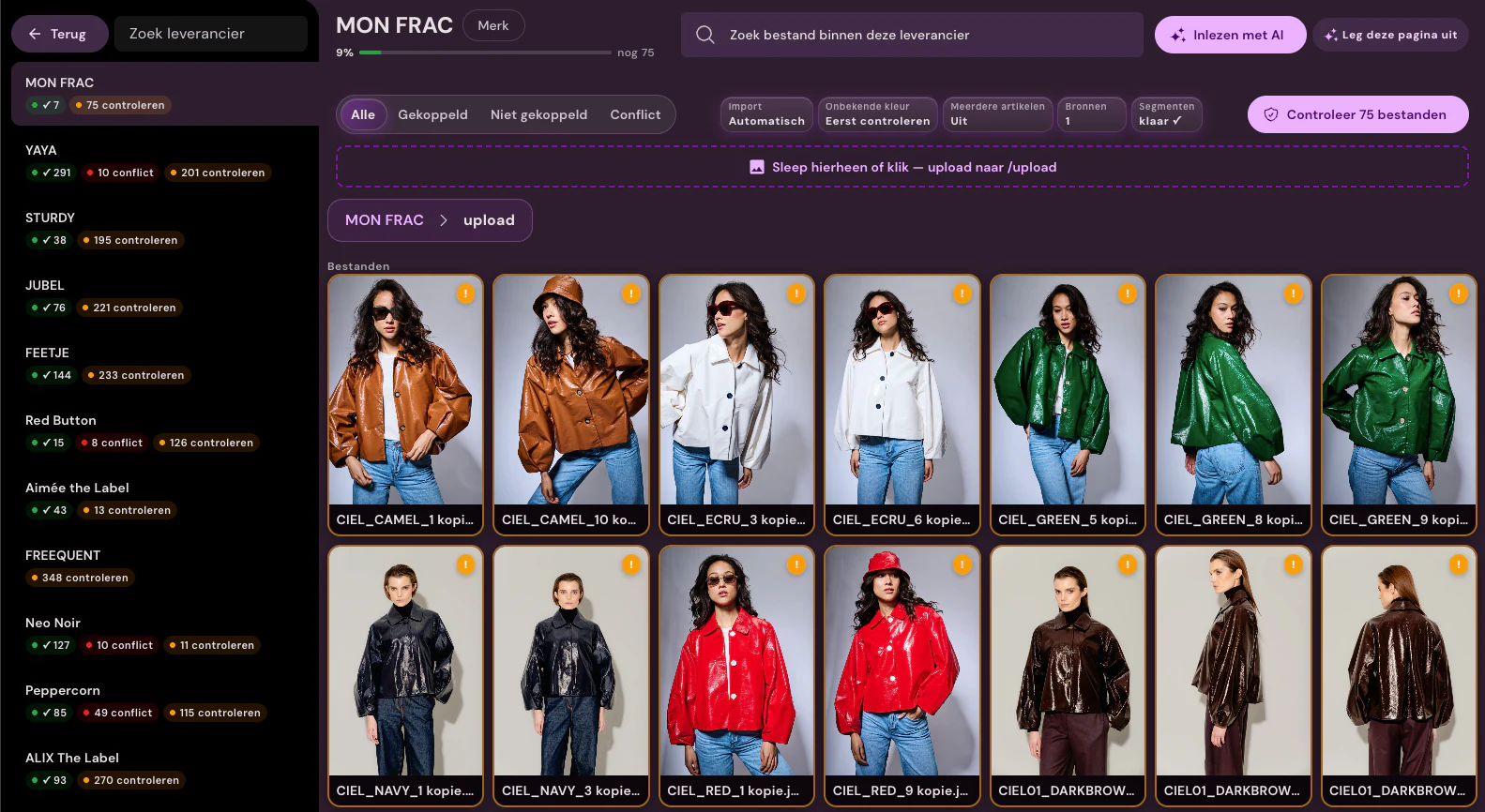
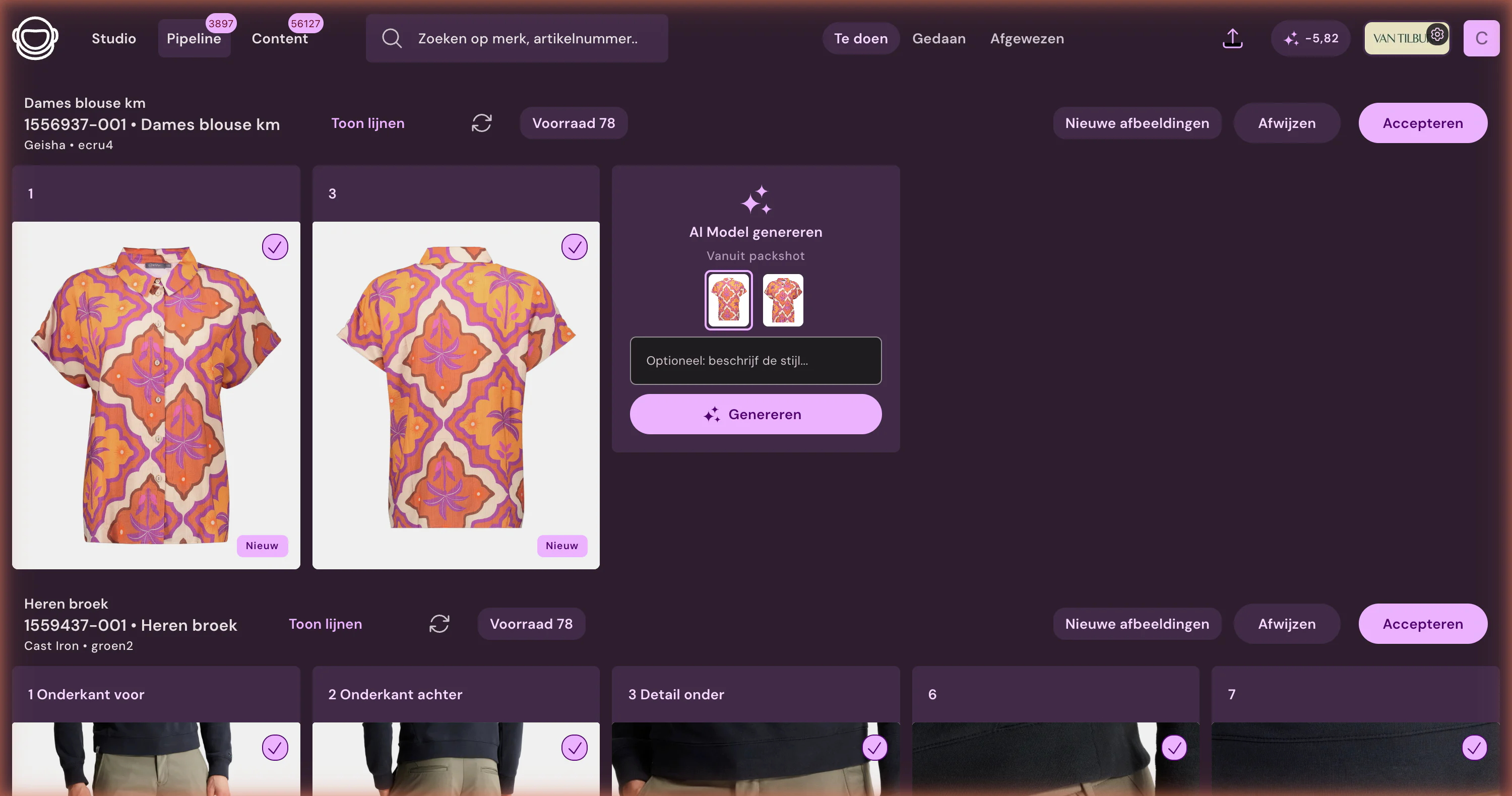
Create images and text in Photopilot
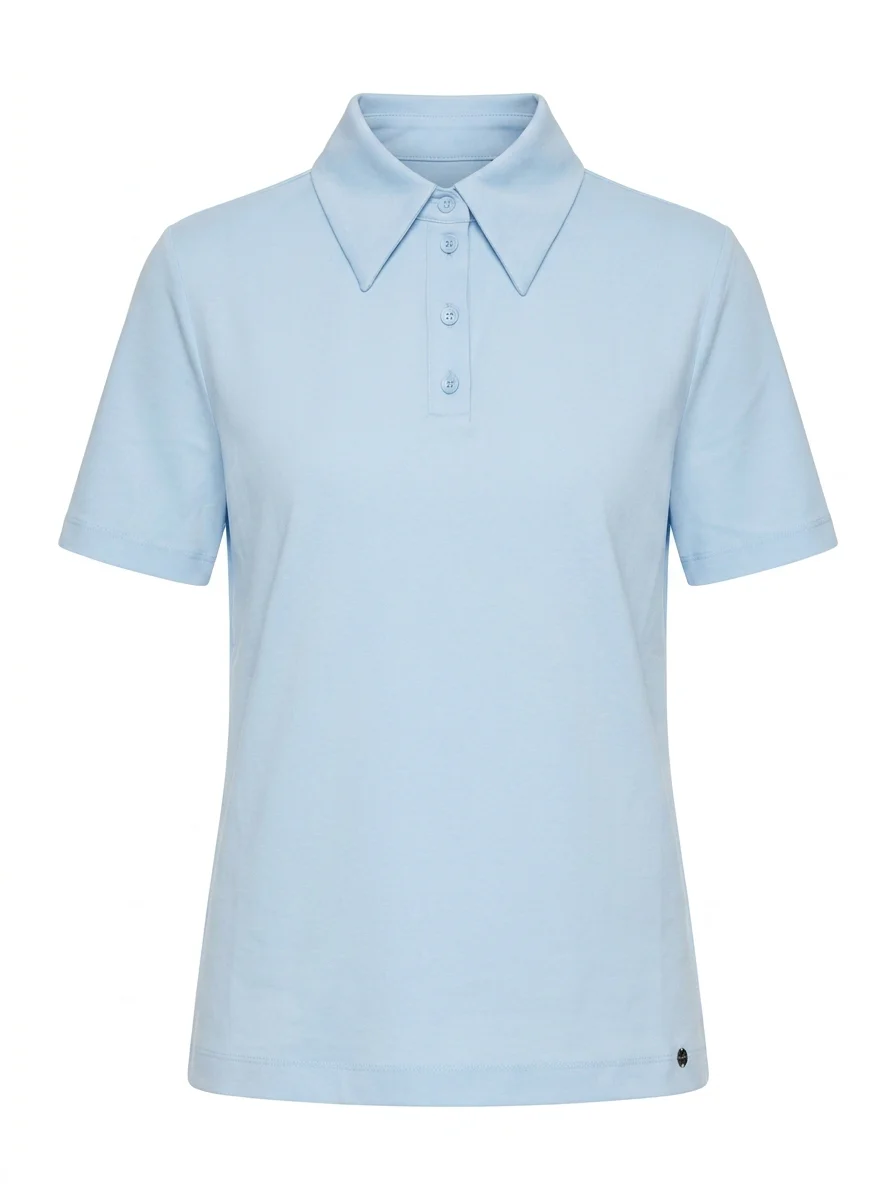
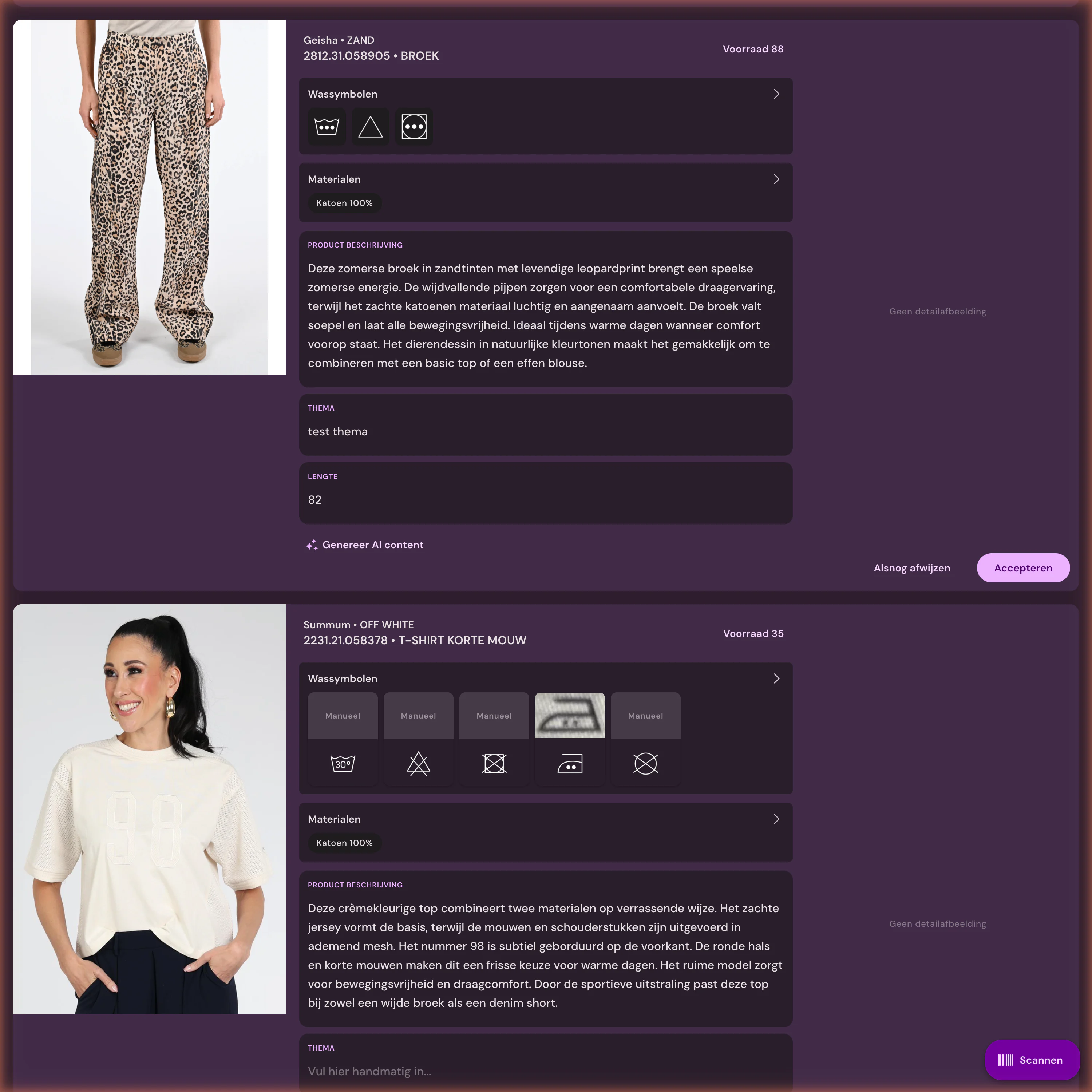
Supplier photos and your own shots are cut out, straightened, and cropped to your fixed format. For items without a good image, Photopilot creates packshots, ghost mannequin images, or AI model photos, while Iris keeps the store's visual language consistent as AI creative director. Product descriptions, titles, and SEO texts are written per item, using materials and care symbols recognized from the label. The team approves everything in one overview before anything is exported.
04
Back to Lightspeed eCom
Approved images are placed per item code, in the agreed order, in an FTP or SFTP folder, and copy is in the Webshop Excel or can be retrieved via the API. The Excel uses columns that match the Lightspeed eCom product import, so title, description, and SEO fields are correct in one step. The first image is the main image, and the following images fill the gallery. You decide when the import runs.
05
Multiple languages and brands in one store
Lightspeed eCom stores often run in multiple languages, such as Dutch and English or German. Photopilot reads the default language and writes product texts and SEO texts in every language you offer, ready to import per language. The brand structure is preserved as well: you can set fixed image rules and text guidelines per brand. This helps a multibrand store still feel like one cohesive whole.
06
How to get started
Create an API key and API secret in Lightspeed eCom and specify which cluster the store runs on and which language is the default. Photopilot then reads products changed in Lightspeed every two hours by default. The team sees daily which items are still missing images or text, and recurring edits run on autopilot. The first results are usually ready within a few days, without an IT project.
Lightspeed eCom at a glance
What is exchanged
Photopilot uses the Lightspeed eCom API to read products with their item code, SKU, and EAN, in the default language you choose. Photopilot does not write to Lightspeed.
How often
Every two hours by default. Photopilot imports only the products changed in Lightspeed since the previous run.
What you provide
An API key and API secret from Lightspeed eCom, plus your store’s cluster (for example, eu1) and the default language.
Good to know
The integration is built on the official Lightspeed eCom API. We test it together on your store before it runs on the fixed schedule.
Let source data flow through to sales-ready product pages
300.000+articles processed
9,5M+supplier images indexed
~3.200photos automatically edited per day
FAQ
Frequently Asked Questions
How do I connect Lightspeed eCom to Photopilot?
In the Lightspeed eCom back office, go to the API settings and create a key and secret with read access to products. Share them with the store cluster, for example eu1, and the default language. Photopilot immediately checks whether the products are coming in.
Can Photopilot automatically edit product photos for Lightspeed eCom?
Yes. Supplier images and your own photos are cut out, cropped, and resized to your format. The approved set is ready by item code for import into Lightspeed.
Does Photopilot work with variants in Lightspeed eCom?
Yes. Photopilot matches by item code, SKU, and EAN, and organizes images by color. In the export, photos are grouped by color, so you can attach them to the correct variants in Lightspeed.
Does Photopilot write text in multiple languages for Lightspeed?
Yes. Product descriptions, titles, and SEO texts can be created in any language your store uses. They are included by language in the export, so you can import them into Lightspeed eCom per language.
Do I need to install an app in Lightspeed eCom to use Photopilot?
No. Photopilot only uses an API key for reading. Writing back is done through the product import already available in Lightspeed eCom.
How much do AI model photos cost for Lightspeed stores?
AI photos cost €0.05 to €0.21 per photo at queue pricing and are often ready within an hour. If you want extra-sharp details in fabric and print, choose Precision+. Your own AI model with a fixed face costs €1.37.
Can I approve images before they appear in Lightspeed?
Yes. Nothing goes live automatically: everything is reviewed in Photopilot first. Only approved images and copy are included in the export set for Lightspeed eCom.
What does Photopilot do if a brand in Lightspeed does not provide product photos?
The item appears in the missing images overview. With a quick photo of your own, Photopilot turns it into a cut-out packshot or an AI model photo in the same style as the rest of the store.
Does Photopilot work alongside the Lightspeed POS for the physical store?
Yes. Photopilot reads from Lightspeed eCom and leaves the POS alone. If the store and webshop use the same EANs, the image and copy are automatically linked to the same item that is also available in the store.
How often does Photopilot read our Lightspeed store?
Every two hours by default, each time with only the products changed in Lightspeed.
What does Photopilot need to connect Lightspeed eCom?
An API key and API secret, your store’s cluster, and the default language.
Restore Photopilot images and texts in Lightspeed?
No, the integration imports. Approved images and texts are sent via FTP/SFTP, the Webshop Excel, or the API to your shop.
When does the Lightspeed integration go live?
Only once language, product fields, article codes, EANs, and the publishing route have been verified against the actual shop.












%20--%3e%3csvg%20version='1.1'%20id='Layer_1'%20xmlns='http://www.w3.org/2000/svg'%20xmlns:xlink='http://www.w3.org/1999/xlink'%20x='0px'%20y='0px'%20viewBox='0%200%20945%20125'%20style='enable-background:new%200%200%20945%20125;'%20xml:space='preserve'%3e%3cpath%20d='M8.73,62.42c0-31.54,24.83-56.21,56.53-56.21c21.08,0,37.79,9.99,47.47,25.3l-14.05,8.59%20c-6.56-10.77-18.58-17.96-33.42-17.96c-22.17,0-39.19,17.65-39.19,40.29s17.02,40.29,39.19,40.29c14.83,0,26.86-7.34,33.42-17.96%20l14.05,8.43c-9.52,15.46-26.86,25.45-47.47,25.45C33.56,118.64,8.73,93.96,8.73,62.42z'/%3e%3cpath%20d='M127.55,95.68c0-12.49,9.99-20.46,23.74-20.46h16.24c4.53,0,7.34-2.65,7.34-6.56c0-4.68-5.15-10.78-15.93-10.78%20c-9.53,0-15.15,5.15-17.96,11.87l-11.09-7.18c4.53-10.15,14.21-18.11,29.05-18.11c19.99,0,30.92,13.43,30.92,27.8v44.82h-13.74%20v-7.81c-2.65,4.06-10.15,9.53-21.24,9.53C138.17,118.79,127.55,108.49,127.55,95.68z%20M175.18,87.72v-0.94h-22.17%20c-5.93,0-9.99,3.9-9.99,9.06c0,5.62,4.68,10.15,13.12,10.15C168,105.99,175.18,98.34,175.18,87.72z'/%3e%3cpath%20d='M235.29,118.17c-15.62,0-24.52-8.59-24.52-25.61V7.77h14.83V92.4c0,7.5,4.22,11.56,12.02,11.56v14.21H235.29z'/%3e%3cpath%20d='M251.22,19.79c0-5.62,4.53-9.99,10.15-9.99c5.93,0,10.31,4.37,10.31,9.99s-4.37,9.84-10.31,9.84%20C255.75,29.63,251.22,25.41,251.22,19.79z%20M254.03,117.08V46.18h14.83v70.89H254.03z'/%3e%3cpath%20d='M286.35,81.63c0-21.08,16.55-37.16,38.1-37.16c14.37,0,26.23,7.03,32.64,18.11l-12.65,8.12%20c-3.59-7.03-11.24-11.87-19.99-12.02c-12.96,0.16-22.49,9.84-22.49,22.95c0,12.96,9.53,22.8,22.49,22.8%20c8.59,0,15.93-4.53,19.83-11.4l12.49,8.12c-6.4,10.77-18.27,17.65-32.32,17.65C302.9,118.79,286.35,102.71,286.35,81.63z'/%3e%3cpath%20d='M369.73,81.63c0-21.08,16.55-37.16,38.1-37.16c21.71,0,38.1,16.08,38.1,37.16c0,21.08-16.4,37.16-38.1,37.16%20C386.28,118.79,369.73,102.71,369.73,81.63z%20M430.31,81.63c0-13.12-9.68-22.8-22.49-22.95c-12.96,0.16-22.49,9.84-22.49,22.95%20s9.53,22.8,22.49,22.8C420.63,104.43,430.31,94.75,430.31,81.63z'/%3e%3cpath%20d='M500.73,62.42c0-31.54,24.83-56.21,56.53-56.21c21.08,0,37.79,9.99,47.47,25.3l-14.05,8.59%20c-6.56-10.77-18.58-17.96-33.42-17.96c-22.17,0-39.19,17.65-39.19,40.29s17.02,40.29,39.19,40.29c14.83,0,26.86-7.34,33.42-17.96%20l14.05,8.43c-9.52,15.46-26.86,25.45-47.47,25.45C525.56,118.64,500.73,93.96,500.73,62.42z'/%3e%3cpath%20d='M646.88,118.17c-15.61,0-24.52-8.59-24.52-25.61V7.77h14.83V92.4c0,7.5,4.22,11.56,12.02,11.56v14.21H646.88z'/%3e%3cpath%20d='M664.05,86.31V46.18h14.83v40.44c0,10.93,6.25,17.96,16.55,17.96c10.15,0,16.55-7.03,16.55-17.96V46.18h14.83v40.13%20c0,17.8-10.31,32.48-31.39,32.48C674.2,118.79,664.05,104.11,664.05,86.31z'/%3e%3cpath%20d='M822.39,81.63c0,20.92-16.55,37.16-37.48,37.16c-8.43,0-16.71-2.97-23.11-8.28v6.56h-14.83V7.77h14.83v44.97%20c6.4-5.31,14.68-8.28,23.11-8.28C805.83,44.46,822.39,60.86,822.39,81.63z%20M806.77,81.63c0-13.12-9.52-22.8-22.49-22.95%20c-12.8,0.16-22.49,9.84-22.49,22.95s9.68,22.8,22.49,22.8C797.24,104.43,806.77,94.75,806.77,81.63z'/%3e%3cpath%20d='M890.2,117.08L922.37,7.77h13.9L904.1,117.08H890.2z'/%3e%3c/svg%3e)
'/%3e%3cpath%20d='M150.336,366.953h15.189v2.531H153.788v3.309h6.846v2.531h-6.846V379h11.88V381.8H150.336V366.953Z'%20transform='translate(-127.628%20-366.953)'/%3e%3cpath%20d='M223.733,366.953h2.36l10.44,8.745a12.625,12.625,0,0,1,1.7,1.611c-.087-1.237-.144-2.1-.144-2.561v-7.795h3.107V381.8h-2.359l-10.9-9.177a12.259,12.259,0,0,1-1.238-1.208c.116,1.15.144,1.927.144,2.358V381.8h-3.107V366.953Z'%20transform='translate(-181.029%20-366.953)'/%3e%3cpath%20d='M312.449,381.8H309V369.6h-6.821v-2.646h17.118V369.6h-6.845v12.2Z'%20transform='translate(-238.101%20-366.953)'/%3e%3cpath%20d='M379.458,366.953h3.453V381.8h-3.453V366.953Z'%20transform='translate(-294.329%20-366.953)'/%3e%3cpath%20d='M409.442,366.953H412.9V379h11.131V381.8H409.442V366.953Z'%20transform='translate(-316.145%20-366.953)'/%3e%3cpath%20d='M480.11,379.005h9.838V366.953H493.4v11.333c0,2.79-.891,3.51-3.681,3.51H480.34c-2.79,0-3.681-.719-3.681-3.51V366.953h3.451v12.052Z'%20transform='translate(-365.05%20-366.953)'/%3e%3cpath%20d='M560.662,379.005V369.6h11.391v9.406Zm-3.452-8.543v7.824c0,2.79.891,3.51,3.682,3.51h10.932c2.79,0,3.681-.719,3.681-3.51v-7.824c0-2.791-.891-3.509-3.681-3.509H560.892c-2.791,0-3.682.718-3.682,3.509Z'%20transform='translate(-423.656%20-366.953)'/%3e%3cpath%20d='M642.423,366.953h2.79l6.99,8.974,6.846-8.974h2.762V381.8h-3.193v-9.177a15.583,15.583,0,0,1,.116-1.582,10.16,10.16,0,0,1-.863,1.554l-5.581,7.421h-.69l-5.58-7.45a6.632,6.632,0,0,1-.893-1.525c.059.6.087,1.093.087,1.582V381.8h-2.79V366.953Z'%20transform='translate(-485.654%20-366.953)'/%3e%3cpath%20d='M735.446,379.005V369.6h11.39v9.406Zm-3.453-8.543v7.824c0,2.79.892,3.51,3.682,3.51h10.932c2.79,0,3.681-.719,3.681-3.51v-7.824c0-2.791-.891-3.509-3.681-3.509H735.675c-2.79,0-3.682.718-3.682,3.509Z'%20transform='translate(-550.823%20-366.953)'/%3e%3c/g%3e%3c/svg%3e)

'/%3e%3cpath%20d='M527.731,277.117v4.942h-13.3v16.728h-6.849V282.059c-7.609-.074,0,0-13.3-.127v-4.816Z'%20transform='translate(-369.199%20-277.117)'/%3e%3cpath%20d='M449.4,277.117v21.671h-4.684c-7.783-5.1-15.978-9.8-23.572-15.081.248,13.016.011.444.248,15.081H415.31V277.117h4.816c7.672,5.127,15.862,9.737,23.445,14.954-.169-11.981,0-4.568-.248-14.954Z'%20transform='translate(-331.928%20-277.117)'/%3e%3cpath%20d='M371.308,294.732v4.055H341.4V277.117h29.655v3.675H348.117v4.689c7.725.074,8.3.069,13.312.132,0,.375-.011,3.564-.011,3.8h-13.3v5.2C356.766,294.753,363.615,294.648,371.308,294.732Z'%20transform='translate(-297.045%20-277.117)'/%3e%3cpath%20d='M291.865,286.241c.032,7.181.354,9.077-.76,10.772-.861,1.3-1.938,1.626-4.182,1.774H262.216c-2.545-.29-4.473-1.188-4.816-3.675v-14.32c.338-2.487,2.265-3.4,4.816-3.675h24.2c2.783.517,5.36,1.23,5.449,4.435H264.117v12.419c6.87.148,14.062.042,20.989.127l.048-4.182h-10.9c-.032-1.964,0-2.17,0-3.8C281.478,286.109,285.291,286.067,291.865,286.241Z'%20transform='translate(-257.4%20-277.117)'/%3e%3c/g%3e%3c/svg%3e)