

All integrations
OX Webshop OXID eShop
Connect OXID eShop for copy, attributes, and filters
Copy, SEO, and Attribute automatically in OXID eShop, per language.
- Available after intake
OXID eShop
This is the route
- You give Photopilot access to OXID eShop.
- Photopilot matches every product by SKU, EAN, or item number.
- Target audience, color, attributes, copy, and SEO are completed and approved.
- Everything is in OXID eShop, by language and ready for your filters.
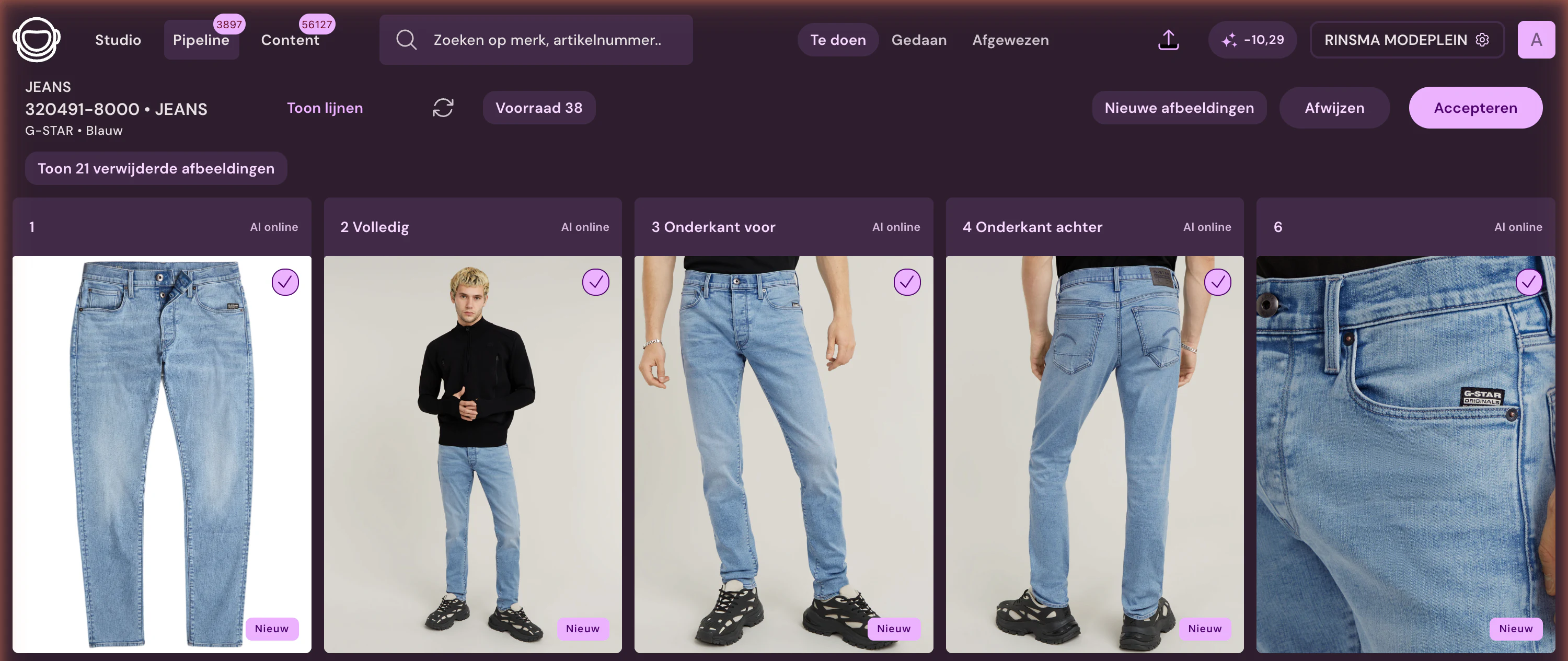
OXID eShop at a glance
- What is exchanged
- In OXID eShop, Photopilot fills in Langtext, Kurzbeschreibung and the SEO fields for each language, plus Attribute for target audience, color, material and Web only. Photopilot adds images to each product in the agreed order.
- How often
- Approved copy and attributes are sent immediately after approval.
- What you provide
- Access to your OXID shop; we will decide which one to use together during onboarding.
- Good to know
- We align attribute names and values with your OXID filters.
Then in Photopilot




Reliably linked
Let sales-ready content land in your webshop automatically









%20--%3e%3csvg%20version='1.1'%20id='Layer_1'%20xmlns='http://www.w3.org/2000/svg'%20xmlns:xlink='http://www.w3.org/1999/xlink'%20x='0px'%20y='0px'%20viewBox='0%200%20945%20125'%20style='enable-background:new%200%200%20945%20125;'%20xml:space='preserve'%3e%3cpath%20d='M8.73,62.42c0-31.54,24.83-56.21,56.53-56.21c21.08,0,37.79,9.99,47.47,25.3l-14.05,8.59%20c-6.56-10.77-18.58-17.96-33.42-17.96c-22.17,0-39.19,17.65-39.19,40.29s17.02,40.29,39.19,40.29c14.83,0,26.86-7.34,33.42-17.96%20l14.05,8.43c-9.52,15.46-26.86,25.45-47.47,25.45C33.56,118.64,8.73,93.96,8.73,62.42z'/%3e%3cpath%20d='M127.55,95.68c0-12.49,9.99-20.46,23.74-20.46h16.24c4.53,0,7.34-2.65,7.34-6.56c0-4.68-5.15-10.78-15.93-10.78%20c-9.53,0-15.15,5.15-17.96,11.87l-11.09-7.18c4.53-10.15,14.21-18.11,29.05-18.11c19.99,0,30.92,13.43,30.92,27.8v44.82h-13.74%20v-7.81c-2.65,4.06-10.15,9.53-21.24,9.53C138.17,118.79,127.55,108.49,127.55,95.68z%20M175.18,87.72v-0.94h-22.17%20c-5.93,0-9.99,3.9-9.99,9.06c0,5.62,4.68,10.15,13.12,10.15C168,105.99,175.18,98.34,175.18,87.72z'/%3e%3cpath%20d='M235.29,118.17c-15.62,0-24.52-8.59-24.52-25.61V7.77h14.83V92.4c0,7.5,4.22,11.56,12.02,11.56v14.21H235.29z'/%3e%3cpath%20d='M251.22,19.79c0-5.62,4.53-9.99,10.15-9.99c5.93,0,10.31,4.37,10.31,9.99s-4.37,9.84-10.31,9.84%20C255.75,29.63,251.22,25.41,251.22,19.79z%20M254.03,117.08V46.18h14.83v70.89H254.03z'/%3e%3cpath%20d='M286.35,81.63c0-21.08,16.55-37.16,38.1-37.16c14.37,0,26.23,7.03,32.64,18.11l-12.65,8.12%20c-3.59-7.03-11.24-11.87-19.99-12.02c-12.96,0.16-22.49,9.84-22.49,22.95c0,12.96,9.53,22.8,22.49,22.8%20c8.59,0,15.93-4.53,19.83-11.4l12.49,8.12c-6.4,10.77-18.27,17.65-32.32,17.65C302.9,118.79,286.35,102.71,286.35,81.63z'/%3e%3cpath%20d='M369.73,81.63c0-21.08,16.55-37.16,38.1-37.16c21.71,0,38.1,16.08,38.1,37.16c0,21.08-16.4,37.16-38.1,37.16%20C386.28,118.79,369.73,102.71,369.73,81.63z%20M430.31,81.63c0-13.12-9.68-22.8-22.49-22.95c-12.96,0.16-22.49,9.84-22.49,22.95%20s9.53,22.8,22.49,22.8C420.63,104.43,430.31,94.75,430.31,81.63z'/%3e%3cpath%20d='M500.73,62.42c0-31.54,24.83-56.21,56.53-56.21c21.08,0,37.79,9.99,47.47,25.3l-14.05,8.59%20c-6.56-10.77-18.58-17.96-33.42-17.96c-22.17,0-39.19,17.65-39.19,40.29s17.02,40.29,39.19,40.29c14.83,0,26.86-7.34,33.42-17.96%20l14.05,8.43c-9.52,15.46-26.86,25.45-47.47,25.45C525.56,118.64,500.73,93.96,500.73,62.42z'/%3e%3cpath%20d='M646.88,118.17c-15.61,0-24.52-8.59-24.52-25.61V7.77h14.83V92.4c0,7.5,4.22,11.56,12.02,11.56v14.21H646.88z'/%3e%3cpath%20d='M664.05,86.31V46.18h14.83v40.44c0,10.93,6.25,17.96,16.55,17.96c10.15,0,16.55-7.03,16.55-17.96V46.18h14.83v40.13%20c0,17.8-10.31,32.48-31.39,32.48C674.2,118.79,664.05,104.11,664.05,86.31z'/%3e%3cpath%20d='M822.39,81.63c0,20.92-16.55,37.16-37.48,37.16c-8.43,0-16.71-2.97-23.11-8.28v6.56h-14.83V7.77h14.83v44.97%20c6.4-5.31,14.68-8.28,23.11-8.28C805.83,44.46,822.39,60.86,822.39,81.63z%20M806.77,81.63c0-13.12-9.52-22.8-22.49-22.95%20c-12.8,0.16-22.49,9.84-22.49,22.95s9.68,22.8,22.49,22.8C797.24,104.43,806.77,94.75,806.77,81.63z'/%3e%3cpath%20d='M890.2,117.08L922.37,7.77h13.9L904.1,117.08H890.2z'/%3e%3c/svg%3e)
'/%3e%3cpath%20d='M150.336,366.953h15.189v2.531H153.788v3.309h6.846v2.531h-6.846V379h11.88V381.8H150.336V366.953Z'%20transform='translate(-127.628%20-366.953)'/%3e%3cpath%20d='M223.733,366.953h2.36l10.44,8.745a12.625,12.625,0,0,1,1.7,1.611c-.087-1.237-.144-2.1-.144-2.561v-7.795h3.107V381.8h-2.359l-10.9-9.177a12.259,12.259,0,0,1-1.238-1.208c.116,1.15.144,1.927.144,2.358V381.8h-3.107V366.953Z'%20transform='translate(-181.029%20-366.953)'/%3e%3cpath%20d='M312.449,381.8H309V369.6h-6.821v-2.646h17.118V369.6h-6.845v12.2Z'%20transform='translate(-238.101%20-366.953)'/%3e%3cpath%20d='M379.458,366.953h3.453V381.8h-3.453V366.953Z'%20transform='translate(-294.329%20-366.953)'/%3e%3cpath%20d='M409.442,366.953H412.9V379h11.131V381.8H409.442V366.953Z'%20transform='translate(-316.145%20-366.953)'/%3e%3cpath%20d='M480.11,379.005h9.838V366.953H493.4v11.333c0,2.79-.891,3.51-3.681,3.51H480.34c-2.79,0-3.681-.719-3.681-3.51V366.953h3.451v12.052Z'%20transform='translate(-365.05%20-366.953)'/%3e%3cpath%20d='M560.662,379.005V369.6h11.391v9.406Zm-3.452-8.543v7.824c0,2.79.891,3.51,3.682,3.51h10.932c2.79,0,3.681-.719,3.681-3.51v-7.824c0-2.791-.891-3.509-3.681-3.509H560.892c-2.791,0-3.682.718-3.682,3.509Z'%20transform='translate(-423.656%20-366.953)'/%3e%3cpath%20d='M642.423,366.953h2.79l6.99,8.974,6.846-8.974h2.762V381.8h-3.193v-9.177a15.583,15.583,0,0,1,.116-1.582,10.16,10.16,0,0,1-.863,1.554l-5.581,7.421h-.69l-5.58-7.45a6.632,6.632,0,0,1-.893-1.525c.059.6.087,1.093.087,1.582V381.8h-2.79V366.953Z'%20transform='translate(-485.654%20-366.953)'/%3e%3cpath%20d='M735.446,379.005V369.6h11.39v9.406Zm-3.453-8.543v7.824c0,2.79.892,3.51,3.682,3.51h10.932c2.79,0,3.681-.719,3.681-3.51v-7.824c0-2.791-.891-3.509-3.681-3.509H735.675c-2.79,0-3.682.718-3.682,3.509Z'%20transform='translate(-550.823%20-366.953)'/%3e%3c/g%3e%3c/svg%3e)

'/%3e%3cpath%20d='M527.731,277.117v4.942h-13.3v16.728h-6.849V282.059c-7.609-.074,0,0-13.3-.127v-4.816Z'%20transform='translate(-369.199%20-277.117)'/%3e%3cpath%20d='M449.4,277.117v21.671h-4.684c-7.783-5.1-15.978-9.8-23.572-15.081.248,13.016.011.444.248,15.081H415.31V277.117h4.816c7.672,5.127,15.862,9.737,23.445,14.954-.169-11.981,0-4.568-.248-14.954Z'%20transform='translate(-331.928%20-277.117)'/%3e%3cpath%20d='M371.308,294.732v4.055H341.4V277.117h29.655v3.675H348.117v4.689c7.725.074,8.3.069,13.312.132,0,.375-.011,3.564-.011,3.8h-13.3v5.2C356.766,294.753,363.615,294.648,371.308,294.732Z'%20transform='translate(-297.045%20-277.117)'/%3e%3cpath%20d='M291.865,286.241c.032,7.181.354,9.077-.76,10.772-.861,1.3-1.938,1.626-4.182,1.774H262.216c-2.545-.29-4.473-1.188-4.816-3.675v-14.32c.338-2.487,2.265-3.4,4.816-3.675h24.2c2.783.517,5.36,1.23,5.449,4.435H264.117v12.419c6.87.148,14.062.042,20.989.127l.048-4.182h-10.9c-.032-1.964,0-2.17,0-3.8C281.478,286.109,285.291,286.067,291.865,286.241Z'%20transform='translate(-257.4%20-277.117)'/%3e%3c/g%3e%3c/svg%3e)
300.000+ articles processed
9,5M+ supplier images indexed
~3.200 photos automatically edited per day
Frequently Asked Questions
Which fields does Photopilot fill in OXID eShop?
Langtext, Kurzbeschreibung, and SEO fields per language, plus Attribute for target audience, color, material, and Web only, ready to use as filters.
Does Photopilot fill all store languages?
Yes, each active language gets its own copy.
Does existing content in OXID eShop take precedence?
You choose who wins for each feature: the source or Photopilot. If Photopilot differs, you see a warning on the item.
Read also
- How much does an AI model photo cost in 2026? Model shoot, AI creator, or generating images yourself: the real cost per photo, with a sample calculation for 100 items.
- How do you generate good product text for your webshop with AI? AI product copy in your own brand voice, with no made-up specs, multilingual support, and SEO fields.
How to start
First the trial route, then the technique
The integration is the starting point. After that, Photopilot keeps linking, editing, writing, checking, and publishing together.
What is the source of truth?
Source, destination, or both: for data, media, and status.
What can be automated?
Link, crop, and text, or show an exception first.
Where should it go?
Webshop, FTP, Azure, or API, before anything is built.