


Why does a new collection go online later than it appears in-store?
At most retailers and brands, the collection is already hanging in the store or sitting in the warehouse while the webshop is still empty. It is rarely due to one major blocker. It comes down to five small steps that happen one after another, each with its own queue: collecting images, linking each image to the right item, editing, writing product descriptions, and publishing.
Each step takes only a few minutes per item, but the waiting time between steps is the problem. The copywriter waits for the photos, the photos wait for the retoucher, and the upload waits until everything is complete. For a seasonal drop of hundreds or thousands of items, that adds up to weeks.
And those weeks cost money. A collection only sells at full price for a limited number of weeks. Every week an item goes online later means one less week of full-price sales and more inventory you will have to mark down later.
Formula: items × sales per week × price × weeks online earlier. In a 12-week full-price season, being online one week later costs one twelfth of those weeks.
The five bottlenecks between delivery and webshop
If you want to shorten turnaround time, you first need to know where the delays are. In practice, we see the same five bottlenecks again and again, at multibrand retailers as well as at brands with their own studio.
The first bottleneck is waiting for images: suppliers send them late, by email, WeTransfer, or through a portal you have to log in to yourself. The second is matching: figuring out which photo belongs to which item and which color. The third is editing: standardizing the crop, background, shadow, and color to match your brand style.
The fourth bottleneck is copy: a product description, attributes, and translations for each language. The fifth is publishing: exporting, renaming, and uploading for each channel. As long as those steps have to wait for each other, the slowest step determines when you go online.
- Waiting for images: supplier images arrive late or through separate channels
- Matching: determine the item, color, and image slot for each photo
- Editing: crop, background, shadow, and color per photo in photo editing software
- Copy: write a description for each product and language
- Publishing: export and upload per channel, and check that everything is correct
Timeline: manual vs. automated
Below, each step shows how much manual time it takes and how long you wait for it, next to the same step when it runs automatically. The manual column is a completed calculation example for a fashion store, the same as on our management page; these are not customer figures, and your own situation may be different.
What stands out is that the hands-on work adds up to about 20 minutes per item, but the lead time is measured in weeks. Automation saves time mainly by removing the waiting between steps, not just by saving minutes per item.
In the automated workflow, only one step remains: approval in a single screen. To be safe, we count that as 2 minutes per item; in September 2026, the measured average was 0.64 minutes. For brands you trust, even that step can be skipped.
| Step | Manual: work per item | Manual: waiting time | Automatic |
|---|---|---|---|
| Collect supplier images | ±3 minutes | 1–2 weeks | Directly from portal, FTP, or upload |
| Search Fashion Cloud images | ±2 minutes | 1–2 days | Automatically added to the item by EAN every half hour |
| Link photos to the item | ±2 minutes | 1 day | By EAN, item number, or scan |
| Crop and export | ±5 minutes | 2–3 days | Direct, with fixed image rules per product group |
| Writing product texts | ±5 minutes | 1 week | Often within an hour, from €0.01 per product |
| Upload to the webshop | ±3 minutes | 1–2 days | Approve in one screen, then go live |
Start with the overview: which items still need images?
The quickest win is often not in new items, but in items that are already in stock and still do not have a usable image. They are not selling online right now, even though you have already paid for them. An overview of missing images, sorted by stock, shows you where to start.
This type of overview combines your inventory from the POS system or ERP with the image status for each item. Items that are in stock but have no image appear at the top, grouped by brand. You can immediately see whether a supplier still needs to send images, a brand still needs to be activated on Fashion Cloud, or you need to photograph the item yourself.
Make it a fixed routine, for example every Monday. Export the list to Excel for buying or the studio, and check a week later whether the number of items without images has gone down. What you measure moves faster.
Tip: record in advance how long it currently takes a product to go from delivery to online. After a few weeks, you can compare the results properly instead of relying on gut feeling.
Images and matching: let sources come in automatically
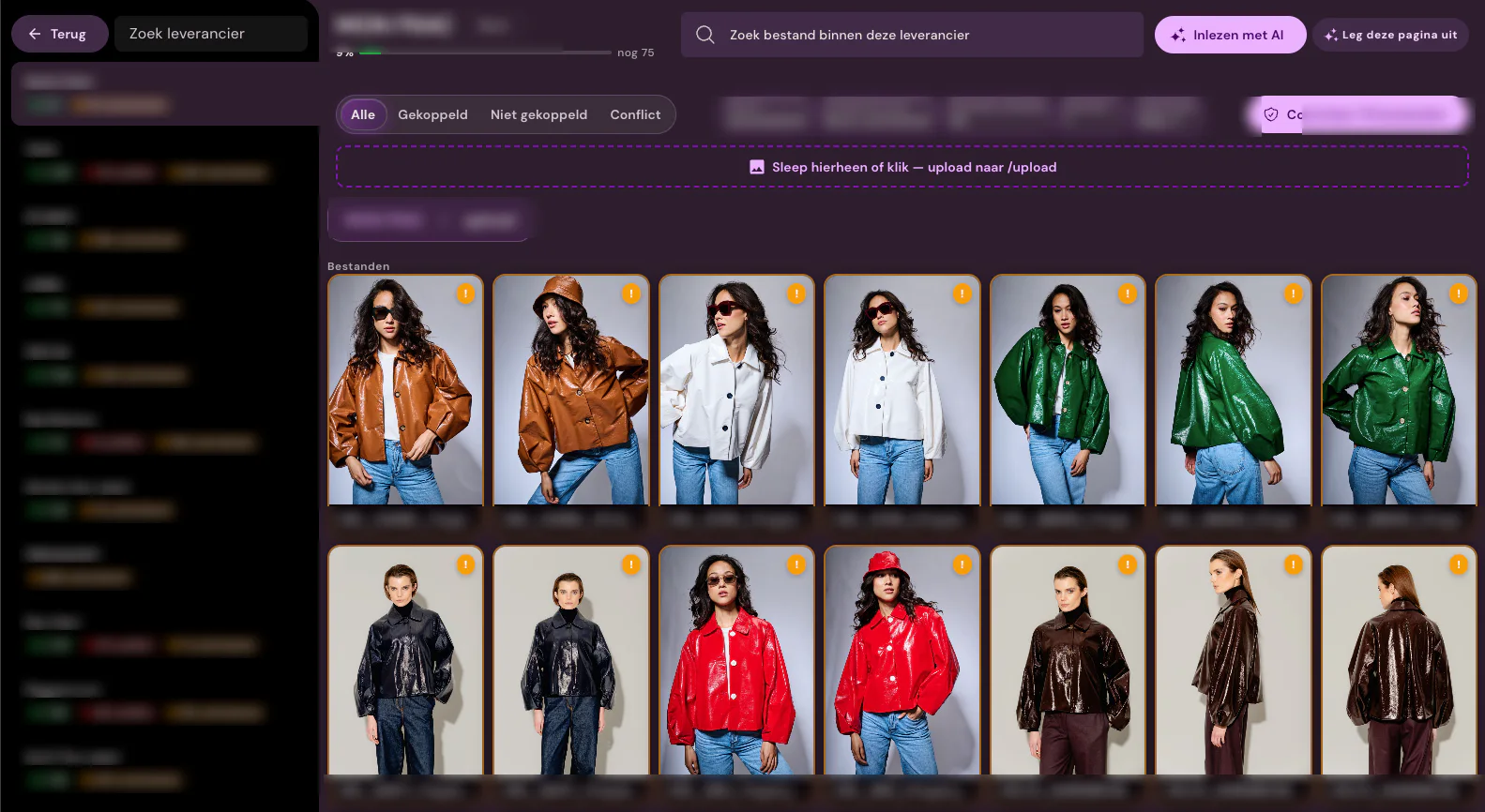
You stop waiting for images by connecting each source once: Fashion Cloud, Stockbase, FTP, ZIP uploads, or a supplier portal. New images then come in automatically, every half hour with Fashion Cloud, without anyone having to email or download anything.
Matching first uses reliable codes such as EAN, supplier item number, and color, then naming structure and folders. AI compares descriptive file names with the item name and color from your item data. Only genuine edge cases and conflicts are left for a person to review.
If you shoot in-house, the same applies: scan the item in the studio or with the iPhone app, and the photo is immediately assigned to the right item and image slot. No filenames, no folders, no export round.
Editing and copy: agree once, then automate
Manual editing takes the most time per item. That is why you define your image rules once per brand, collection, or item type: crop or layout, background, shadow, color correction, and aspect ratio. You present pants differently from shoes, but every new collection follows the same workflow.
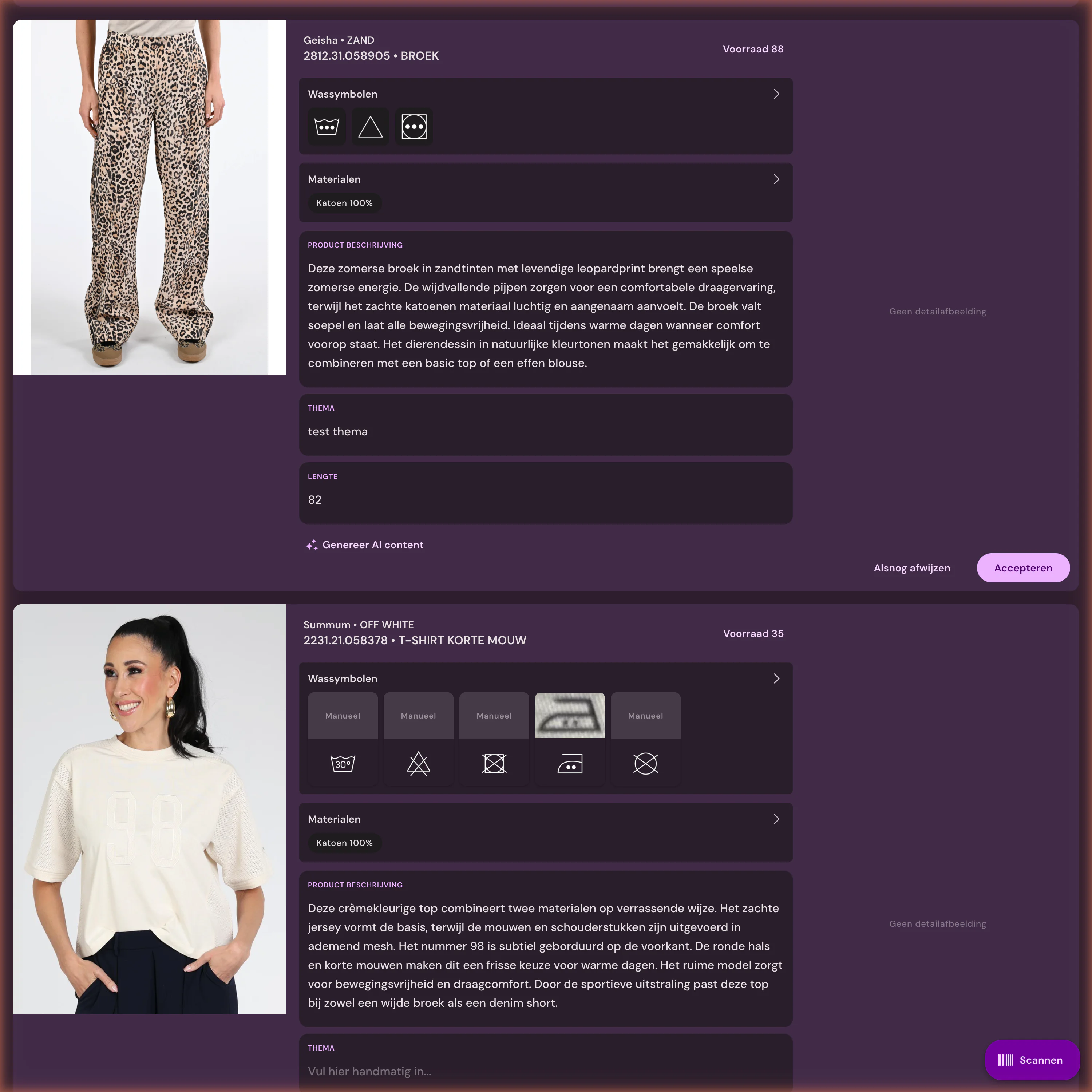
Product texts work the same way. Define your tone of voice, target audience, and writing rules per brand, and have texts created based on product data, material, and care label, in all the languages of your online store. A fully enriched product costs from €0.01 and is ready as soon as the photos are.
The most important thing is that editing and text creation run in parallel instead of one after the other. That way, the text does not wait for the photo and the upload does not wait for the text, and an item is complete as soon as it arrives.
Publishing: automatically approve by brand
Review is necessary, but not for everything. For each brand, collection, or item type, you choose whether results go live automatically or go through a quick review first. Set brands that always provide good images to automatic; have new suppliers, a new collection, or creative choices reviewed first.
That is safe because most results are correct. Across all customers, 96.6% of images went online without correction in the past 90 days. Anything that does need attention, such as a different image slot or an adjusted crop, remains visible as an exception.
Approved images and texts are then sent to your online store in one go, such as Shopware, Shopify, WooCommerce, or via FTP. If an image is already live, your export rules determine what a new version is allowed to replace.
When automation delivers less value
If you have a small collection of a few dozen items per season, one supplier, and no rush, a manual process with a good checklist often works fine. The benefit of automation grows with the number of items, brands, and channels.
If your item data is not in order, automation delivers less value. Without an EAN or a fixed item number in your POS or ERP, matching is difficult, and without material or description data, the copy becomes generic. Start with the data; it makes every next step faster, with or without software.
And if the delay is in the delivery itself, because a supplier sends images weeks after the goods, then your own photography or an AI packshot from a phone photo helps more than faster processing.
How Photopilot gets your collection online faster
Photopilot retrieves photos and product data, links each photo to the right item and color, edits the images according to your agreements, creates product texts and translations, and publishes everything to the online store together. For our customers, an item therefore takes a few seconds to two minutes of active time.
For one of our customers, new items are online within 12 hours of arrival, and more than 60% are online even before stock is available. This was measured in September 2026: the time an item came into stock compared with the first photo sent to the webshop.
We usually set up a first working workflow with one source and one destination within one week, and integration and onboarding are free. The monthly plan starts at €500 per month, with editing and publishing included; you only pay per use for generative AI, such as Productteksten and AI images.