Why clothing gets returned: the gap between images and reality
A customer buying clothing online cannot try it on, feel it, or see the color in daylight. They make a decision based on photos and text, and they fill in anything that is missing themselves. If trousers are shorter than expected, a sweater feels itchier, or the blue is darker, the package is returned.
Most apparel returns are therefore related to size and fit, followed by how an item looks and feels. Exact percentages vary by study and definition, but the pattern is the same everywhere: the better expectations match reality, the fewer returns you get.
Product photos and product information are all you have to do that. A good product page, or PDP, answers four questions before the customer asks them: how does it fit, what size do I need, what color is it really, and what is it made of?
Size and fit: size chart, fit text, and a model note
Baymard Institute, which tests product pages with real shoppers, found in 2022 that 83 percent of apparel online stores on desktop and 87 percent on mobile provide too little size information. Users who could not find a size chart either guessed or dropped off. An item that does not fit gets returned, Baymard notes matter-of-factly.
Place the size chart directly next to the size selector, with measurements in centimeters and a short explanation of how to measure. Add a fit note for each item, such as runs small, choose one size up, or relaxed fit. That note works best when it comes from your own returns experience with that brand or model.
The most useful aid is a model note next to the model photo: the model’s height and the size they are wearing. Baymard cites the model’s measurements and the worn size as reference points that help customers better judge fit and choose their own size.
| Information | Example | The doubt it removes |
|---|---|---|
| Model line | Model is 1.78 m and wears size M | What size do I need for my height? |
| Fit | Generous fit, oversized style | Should I choose my usual size? |
| Size chart in cm | Chest, height, inseam | Will this fit my measurements? |
| Product dimensions | Back length 72 cm in size M | How long is it really? |
| Fabric and stretch | With stretch, 2% elastane | Is it tight or does it stretch? |
Multiple views and a model photo for every item
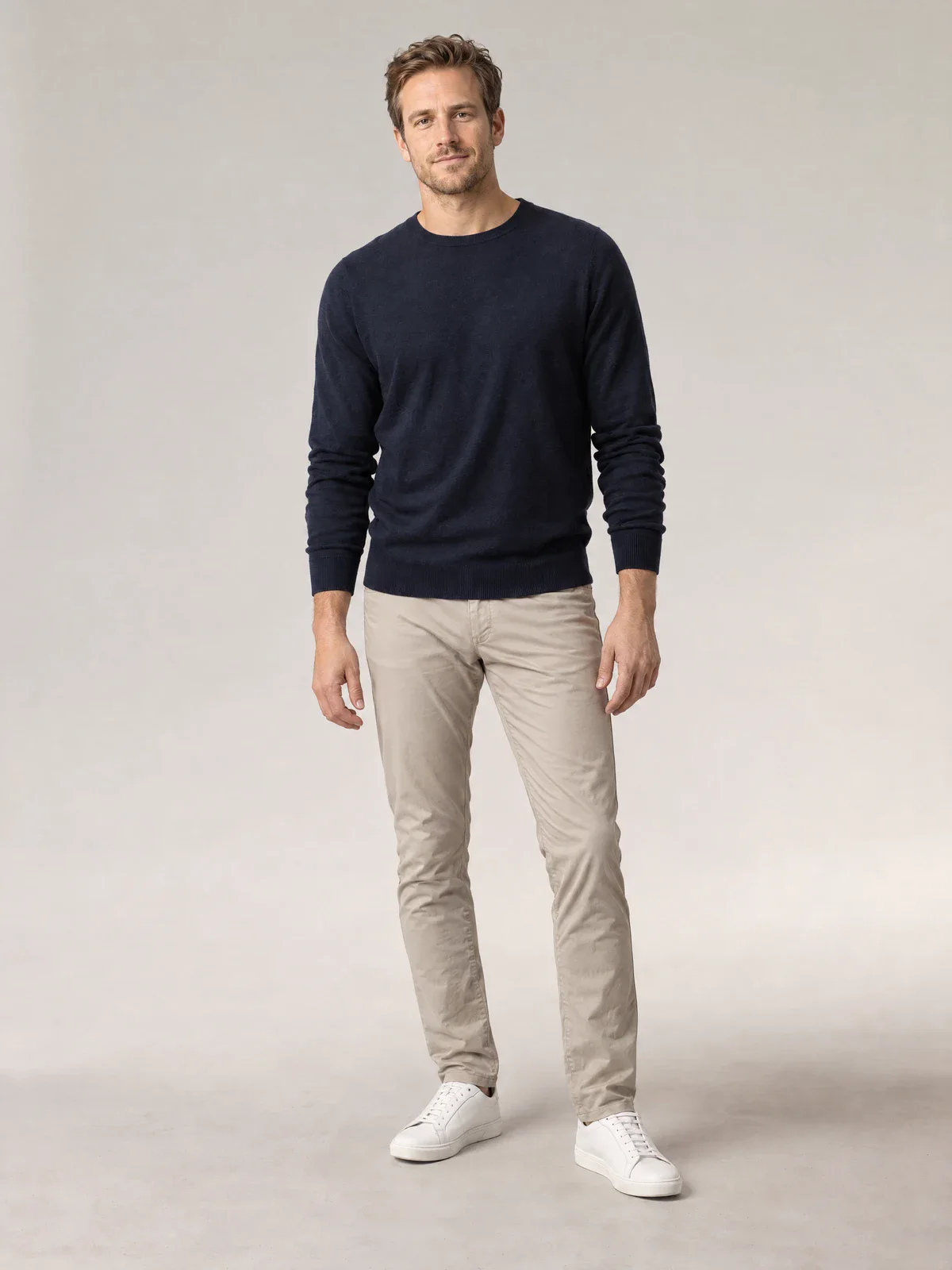
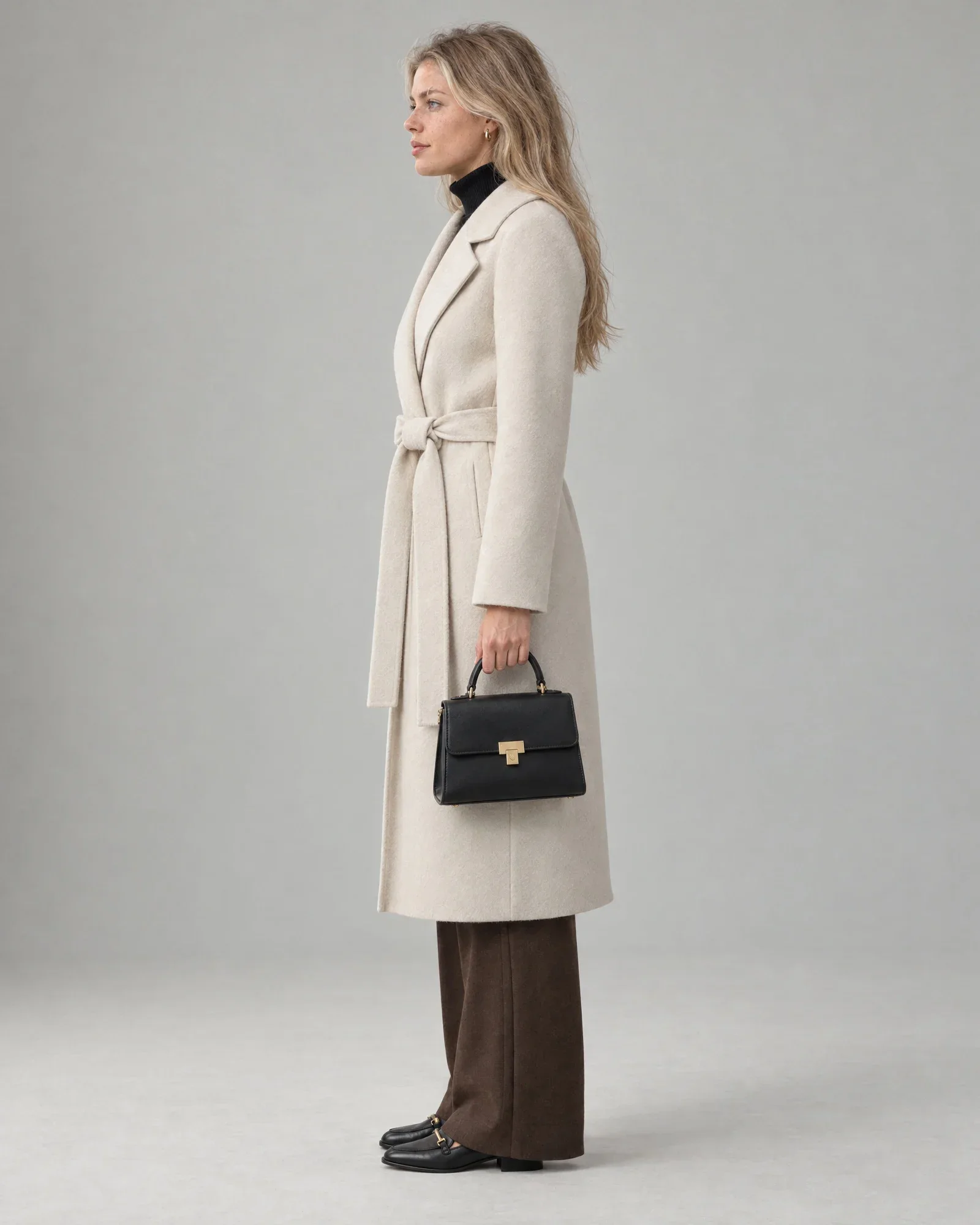
A packshot shows what a product looks like; a model photo shows how it fits and drapes. In its research, Baymard found that customers use model photos for clothing and accessories to assess fit, length, and size, and that they make decisions with less confidence when there is no model photo.
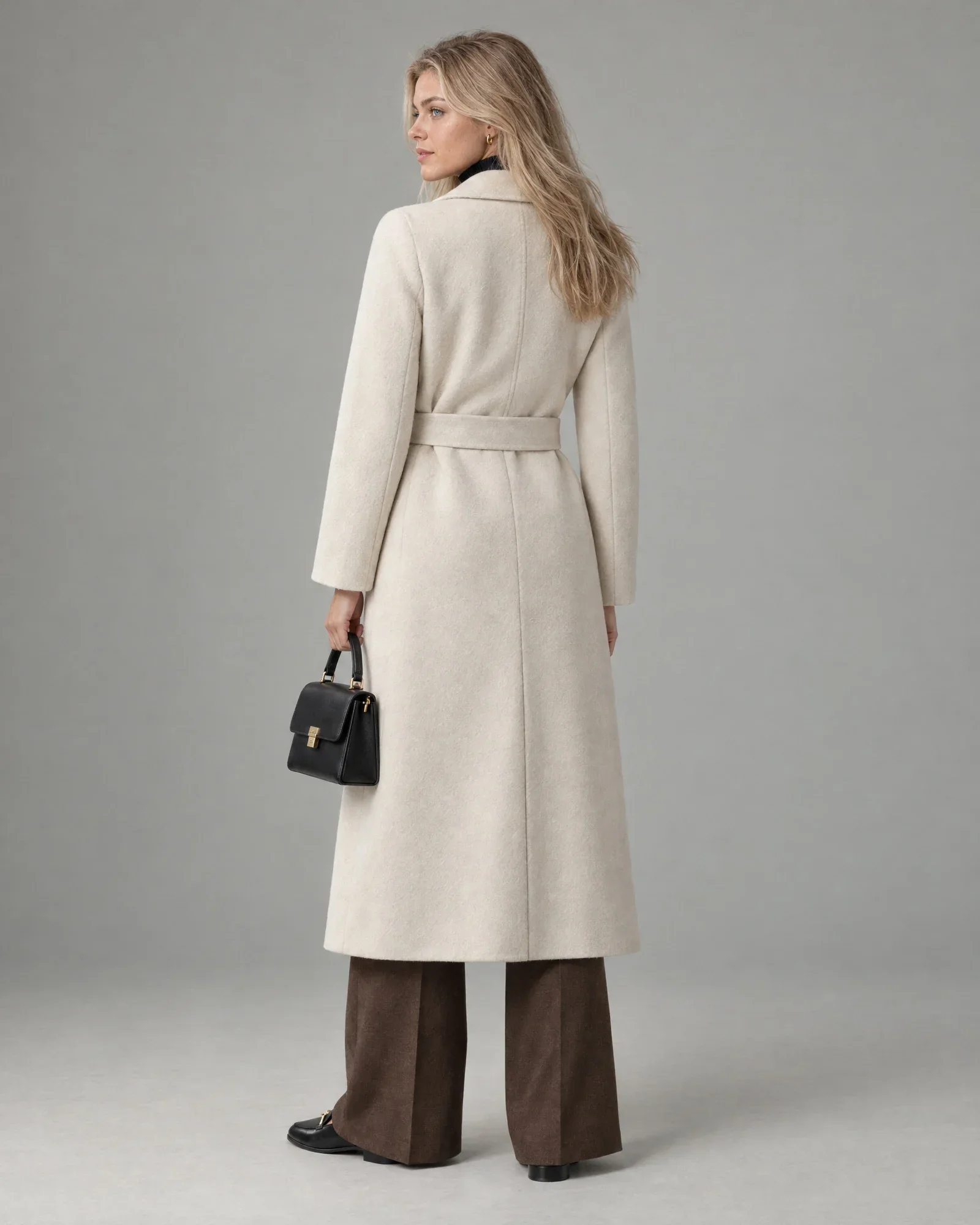
Show at least a front view, a side or back view, and a detail, preferably both as a packshot and on a model. The back is often the shot that is missing, even though that is where a slit, low back, or print may be that a customer wants to see. For pants and jackets, a side view shows the length and drape better than any other image.
Keep the same template for each category: the same order, the same crop, and the same background. This lets customers compare items without having to figure things out, and it makes missing images immediately obvious.
Color that matches the actual item
A color that looks different online than it does in real life is a classic reason for returns, and a frustrating one, because the customer feels misled. Color differences are caused by changing studio lighting, the camera’s automatic white balance, or supplier images that have each been edited differently.
Use fixed lighting settings and include a gray card or color card when shooting, then correct each shot against the actual fabric. Never use the photo of one color variant for another; a customer who orders navy does not expect cobalt blue. A clear color name in the title, such as dark blue instead of a brand name like midnight, also helps.
The same applies to AI images. An AI model photo should match the color of the packshot, not a prettier version of it. Always compare AI images with the source image before they go live.
Scale, detail, and material
For bags, scarves, jewelry, and accessories, size is the biggest unknown. Baymard recommends showing at least one image for scale, such as a bag on someone’s shoulder or next to a familiar object, because otherwise customers struggle to judge its size. Always include the dimensions in centimeters.
A detail photo can show part of the material: the structure of a knitted sweater, the sheen of satin, the thickness of a wool coat. But a photo does not tell you whether a sweater is wool or acrylic. That is why you should include the material composition on the product page, which is also required for textiles, and describe in the text how the fabric feels and whether it stretches.
When better images do not help
To be fair, not every return is an image problem. Customers ordering two sizes to try on at home, impulse purchases, a broken zipper, or a late delivery cannot be fixed with a different photo. A generous return policy also increases returns, regardless of your images.
Images that look better than the actual item can even increase returns. A jacket that hangs perfectly in the photo because it has been pinned, or an AI image that makes the fabric look more structured than it is, creates an expectation the delivered package cannot meet. The goal is an honest image, not the prettiest one.
An AI model photo generated from a packshot shows a believable fit, but not a measured fit. For many standard garments, that is enough. For garments where length, proportions, or drape need to be exact, such as dresses, trousers, and long coats, a real fit photo is the better source.
Look at your return reasons by category before you invest. If dresses are mainly returned because of sizing, a model note helps more than an extra lifestyle image.
How Photopilot completes every product page
Photopilot makes sure every item follows the same layout: cut out, with the same crop and background, color correction, and the correct order of views. These standard edits and publishing to your webshop are included in the plan, which starts at €500 per month. In the overview, you can see which views are still missing for each item.
If a model photo is missing, create one from the packshot with your own AI house model, for €0.05 – €0.21 per photo in the queue, often ready within an hour. An AI house model has a fixed height, so you can use the same model line for every image. If the fit needs to be truly accurate, use Size Guarantee: you take one fit photo of your own garment, for example with a colleague, and Photopilot replaces only the person with your fixed house model. The length, proportions, and fabric drape remain those of the real shot.
Photopilot also reads material and care symbols from the label and writes product texts that include fit and fabric. Every image and every text can be checked before it goes live, so the product page shows what the customer will actually receive.