How Photopilot works with FTP, SFTP, ZIP, and portals
Many online stores, ERPs, and POS systems simply read their product images from a folder on a server. Photopilot writes approved images to that exact folder via FTP or SFTP, using your own file names. In the other direction, supplier images from uploads, ZIP files, and portals are collected centrally and automatically matched to the right item.
01
Supplier files in one central place
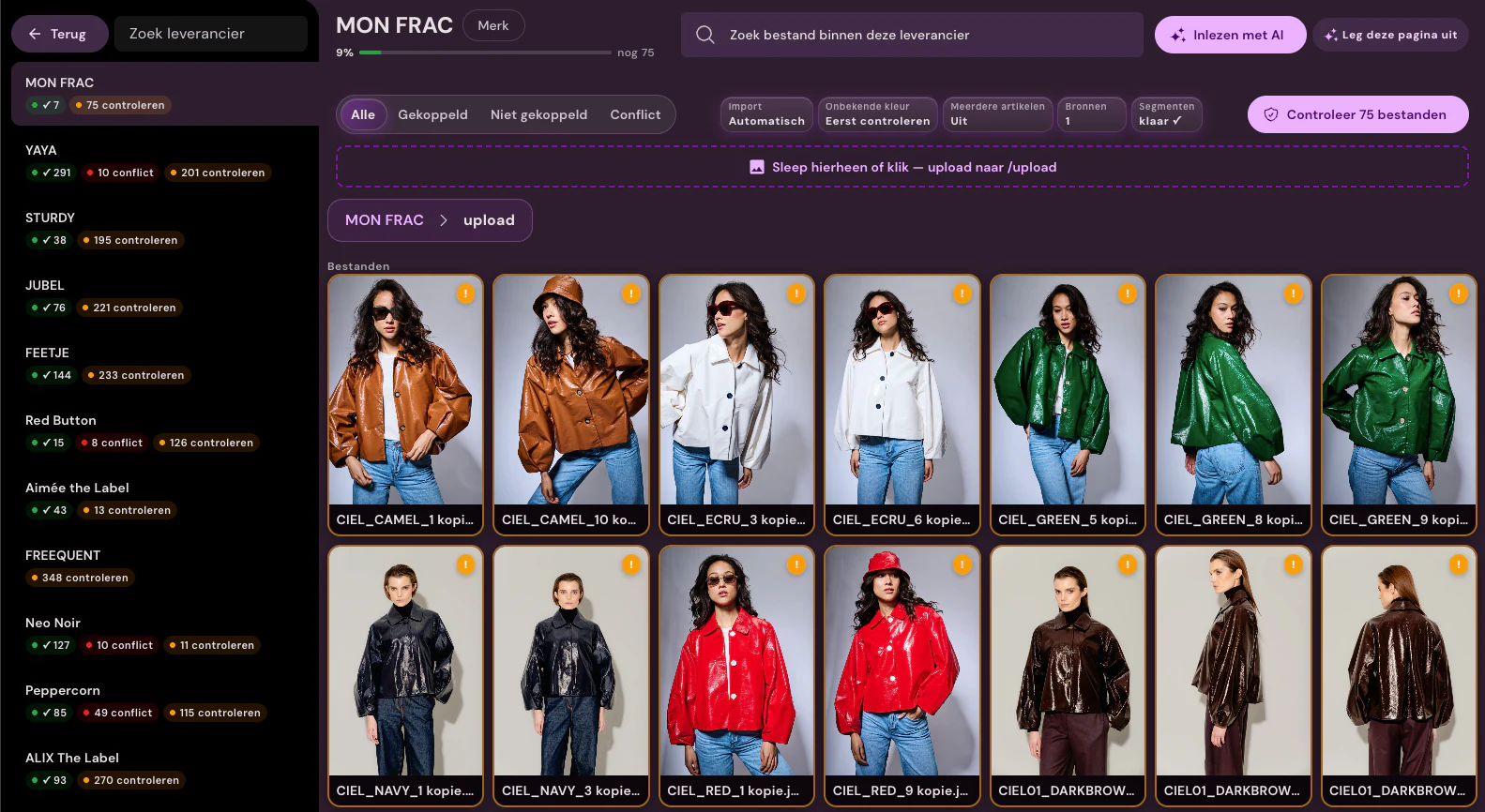
Suppliers provide images through an upload, a ZIP file, or their own portal. Photopilot extracts ZIP files automatically, and with a portal connection, Photopilot logs in to a supplier portal and downloads new images. Photopilot reads filenames, folder structures, and item codes to identify the item and color. We define that naming rule once per supplier, and it is reused for every new delivery.
02
Recognize by item number, EAN, and color code
A filename such as artikelnummer_kleurcode_2.jpg or one folder per EAN is enough to link an image to the right item. Photopilot compares this with the items from your ERP, POS system, or web store. For each supplier, you see the match rate, conflicts, and remaining work. Uncertain matches go into a review list instead of ending up on the wrong product.
03
From raw file to shop-ready image
Incoming content is rarely ready to use: backgrounds, crops, and formats all vary. Photopilot standardizes everything based on your shop rules, turns mannequin photos into a ghost mannequin, and fills in missing positions with packshots, AI model photos, or campaign images. Labels and laundry symbols in the photos are recognized for material information and product text. For each brand or collection, you choose automatic processing or prior approval.
04
File names and folders based on your template
Photopilot writes approved images to your FTP or SFTP server, in the folders and with the file names your webshop or POS system expects, for example with item number, color, and sequence number. This means the file name also determines the image order. A second server can receive the images per product group, and Azure Blob can run at the same time. An image is usually on the server within a few minutes of approval.
05
Kept up to date, even when images are replaced
Photopilot tracks every file it writes. If your team replaces or deletes an image, the old file on the server is cleaned up too, so outdated photos do not linger. If an upload fails, Photopilot automatically tries again. Supplier uploads are processed every half hour by default, and the missing images overview shows which items are still waiting.
06
What you need to get started
For export, we need the host, username, password, and target folder for your FTP or SFTP server, plus the file naming rule your webshop uses. For suppliers, we agree per supplier what their files are called and where they come from. This can be set up in a few days and does not require an IT project: the server your webshop already uses is enough.
FTP, SFTP, ZIP, and portals at a glance
What is exchanged
Photopilot writes approved images to your FTP or SFTP server, using folders and filenames based on your own template. A second server can receive the images for each product group, and Azure can run at the same time. Suppliers provide images by upload, and Photopilot automatically extracts ZIP exports such as ACA exports.
How often
Usually within a few minutes after approval. If an upload fails, Photopilot automatically retries it. Supplier uploads are processed every half hour by default.
What you provide
Host, username, password, and target folder for your FTP or SFTP server, plus the filename rule your online store expects.
Good to know
Five customers export via FTP or SFTP this way. Every file written is tracked, so a replaced or deleted image is also cleaned up on the server.
Can Photopilot automatically upload product photos to my FTP server?
Yes. After approval, Photopilot writes the image to your server via FTP or SFTP, usually within a few minutes. Folders and filenames follow the template your webshop expects.
Does the Photopilot export also work with SFTP instead of FTP?
Yes, both FTP and SFTP are supported. You enter the host, username, password, and target folder, and choose the protocol your server uses.
Can I define the file names for the FTP export myself?
Yes. You define one template with, for example, item number, color code, and sequence number, and optionally a folder structure. Photopilot uses that template for every image, so your webshop can recognize the images immediately and place them in the right order.
Can Photopilot process ZIP files from suppliers?
Yes. Photopilot extracts ZIP files automatically, reads the file names and folders, and links each image to the right item by item number, EAN, or color code. Anything that cannot be matched is shown as remaining work.
Can Photopilot retrieve images from a supplier portal?
Yes, with a portal connection, Photopilot logs in to the supplier's portal and downloads new images. They then go through the same matching and processing as other supplier images.
Is a replaced photo also removed from the FTP server?
Yes. Photopilot keeps track of which file it wrote, so a replaced or deleted image is also cleaned up on the server. This prevents old photos from staying in your webshop.
Can Photopilot export to two FTP servers at the same time?
Yes. A second server can receive the images for each product group, for example for a second store label. Azure Blob can also run at the same time.
What happens if an FTP upload from Photopilot fails?
Photopilot then tries again automatically. If it keeps failing, for example because a password has changed, you will see it in the reporting so it does not go unnoticed.
Do I have to set up naming conventions again for each delivery?
No. The naming rule is set once per supplier and then reused for every new delivery. If a supplier changes its naming convention, you only need to adjust that rule.
How quickly does an approved image appear on our FTP server?
Usually within a few minutes after approval. If an upload fails, Photopilot automatically retries it.
What does Photopilot need for export via FTP or SFTP?
Host, username, password, and target folder, plus the filename rule your online store expects.
What happens with conflicts or unclear files?
Photopilot shows match percentage, conflicts, and remaining work per supplier. Per brand or collection you choose automatic flow-through or prior approval.















%20--%3e%3csvg%20version='1.1'%20id='Layer_1'%20xmlns='http://www.w3.org/2000/svg'%20xmlns:xlink='http://www.w3.org/1999/xlink'%20x='0px'%20y='0px'%20viewBox='0%200%20945%20125'%20style='enable-background:new%200%200%20945%20125;'%20xml:space='preserve'%3e%3cpath%20d='M8.73,62.42c0-31.54,24.83-56.21,56.53-56.21c21.08,0,37.79,9.99,47.47,25.3l-14.05,8.59%20c-6.56-10.77-18.58-17.96-33.42-17.96c-22.17,0-39.19,17.65-39.19,40.29s17.02,40.29,39.19,40.29c14.83,0,26.86-7.34,33.42-17.96%20l14.05,8.43c-9.52,15.46-26.86,25.45-47.47,25.45C33.56,118.64,8.73,93.96,8.73,62.42z'/%3e%3cpath%20d='M127.55,95.68c0-12.49,9.99-20.46,23.74-20.46h16.24c4.53,0,7.34-2.65,7.34-6.56c0-4.68-5.15-10.78-15.93-10.78%20c-9.53,0-15.15,5.15-17.96,11.87l-11.09-7.18c4.53-10.15,14.21-18.11,29.05-18.11c19.99,0,30.92,13.43,30.92,27.8v44.82h-13.74%20v-7.81c-2.65,4.06-10.15,9.53-21.24,9.53C138.17,118.79,127.55,108.49,127.55,95.68z%20M175.18,87.72v-0.94h-22.17%20c-5.93,0-9.99,3.9-9.99,9.06c0,5.62,4.68,10.15,13.12,10.15C168,105.99,175.18,98.34,175.18,87.72z'/%3e%3cpath%20d='M235.29,118.17c-15.62,0-24.52-8.59-24.52-25.61V7.77h14.83V92.4c0,7.5,4.22,11.56,12.02,11.56v14.21H235.29z'/%3e%3cpath%20d='M251.22,19.79c0-5.62,4.53-9.99,10.15-9.99c5.93,0,10.31,4.37,10.31,9.99s-4.37,9.84-10.31,9.84%20C255.75,29.63,251.22,25.41,251.22,19.79z%20M254.03,117.08V46.18h14.83v70.89H254.03z'/%3e%3cpath%20d='M286.35,81.63c0-21.08,16.55-37.16,38.1-37.16c14.37,0,26.23,7.03,32.64,18.11l-12.65,8.12%20c-3.59-7.03-11.24-11.87-19.99-12.02c-12.96,0.16-22.49,9.84-22.49,22.95c0,12.96,9.53,22.8,22.49,22.8%20c8.59,0,15.93-4.53,19.83-11.4l12.49,8.12c-6.4,10.77-18.27,17.65-32.32,17.65C302.9,118.79,286.35,102.71,286.35,81.63z'/%3e%3cpath%20d='M369.73,81.63c0-21.08,16.55-37.16,38.1-37.16c21.71,0,38.1,16.08,38.1,37.16c0,21.08-16.4,37.16-38.1,37.16%20C386.28,118.79,369.73,102.71,369.73,81.63z%20M430.31,81.63c0-13.12-9.68-22.8-22.49-22.95c-12.96,0.16-22.49,9.84-22.49,22.95%20s9.53,22.8,22.49,22.8C420.63,104.43,430.31,94.75,430.31,81.63z'/%3e%3cpath%20d='M500.73,62.42c0-31.54,24.83-56.21,56.53-56.21c21.08,0,37.79,9.99,47.47,25.3l-14.05,8.59%20c-6.56-10.77-18.58-17.96-33.42-17.96c-22.17,0-39.19,17.65-39.19,40.29s17.02,40.29,39.19,40.29c14.83,0,26.86-7.34,33.42-17.96%20l14.05,8.43c-9.52,15.46-26.86,25.45-47.47,25.45C525.56,118.64,500.73,93.96,500.73,62.42z'/%3e%3cpath%20d='M646.88,118.17c-15.61,0-24.52-8.59-24.52-25.61V7.77h14.83V92.4c0,7.5,4.22,11.56,12.02,11.56v14.21H646.88z'/%3e%3cpath%20d='M664.05,86.31V46.18h14.83v40.44c0,10.93,6.25,17.96,16.55,17.96c10.15,0,16.55-7.03,16.55-17.96V46.18h14.83v40.13%20c0,17.8-10.31,32.48-31.39,32.48C674.2,118.79,664.05,104.11,664.05,86.31z'/%3e%3cpath%20d='M822.39,81.63c0,20.92-16.55,37.16-37.48,37.16c-8.43,0-16.71-2.97-23.11-8.28v6.56h-14.83V7.77h14.83v44.97%20c6.4-5.31,14.68-8.28,23.11-8.28C805.83,44.46,822.39,60.86,822.39,81.63z%20M806.77,81.63c0-13.12-9.52-22.8-22.49-22.95%20c-12.8,0.16-22.49,9.84-22.49,22.95s9.68,22.8,22.49,22.8C797.24,104.43,806.77,94.75,806.77,81.63z'/%3e%3cpath%20d='M890.2,117.08L922.37,7.77h13.9L904.1,117.08H890.2z'/%3e%3c/svg%3e)
'/%3e%3cpath%20d='M150.336,366.953h15.189v2.531H153.788v3.309h6.846v2.531h-6.846V379h11.88V381.8H150.336V366.953Z'%20transform='translate(-127.628%20-366.953)'/%3e%3cpath%20d='M223.733,366.953h2.36l10.44,8.745a12.625,12.625,0,0,1,1.7,1.611c-.087-1.237-.144-2.1-.144-2.561v-7.795h3.107V381.8h-2.359l-10.9-9.177a12.259,12.259,0,0,1-1.238-1.208c.116,1.15.144,1.927.144,2.358V381.8h-3.107V366.953Z'%20transform='translate(-181.029%20-366.953)'/%3e%3cpath%20d='M312.449,381.8H309V369.6h-6.821v-2.646h17.118V369.6h-6.845v12.2Z'%20transform='translate(-238.101%20-366.953)'/%3e%3cpath%20d='M379.458,366.953h3.453V381.8h-3.453V366.953Z'%20transform='translate(-294.329%20-366.953)'/%3e%3cpath%20d='M409.442,366.953H412.9V379h11.131V381.8H409.442V366.953Z'%20transform='translate(-316.145%20-366.953)'/%3e%3cpath%20d='M480.11,379.005h9.838V366.953H493.4v11.333c0,2.79-.891,3.51-3.681,3.51H480.34c-2.79,0-3.681-.719-3.681-3.51V366.953h3.451v12.052Z'%20transform='translate(-365.05%20-366.953)'/%3e%3cpath%20d='M560.662,379.005V369.6h11.391v9.406Zm-3.452-8.543v7.824c0,2.79.891,3.51,3.682,3.51h10.932c2.79,0,3.681-.719,3.681-3.51v-7.824c0-2.791-.891-3.509-3.681-3.509H560.892c-2.791,0-3.682.718-3.682,3.509Z'%20transform='translate(-423.656%20-366.953)'/%3e%3cpath%20d='M642.423,366.953h2.79l6.99,8.974,6.846-8.974h2.762V381.8h-3.193v-9.177a15.583,15.583,0,0,1,.116-1.582,10.16,10.16,0,0,1-.863,1.554l-5.581,7.421h-.69l-5.58-7.45a6.632,6.632,0,0,1-.893-1.525c.059.6.087,1.093.087,1.582V381.8h-2.79V366.953Z'%20transform='translate(-485.654%20-366.953)'/%3e%3cpath%20d='M735.446,379.005V369.6h11.39v9.406Zm-3.453-8.543v7.824c0,2.79.892,3.51,3.682,3.51h10.932c2.79,0,3.681-.719,3.681-3.51v-7.824c0-2.791-.891-3.509-3.681-3.509H735.675c-2.79,0-3.682.718-3.682,3.509Z'%20transform='translate(-550.823%20-366.953)'/%3e%3c/g%3e%3c/svg%3e)

'/%3e%3cpath%20d='M527.731,277.117v4.942h-13.3v16.728h-6.849V282.059c-7.609-.074,0,0-13.3-.127v-4.816Z'%20transform='translate(-369.199%20-277.117)'/%3e%3cpath%20d='M449.4,277.117v21.671h-4.684c-7.783-5.1-15.978-9.8-23.572-15.081.248,13.016.011.444.248,15.081H415.31V277.117h4.816c7.672,5.127,15.862,9.737,23.445,14.954-.169-11.981,0-4.568-.248-14.954Z'%20transform='translate(-331.928%20-277.117)'/%3e%3cpath%20d='M371.308,294.732v4.055H341.4V277.117h29.655v3.675H348.117v4.689c7.725.074,8.3.069,13.312.132,0,.375-.011,3.564-.011,3.8h-13.3v5.2C356.766,294.753,363.615,294.648,371.308,294.732Z'%20transform='translate(-297.045%20-277.117)'/%3e%3cpath%20d='M291.865,286.241c.032,7.181.354,9.077-.76,10.772-.861,1.3-1.938,1.626-4.182,1.774H262.216c-2.545-.29-4.473-1.188-4.816-3.675v-14.32c.338-2.487,2.265-3.4,4.816-3.675h24.2c2.783.517,5.36,1.23,5.449,4.435H264.117v12.419c6.87.148,14.062.042,20.989.127l.048-4.182h-10.9c-.032-1.964,0-2.17,0-3.8C281.478,286.109,285.291,286.067,291.865,286.241Z'%20transform='translate(-257.4%20-277.117)'/%3e%3c/g%3e%3c/svg%3e)