

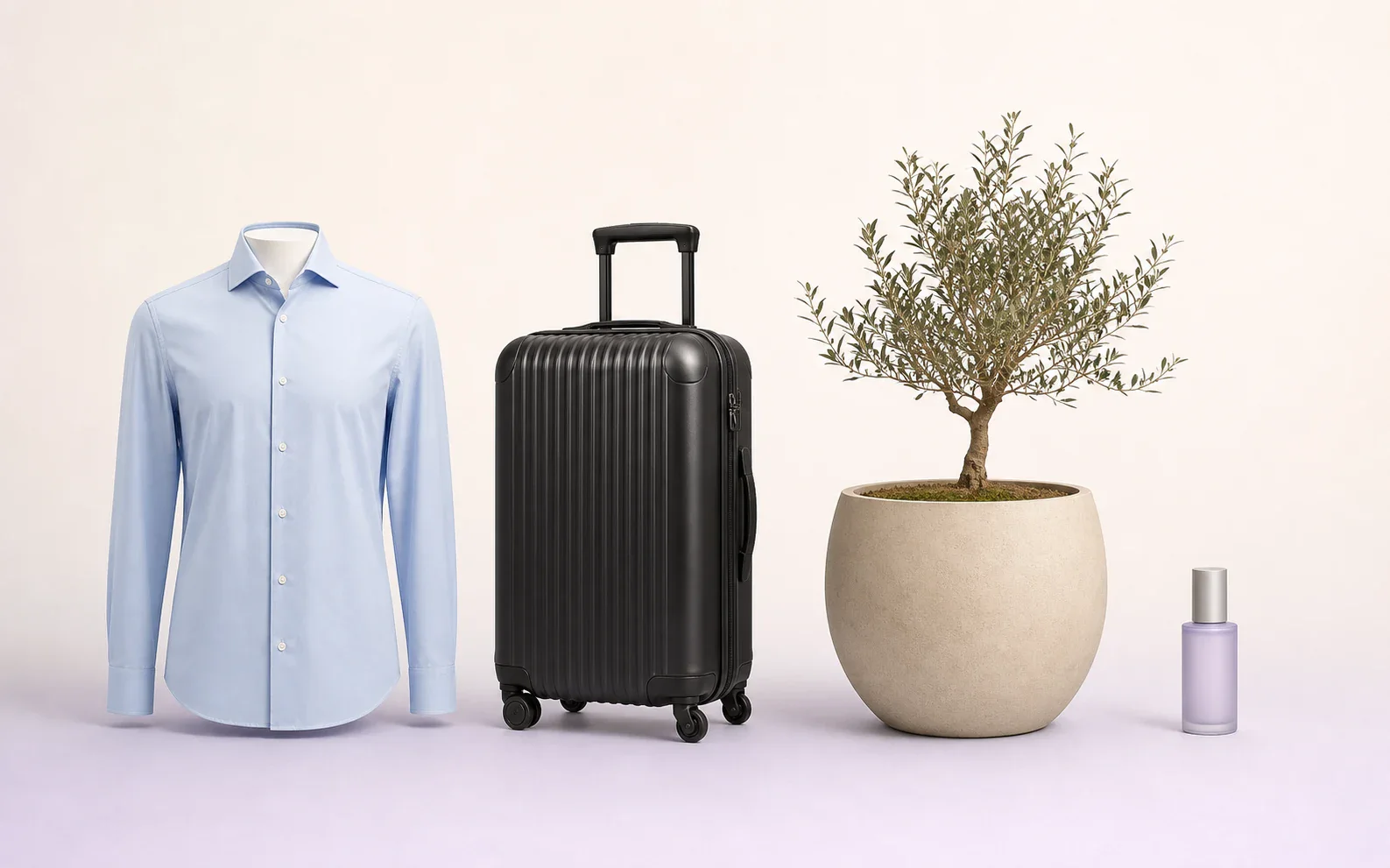
The problem: everything is the same size
Most webshops crop every product photo so the product fills the frame. For apparel, that works well because you usually do not see a size S sweater and a size XL sweater side by side. But for bags, suitcases, home accessories, and cosmetics, it goes wrong: a key pouch, a crossbody bag, and a large suitcase appear exactly the same size in the product list.
Customers rarely read the dimensions in the product specifications. They look at the photo and compare the product with whatever is next to it. If a handbag looks as large as a weekender bag in the photo, they will misjudge its size, and you only find out when the package comes back.
Especially in categories where size is the whole story, such as carry-on luggage, laptop bags, or plant pots, a photo with the right proportions is not an aesthetic choice but product information.
Why the right proportions pay off: returns and trust
A product that turns out smaller or larger than expected is one of the best-known reasons for a return. For bags and suitcases, that means double shipping costs and an item that has to be processed again. A photo that shows the size honestly prevents some of those disappointments before the order is placed.
A consistent scale also builds trust. If every suitcase in the Carry-on Luggage category sits on the same baseline and larger models are visibly larger, customers can compare without reading tables. It feels like a store where you see the products side by side on the shelf.
It also helps on the PDP, the product detail page. If you show different sizes from the same series, such as a suitcase in 55, 69, and 75 centimeters, the customer immediately sees the difference instead of three identical photos with a different number underneath.
Fixed crop or dynamic scaling?
With a fixed crop, every product fills the same part of the frame, regardless of its real size. That is the default for almost every cutout tool and also works well for clothing, where a template per product group keeps all shirts and pants aligned.
With dynamic scaling, the product's real size determines how large it appears in the image. A bag that is 26 centimeters wide gets a different zoom level than a suitcase that is 75 centimeters tall, but both are placed on the same canvas and the same baseline. The canvas itself, the aspect ratio, and the margins stay the same, keeping your grid calm and consistent.
| Aspect | Fixed crop | Dynamic scaling |
|---|---|---|
| Size in the image | Every product fills the frame | Follows the real dimensions |
| Needed | Photo only | Photo plus width, depth, and height |
| Good for | Clothing, shoes by size | Bags, suitcases, home, cosmetics, bathroom products |
| Risk | Customer misjudges the size | Small products appear very small; detail shots are needed |
How dynamic scaling works
It starts with the product data: width, depth, and height in centimeters, from your ERP or POS system. Then the product itself is recognized in the photo, specifically the body of the product. Handles, shoulder straps, and extendable trolley handles are not included in the size, because suppliers usually do not measure them either.
Each product is then assigned a scale in pixels per centimeter and placed on a fixed baseline. Upright products, such as suitcases and backpacks, are scaled by height because that does not change when you rotate the product. Horizontal products, such as toiletry bags, are scaled by width.
What matters is that the scale stays the same for each product across every view. A side view of a suitcase is simply narrow; it is not enlarged to match the width of the front. For an angled view, the product is made slightly smaller so the front edge is the same height as in the front view. Close-ups and photos of an open bag are outside the scale system and use fixed padding.
- Use dimensions from the item data as an anchor
- Recognizing the main product shape, excluding straps and handles
- Scale each product to a fixed baseline
- The same scale for front, side, back, and angled views
- Close-ups and open presentations with fixed padding
Example: bags and suitcases
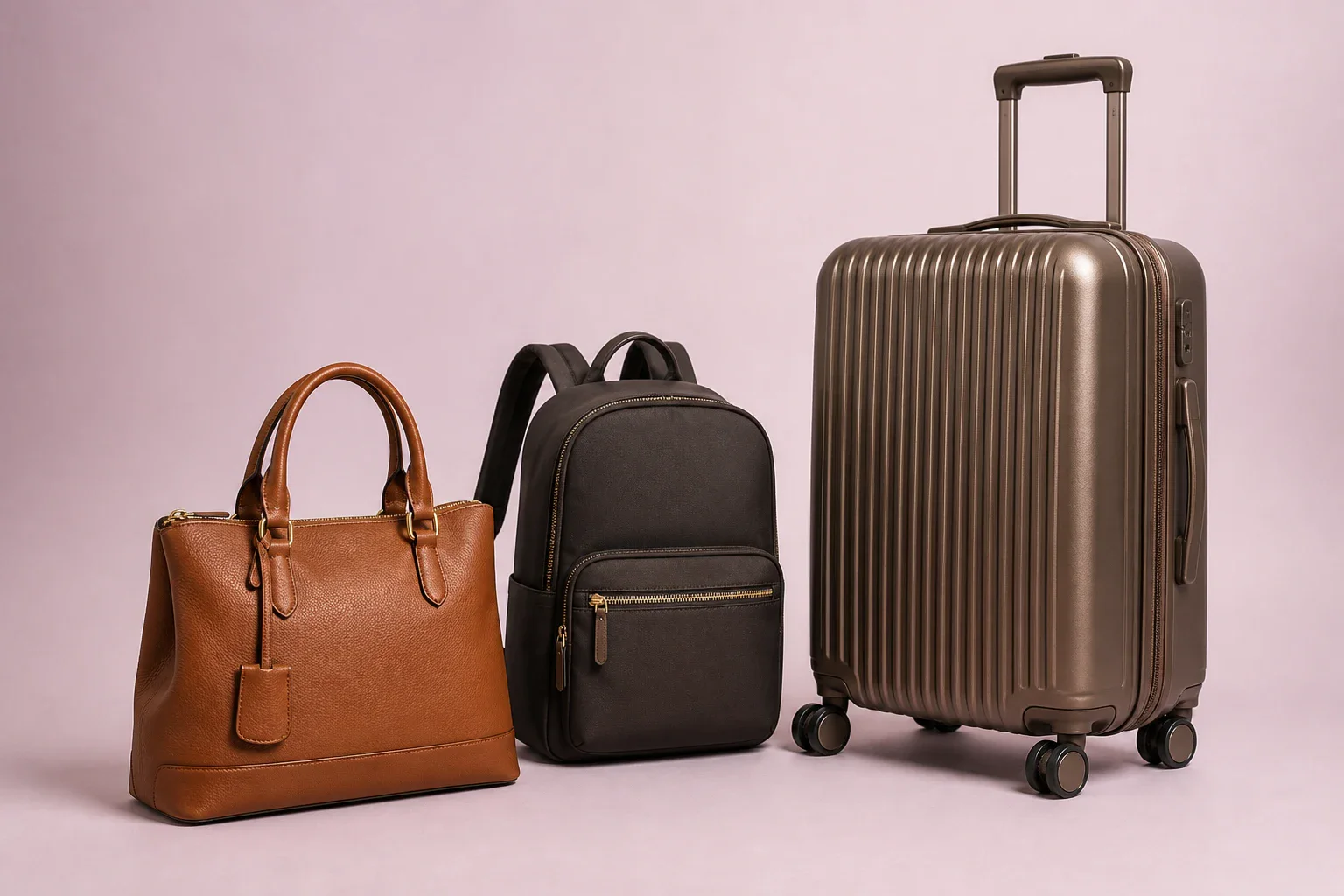
Bags and suitcases are the clearest example, because the range runs from a key case to a 75-centimeter spinner. At Duifhuizen Tassen & Koffers, three sizes of the same suitcase, 55, 69, and 75 centimeters, are shown on the same canvas, with the wheels aligned: a small suitcase appears small, and a large one appears large.
The same applies to bags. A waist bag measuring 28 by 8 by 15 centimeters or a crossbody bag measuring 26 by 10 by 21 centimeters gets a different crop than a shopper or weekender bag. Handles may extend above the line, but the body of the bag determines the size.
For AI images with a model, the bag is checked against the model's height so a handbag does not suddenly become the size of a travel bag. AI scenes without a person are created using the real dimensions, but they are not measured with a ruler afterward; that is why we call them AI scenes, not true to scale.
What do you need?
Above all, reliable dimensions. Make sure width, depth, and height are included in your item data for each item, in the same unit and in the same order. If the dimensions are only in the supplier's filename, such as 55x40x20, they can also be read from there.
Watch for swapped measurements, because suppliers do not always list width and height in the same order. A good check is to measure the result in centimeters: is the other measurement, the one that was not used as the anchor, roughly correct too? If not, something was probably reversed or entered incorrectly.
If the measurements are missing, the system should not guess. A product without dimensions should remain visible as an exception so someone can add the measurements, instead of quietly falling back to a default size.
No measurements, no guessing: an item without dimensions stays visible as an exception until the data is complete.
Also for home, beauty, and bathroom products
Dynamic scaling is not just for bags. In home and interior products, it matters whether a plant pot is 15 or 60 centimeters high. For bathroom fixtures or faucets, you do not want a small hand basin and a full-size sink to look the same size. In beauty and cosmetics, a 30-milliliter flacon sits next to a 500-milliliter bottle.
Clothing and shoes are different. You usually show one size per item, and a template for each product group keeps things consistent: all shoulders on the same line, all soles on the same baseline. Proportional scaling by centimeters adds little value there.

When dynamic scaling is not a good fit
If you mainly sell products of a similar size, such as only clothing or only jewelry, a fixed crop is simpler and just as clear. Very small products also appear tiny on a canvas that has to accommodate large items too; in addition to the scaled image, you will always need a detail photo with a fixed fill.
If your product data does not contain reliable dimensions, it is better to start by cleaning up that data first. Dynamic scaling is only as good as the measurements that go into it.
How Photopilot scales dynamically
Photopilot reads width, depth, and height from your ERP or POS system, or from the supplier’s file name. The product and ground point are detected in the photo, and each packshot is placed on a fixed canvas at the scale that matches the product type and real size, with an optional shadow. You define the margin and baseline per product type.
Every view of the same item gets the same scale, close-ups and open presentations get a fixed fill, and the result is measured in centimeters so deviations stand out. If dimensions are missing, the item remains visible as an exception.
To see it in practice, take a look at the Duifhuizen case or the page about bags and suitcases. They show the same suitcase in three sizes and bags in AI scenes, all based on the real dimensions.