What is alt text and why does it matter?
Alt text, short for alternative text, is the brief description attached to an image in your webshop’s code. Visitors normally do not see it, but a screen reader reads it aloud to someone who is blind or has low vision. If an image does not load, the alt text appears in its place.
Search engines also use alt text to understand what is in a photo. Google lists alt text, along with the text around the image and the filename, as an important source for Google Images. For apparel, where many people search visually, that is a discoverability channel that is often underused.
In practice, many online stores leave it empty, use the file name, or use an item number such as 4073AS252-BLK-M. That tells a customer using a screen reader nothing, and tells Google very little. A descriptive sentence for each image solves both problems.
What good alt text for a product photo looks like
Describe what someone who cannot see the photo would see, and what they need to know to make a choice. For a product photo, that means the brand, product type, color, and, if relevant, the material or a distinctive detail. For multiple images of the same product, distinguish them by view: front, back, detail, or on a model.
Keep it short. Screen readers read the entire text aloud, and the common guideline is a maximum of about 125 characters. Do not start with image of or photo of, because a screen reader already announces that it is an image. Avoid keyword lists: Google treats them as spam, and screen reader users will tune out.
Purely decorative images, such as a divider line or background pattern, get empty alt text so a screen reader skips them. Product photos are never decorative: they always need a description.
- Brand and product name as the customer sees them in the online store
- Product type and target group, such as women’s jacket or men’s chinos
- Color in plain words, not the supplier’s color code
- The view: front, back, side, detail, or on model
- Optionally, one distinctive detail, such as anchor buttons or a belt
Examples for fashion: good and bad
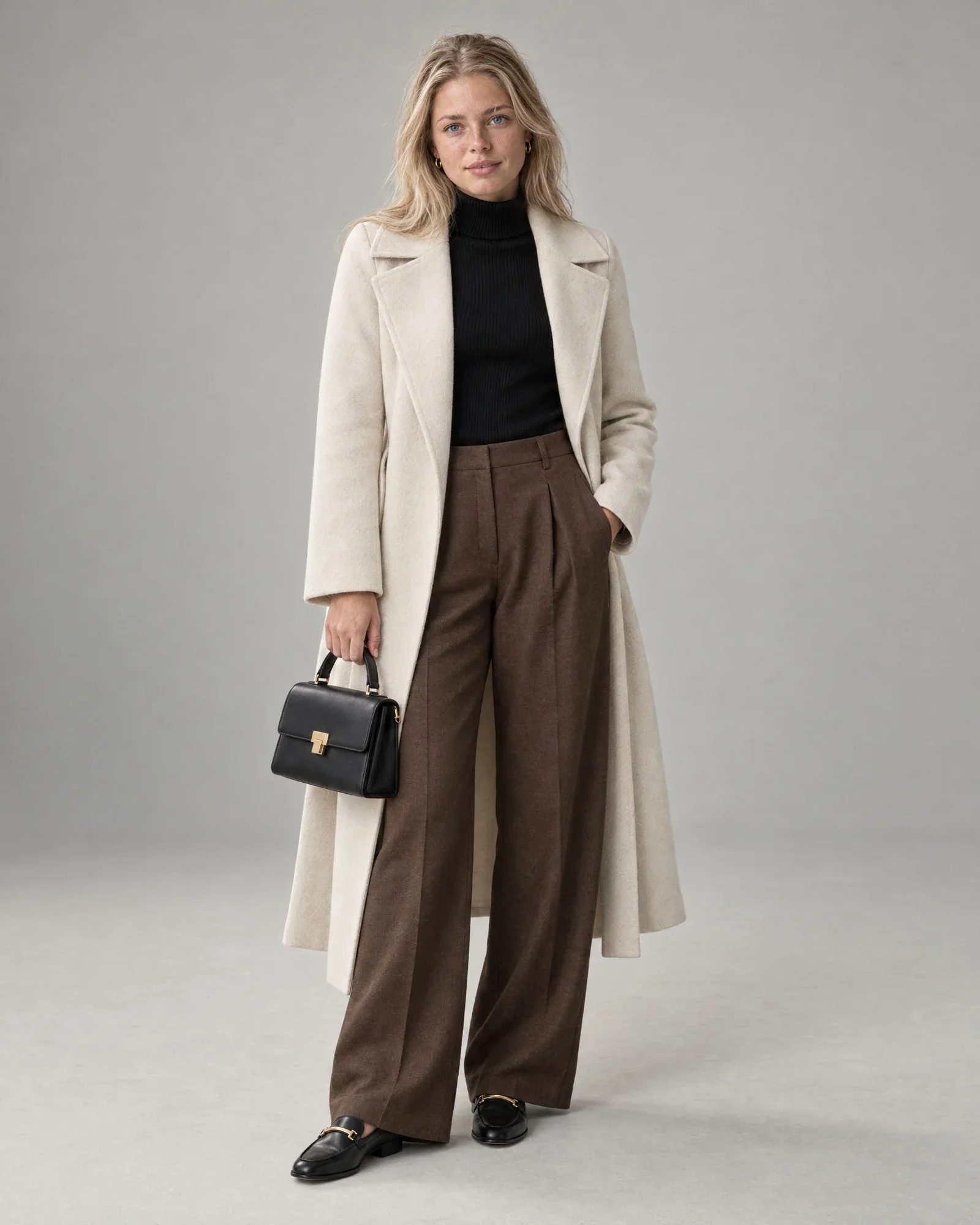
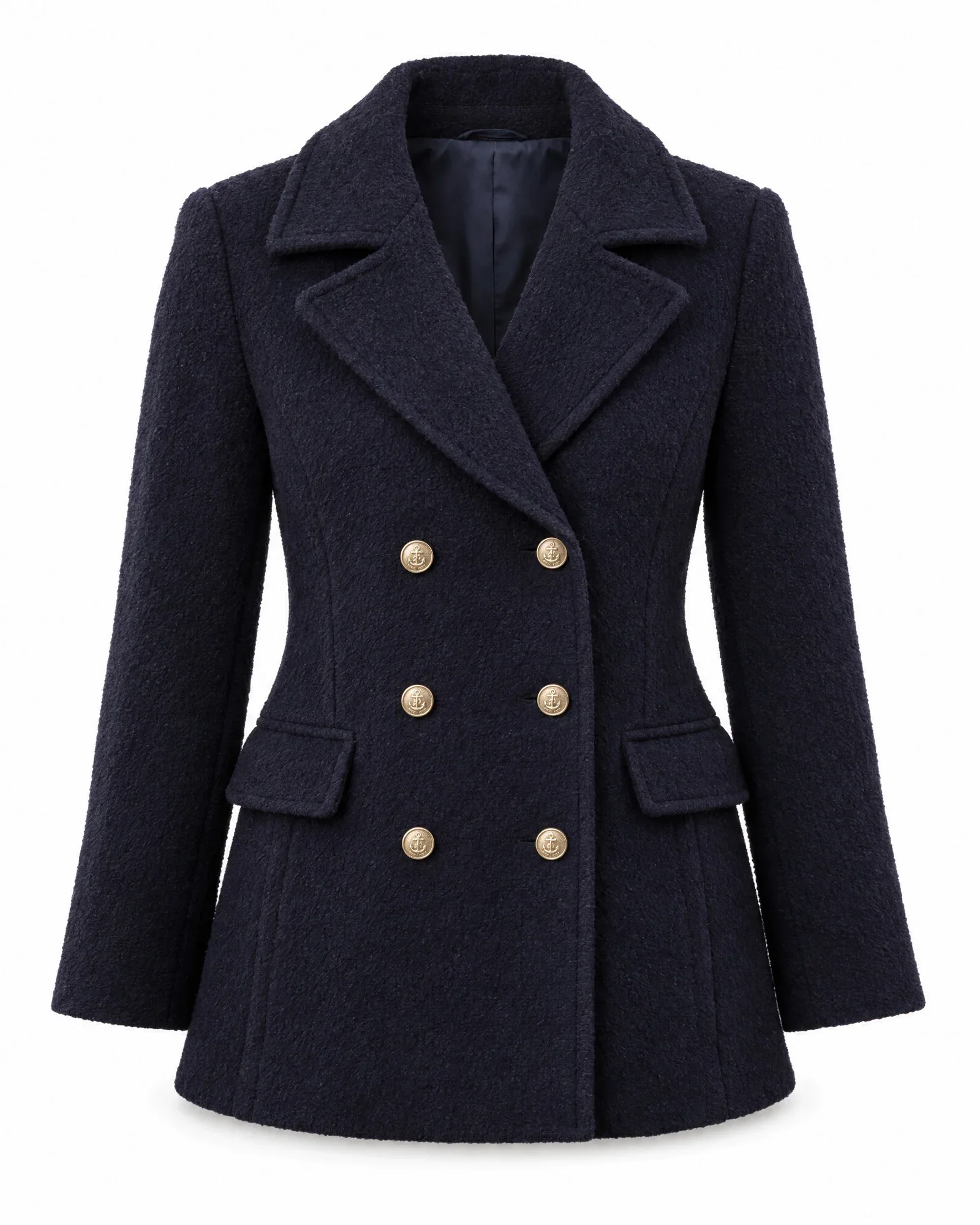
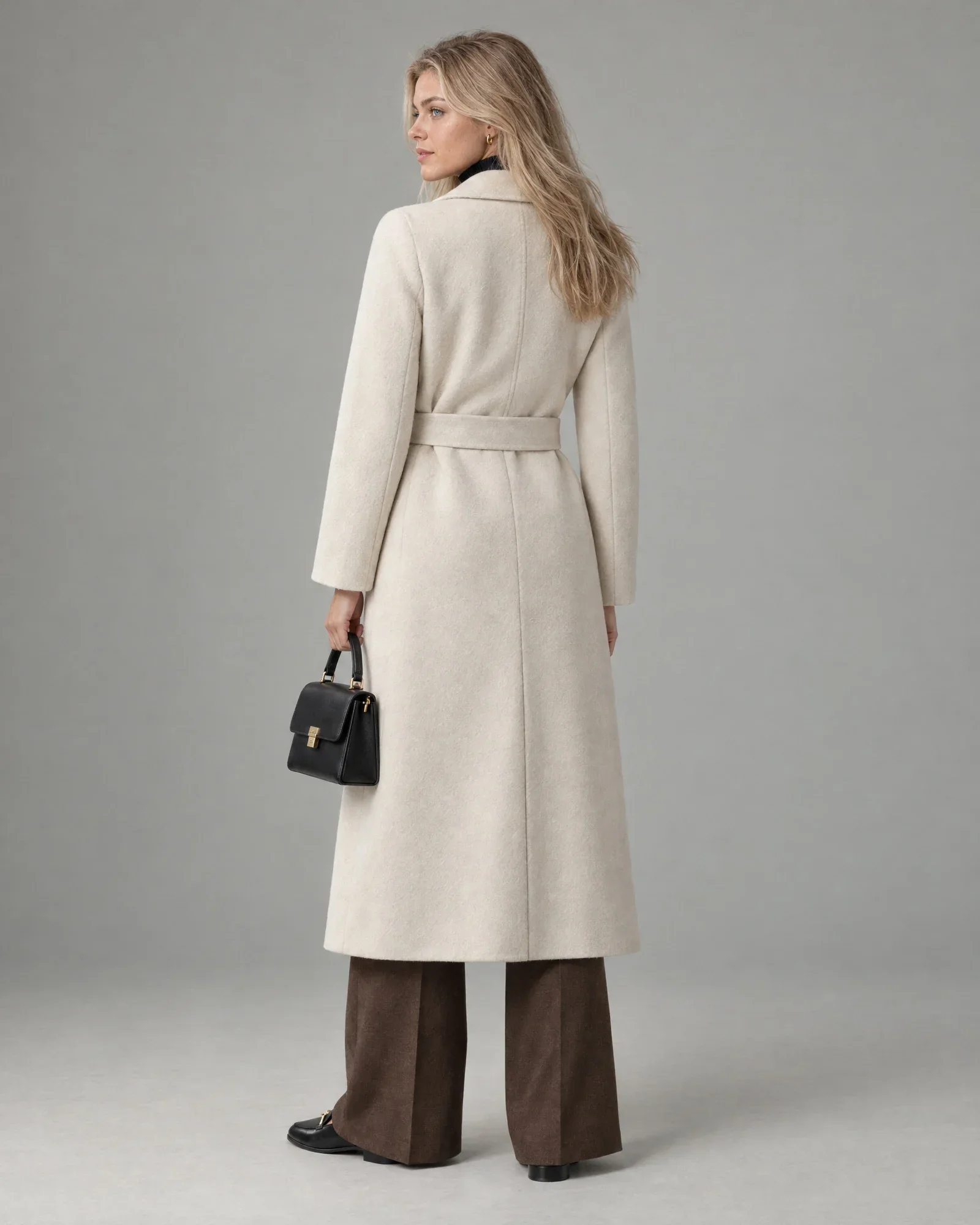
The difference is often just a few words. Below are common mistakes alongside better versions, for the same types of product images shown on this page. Notice that the good versions do not repeat keywords, but still include everything someone is searching for.
| Image | Incorrect | Better |
|---|---|---|
| Packshot of a coat | IMG_4021.jpg | Dark navy double-breasted wool peacoat with gold-tone buttons, front |
| Model photo | Beautiful woman in coat | Long cream wool coat with belt on model, worn with brown trousers |
| Back | Coat cream coat wool coat women's coat winter coat sale | Long cream wool coat with belt, back on model |
| Detail | Detail image | Close-up of the gold-tone anchor buttons on a navy peacoat |
| Supplier image | 4073AS252-NVY-M | Brand name women's peacoat in navy, front |
| Mood image | Empty | Woman in a camel-colored coat cycling along a canal |
SEO: alt text, file name, and structured data
Alt text works best together with a clear filename. Google recommends using descriptive filenames instead of camera names such as IMG_4021.jpg. A name such as peacoat-dames-navy-voorkant.jpg, or your own fixed structure with item number, color, and sequence number, helps search engines and your own team. Use hyphens and lowercase letters, and no spaces.
There is also structured data, also known as schema.org markup. With the Product type, you give search engines the product name, price, availability, and product images in a fixed format. Most online store platforms and themes generate this markup automatically from the product images and data. Use Google’s rich results test to check whether your images are included.
Finally, context matters. Alt text that matches the product title, description, and headings on the page strengthens the whole page. Alt text that says something different from the title, such as a different color name, creates confusion for both the customer and the search engine.
Accessibility and the European Accessibility Act
The European Accessibility Act has applied in the EU since June 28, 2025. In the Netherlands, the ACM has supervised the digital accessibility of webshops since then: websites and apps where you buy products or services. According to the ACM, the rules apply to companies with 10 or more employees and/or annual revenue of more than 2 million euros.
In practice, the European standard EN 301 549 is used as the technical benchmark. It aligns with the international WCAG 2.1 guidelines at level AA. One of its first requirements is that every informative image has a text alternative. Product photos without alt text are therefore not a minor detail, but one of the most common issues.
Alt text is only one part of it. A checkout process that works with a keyboard, sufficient color contrast, and clear forms are also part of accessibility. If you are unsure whether the law applies to your webshop or exactly what you need to do, check the ACM website or ask an accessibility specialist; this article is not legal advice.
Even if the law does not apply to you: an online store that works with a screen reader sells to more customers.
When automated alt text is not enough
Alt text based on item data is reliable and consistent, but it describes what is in the data, not the mood of a campaign image. For a handful of hero images on your homepage or in a lookbook, a hand-written description is often better. In those cases, you want to describe what is happening, not just which product it is.
The same applies here: garbage in, garbage out. If the color in your POS system is BLK or 999, or the product name is an internal code, the alt text will not improve. If you only have twenty products, it is faster to write the alt text yourself in your online store admin than to set up a system for it.
How Photopilot writes alt text
When publishing to Shopify, WooCommerce, and BigCommerce, Photopilot adds descriptive alt text to every image based on the product name, brand, and color. If the brand or color is already in the product name, it is not repeated. Only when no product name is available does Photopilot fall back to the item number, so an image is never left without text.
In the Webshop Excel and in file exports, each image gets its own alt text that adds the view, such as front, back, or on model, along with the target group and product type, in the format brand and name, women’s jacket in navy, front on model. The text stays under 125 characters, and all-caps text from supplier lists is cleaned up.
Those texts come directly from your product data, not from a language model, so the same data always produces the same text and nothing is made up. With an FTP or SFTP export, the files get the names your webshop expects, for example with item number, color, and sequence number. This is part of publishing, which is included in the monthly plan from €500 per month.