Why do retailers buy a PIM?
The promise of a PIM is clear: one place where all product information is collected, enriched with copy, attributes and translations, sent through an approval step and then distributed to every sales channel. No more separate Excel lists and no more debates about which version of a text is the right one.
That is a valid goal. A webshop with empty attributes, missing translations or the wrong photo for a color sells less and gets more returns. But a PIM does not solve that problem by itself.
In practice: one more place to maintain
A PIM organizes information, but it does not create it. In many organizations, a team still manually types or copies attributes, materials, copy, and images into the PIM: from supplier files, from care labels, and from folders with photos. The PIM becomes another system that has to be maintained, alongside the ERP and the webshop.
The result is predictable. Enrichment lags behind buying, new collections wait until someone has time, and products go online later than they need to. Especially in fashion, where the season is short, every week of delay costs revenue.
The alternative: automate the source data
Instead of filling another system, you can automate the work at the source. With Photopilot, product data comes directly from your ERP or POS system, such as ACA, LS Central, SRS, Business Central, or easyPOS. Supplier images and product details come in through Fashion Cloud, Stockbase, and supplier portals.
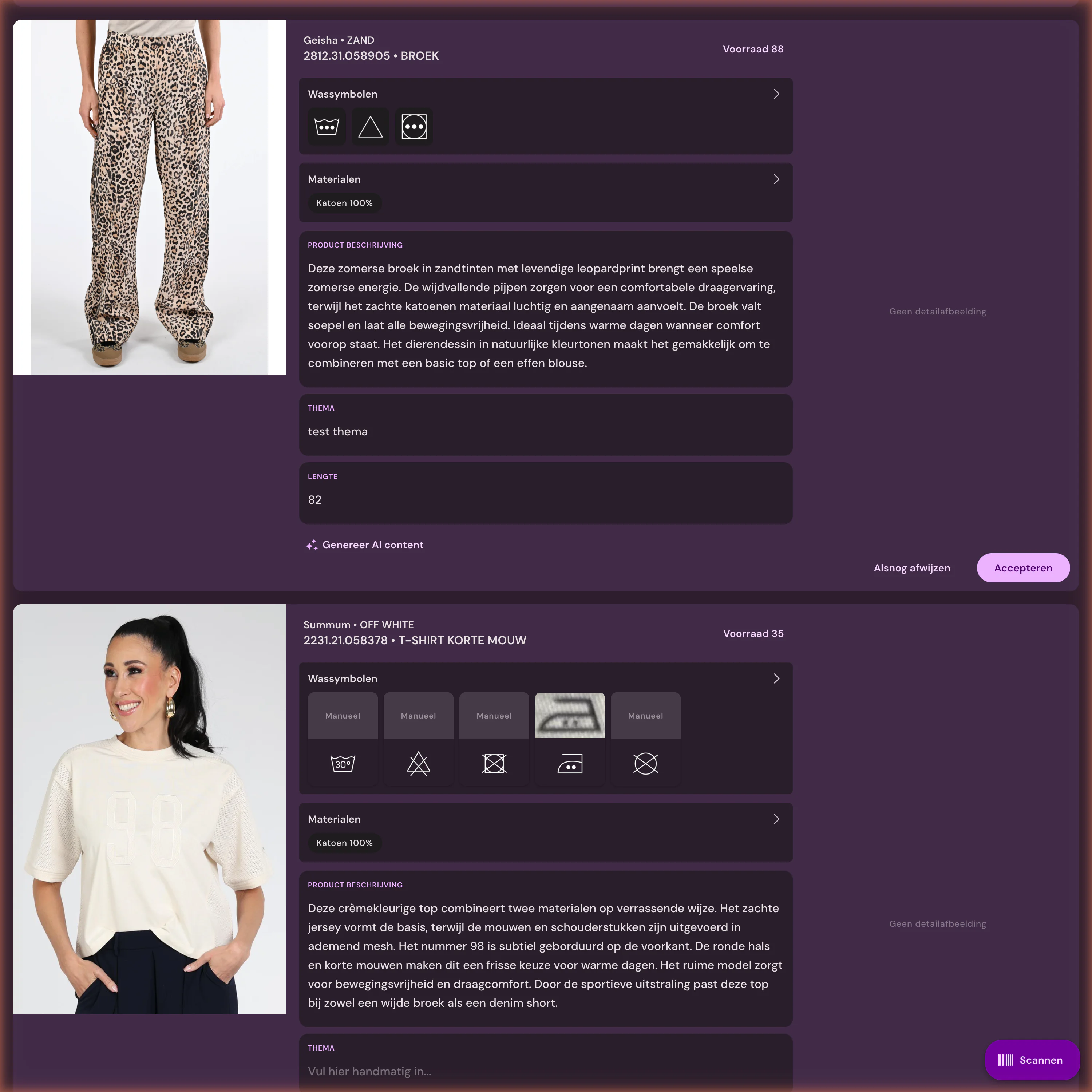
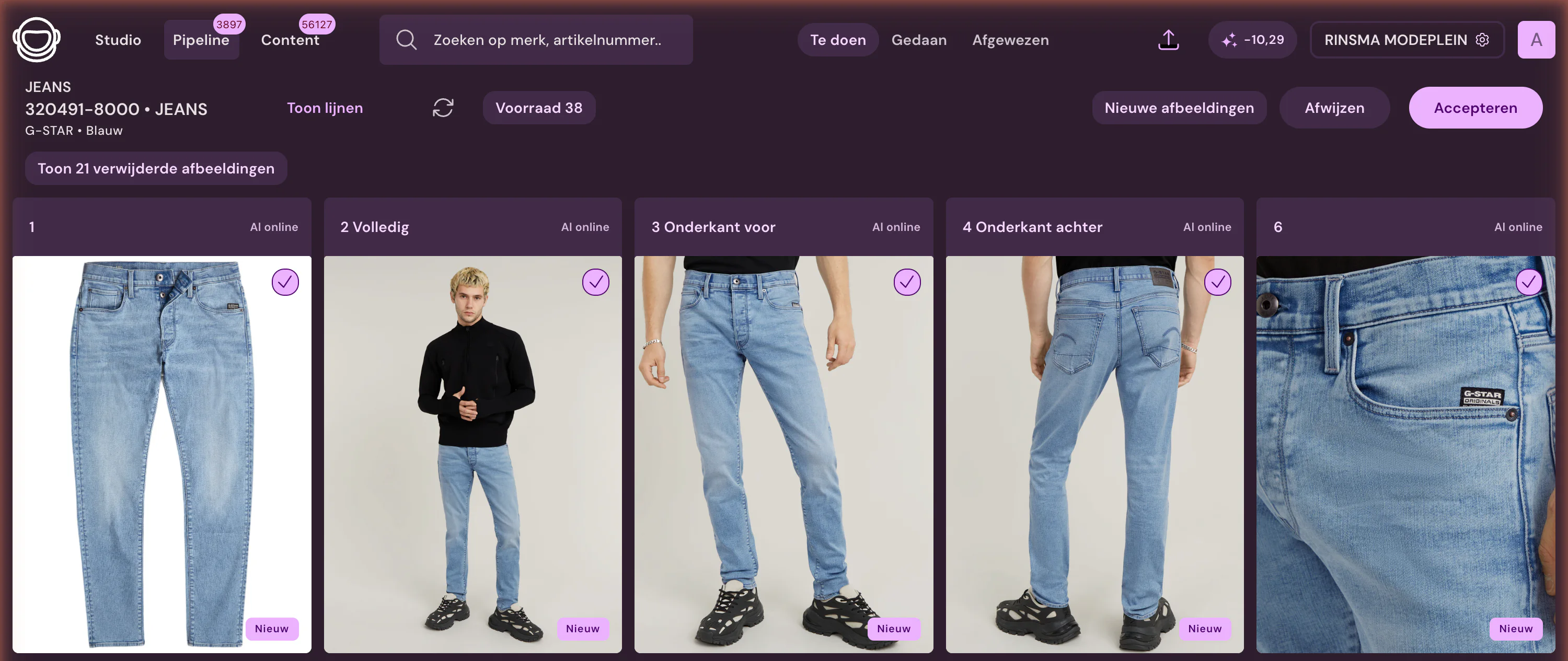
AI then fills the gaps. Images are matched to the right item by EAN, item number and color, then edited automatically to your template. Where needed, Photopilot creates AI model images from a packshot. Material and care instructions come from supplier data or from the care label you scan with the Item Info scanner in the iPhone app. Based on that data and the product photo, Photopilot writes product descriptions in all languages used by your webshop.
After approval, everything goes directly to your webshop. People only review the exceptions: an image that may not match, a missing size, or text that deviates. Over the past 90 days, across all customers, 96.6% of 207,699 images went live without correction.
Check: do you need a PIM?
Answer these five questions honestly. If most of your answers are no, the biggest gain is in automating your source data, not in adding another system.
- Do you sell through more than a few channels or marketplaces, each with different product data requirements?
- Do you have a large B2B catalog with customer-specific assortments or price lists?
- Do your product specifications come from multiple departments, such as engineering, purchasing, and compliance?
- Is there a team that owns product data day to day and has time for it?
- Can’t your ERP or webshop really store the information your channels need?
Manually in a PIM or automatically from the source
Same goal, two routes. The difference is who does the work and how quickly a product goes online.
| Component | Manually in a PIM | Automatically from the source |
|---|---|---|
| Article data | From the ERP, then enriched in the PIM | Directly from the ERP or POS system |
| Material and care instructions | Retyping from a label or supplier file | From supplier data or a scanned care label |
| Images | Search, rename, and upload by item | Automatically matched by EAN, item number and color, then edited |
| Product texts | Write and translate per language | Automatically in all languages used by your webshop |
| Control | Check every product | Only the exceptions |
| Publishing | To the online store via the PIM | Straight to the webshop after approval |
When a PIM still makes sense
A PIM is not a bad idea; it is just often not the first step. If you sell through many channels and marketplaces, each with its own data requirements, manage a large B2B catalog, or bring together specifications from multiple departments, then having one system for product information does have real value.
Even then, it pays to automate the source. Photopilot sends approved images and text to the PIM via FTP, SFTP, the Webshop Excel, a feed, or the API, so the PIM is populated instead of maintained by hand.